A Fairy-tale Bird In A Fantastic Forest
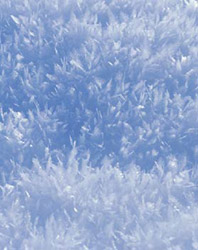
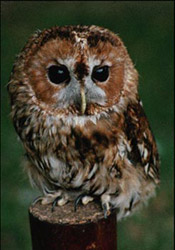
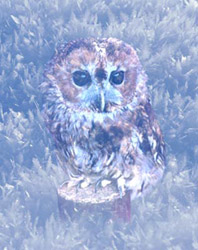
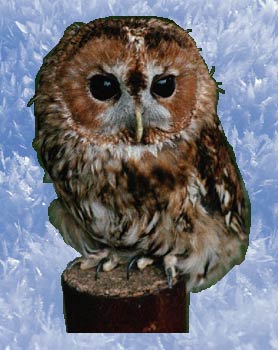
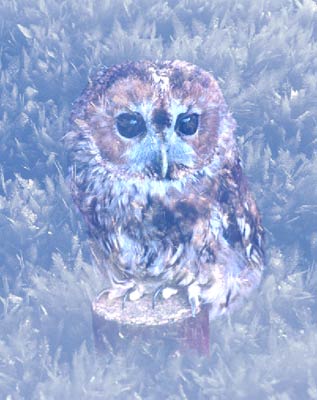
The fantastic forest on the left is just an intricate pattern drawn by heavy frost. The fairy-tale bird is for the time being no more than a little owl. But as soon as the little owl finds itself in the fantastic forest it turns into a fairy-tale bird.
 |
 |
 |
| Source Images | Result | |
- Step 1. Open these photos in your photo editor (in our case it is Adobe Photoshop with AKVIS Chameleon plugin).
You can use AKVIS Chameleon in its standalone edition if you wish. In this case, instead of steps 2-4, just use the pencil tools in the program to draw red and blue outlines. They are available in the plugin version too. With these tools you can draw the contours and edit them.
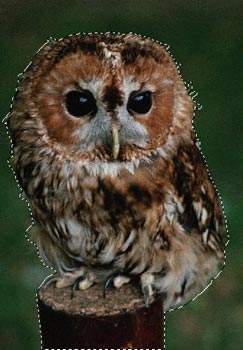
- Step 2. Use any selection tool to select the owl. We select the owl using Quick Mask mode of Adobe Photoshop. Switch to the Quick Mask mode and paint the little owl using a hard-edged pencil.
Switch back to the Standard mode and invert the selection by calling the command Select-Inverse or by using the key combination Ctrl+Shift+I.
- Step 3. Copy the selected image by calling AKVIS -> Chameleon -> Grab Fragment from the Filter menu.
- Step 4. Switch back to the fairy-tale forest, which will be the background for the little owl, and call AKVIS -> Chameleon -> Make Collage from the Filter menu.
The AKVIS Chameleon plug-in window will open and the background and fragment (owl) will be visible in the Before tab.
- Step 5. Switch to Blend mode from the drop-down menu in the Settings Panel.
- Step 6. Change the size and position of the fragment by using the Transform tool
 .
.
- Step 7. Press the button
 to create the collage. The result will appear in the After tab. Press the button
  to apply the collage to the image.
Here we have a fairy-tale illustration.
Chameleon v. 12.2 - 10日間の評価期間
