Graphic software for Windows Mac graphic software  
AKVIS ニュースの購読を申し込むには, 電子メールアドレスを入力してください。
 
  
  プログラム     ダウンロード     サイバーショップ     チュートリアル     サポート     会社情報
en  fr  de  es  pt  it  jp  ru    
 

チュートリアル: AKVIS Chameleon

Fantastic collage


Watch a flash movie demonstrating how to create a photo collage in Paint Shop Pro. Click here! (flash-movie, 5.1 Mb).


Sometimes to create an outstanding design for a book (a postcard, a poster etc) you may need to combine various objects. These objects may be absolutely alien to each other.

AKVIS Chameleon is the right tool to create such fantastic images.

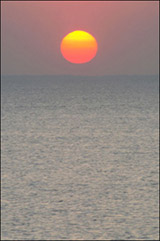
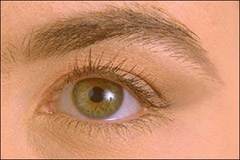
We will try to combine a human eye and a sea view.

photo of a human eyephoto of a sea view

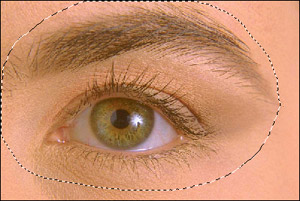
In the first stage we will select the eye and the eyebrow with the Lasso tool or by using the Quick Mask mode.

Selection of the eye

Then we copy the selection by calling the command Edit - Copy or by pressing Ctrl+C on the keyboard.

We switch back to the image with the sea view and take a snapshot using the command Filter - AKVIS - Chameleon (Take Snapshot).

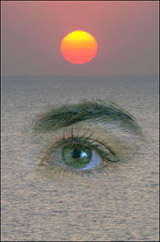
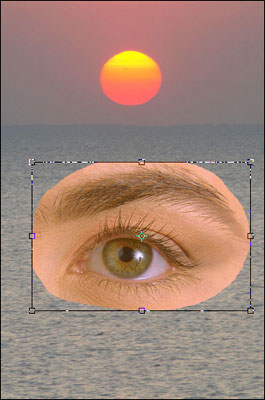
We insert the eye into the picture with the sea view by calling the command Edit - Paste or by pressing Ctrl+V on the keyboard. We adjust the object's position and size using the command Edit - Free Transform.

Insert the eye into the sea view

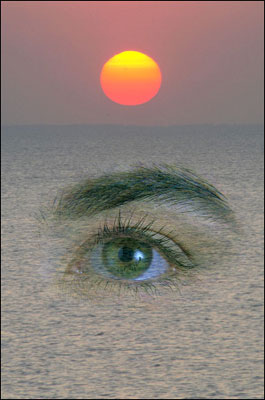
Now we apply AKVIS Chameleon by calling the command Filter - AKVIS - Chameleon (Use Snapshot).

Eye in the sea

Even though the view is fantastic it looks very nice.

 
操作方法 操作方法
モンタージュ モンタージュ
   — フォトハンティング — フォトハンティング
カメレオン カメレオン
   — 航海-夕暮れをこえて — 航海-夕暮れをこえて
   — 少女の新しい目 — 少女の新しい目
   — フライング ダッチ — フライング ダッチ
   — 花と猫 — 花と猫
   — サバンナの象 — サバンナの象
   — 遺跡の復元 — 遺跡の復元
   — 白鳥の湖 — 白鳥の湖
混合モード 混合モード
   — ウッドペインティング — ウッドペインティング
   — ポストカードの作成 — ポストカードの作成
   — 燃え上がる少女の写真 — 燃え上がる少女の写真


   プライバシー | サイトマップ | Web サイトの検索 | English  | Français  | Deutsch  | Español  | Português  | Italiano  | 日本語  | Pусский  | © 2004-2008, AKVIS Software Inc. All rights reserved.