Fantasiosa illustrazione
Molto spesso per creare qualcosa di molto originale come la copertina di un libro, una cartolina, un poster, ecc. può essere necessario combinare oggetti diversi che all’apparenza sembrano incompatibili tra loro.
AKVIS Chameleon è lo strumento adatto alla creazione di rappresentazioni irreali.
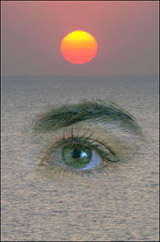
Cercheremo di armonizzare due immagini totalmente diverse: un occhio umano ed un tramonto sul mare.
Il tutorial è stato creato utilizzando il plugin AKVIS Chameleon in AliveColors, ma si potrà usare qualsiasi altro editor d’immagini compatibile o avvalersi della versione standalone di Chameleon che non richiede il supporto di alcun programma.
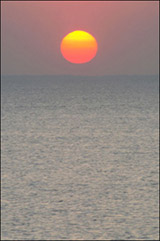
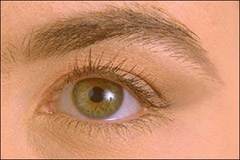
- Passaggio 1. Aprire le due immagini in AliveColors.
-
Passaggio 2. Effettuare la selezione dell’occhio e del sopracciglio con lo strumento Lazo, ma è possibile usare qualsiasi altro strumento di selezione disponibile.
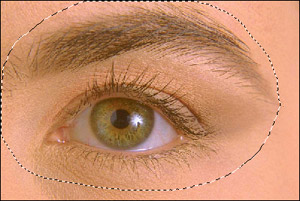
Se si lavora con la versione standalone di AKVIS Chameleon usare le matite del programma per disegnare i contorni blu e rossi. Questi strumenti sono disponibili anche nel plugin e permettono di disegnare o correggere i contorni della selezione, inoltre nel plugin è possibile trasferire la selezione eseguita nell’editor di foto.
- Passaggio 3. Copiare la selezione lanciando AKVIS -> Chameleon - Grab Fragment dal menu Effetti. Se tutto è stato fatto correttamente verrà visualizzato un messaggio che indica l’avvenuto salvataggio del frammento.
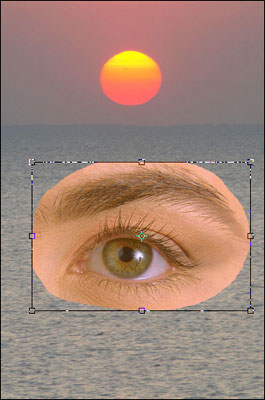
- Passaggio 4. Attivare la foto con il tramonto sul mare e lanciare AKVIS -> Chameleon - Make Collage dal menu Effetti. Nella finestra del plugin verrà visualizzato lo sfondo (il mare) con il frammento (l’occhio).
-
Passaggio 5. Selezionare la modalità Fusione dal menu a discesa nel Pannello impostazioni.
In questa modalità il programma non si limita a smussare i bordi dell'oggetto inserito e a regolare la gamma dei colori ma lo rende semi-trasparente, permettendo agli elementi sottostanti di intravedersi.
Trovare la giusta collocazione all’occhio usando lo strumento Trasforma
 per modificare la dimensione e la posizione.
Attenzione! Per cambiare la misura mantenendo le proporzioni attivare l’icona
 posizionata nel Pannello impostazioni.
-
Passaggio 6. Premere su
 per avviare il processo di creazione del collage, l'anteprima dell’immagine apparirà nella scheda Dopo.
Se il risultato è soddisfacente premere su
 per applicare il collage alla fotografia, chiudere il plugin e ritornare all’editor grafico.
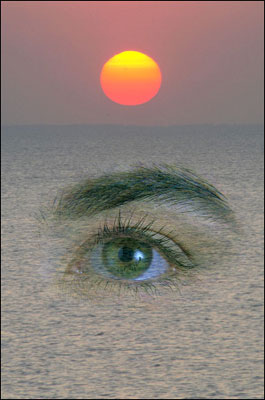
Anche se lo scenario è puramente fantasioso l’insieme è molto bello.
Chameleon v. 12.2 - 10-giorni di prova gratuita
