Graphic software for Windows Mac graphic software
Please enter your email to be kept posted on updates and discounts:
 
  
  Products     Download     Online Store     Tutorial     Support     Company
en  fr  de  es  pt  it  jp  ru    
 

Tutorial: AKVIS Enhancer

A poet and doves


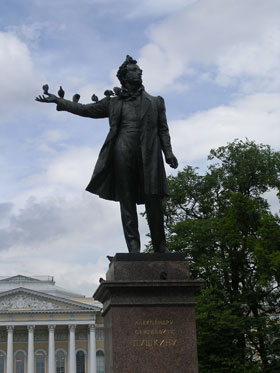
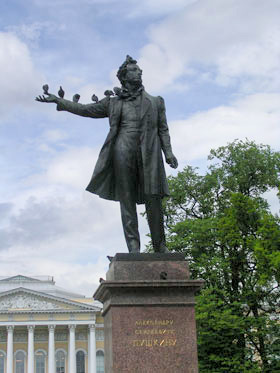
The photo has been taken by our colleague during her stay in St.Petersburg. Her attention was drawn to the pigeons that settled down on the monument of the most renowned Russian poet Alexandre Pushkin. The pigeons made themselves comfortable using his outstretched arm as a perch.

The photo came out underexposed, therefore Pushkin's figure and the cheeky pigeons form one silhouette.

We will apply the AKVIS Enhancer plug-in to improve the level of detail of the photo and "separate the wheat from the chaff".
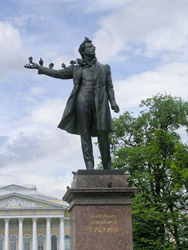
the original underexposed photo of Pushkin's monument the photo after the exposure  compensation
Before Enhancer After Enhancer

Here we use the Enhancer plugin, but you can use the standalone edition with the same parameters to achieve this result.

  • Step 1. Launch your photo editor and open the photo in it.
    A monument to Pushkin: an unerexposed photo
  • Step 2. Call the AKVIS Enhancer plug-in. The image will be processed at the default values.
  • Step 3. As the photo is dark we should clarify only the dark areas of the picture. For this purpose we will move the slider Shadows to the right to 90 and the slider Lightness to 70. You can leave other parameters as they are.
    AKVIS Enhancer program window

    After this simple correction the light areas of the photo have not changed (for example, the clouds), while the dark areas have become lighter and one can discern all the details of the monument. The tree behind the monument has become lighter and now it has a natural green color.
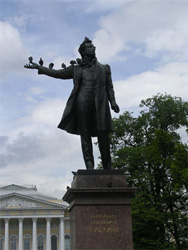
  • Step 4. Apply the exposure correction result by pressing the button Ok and compare the two photos.
 
How It Works How It Works
AKVIS Enhancer Plugin AKVIS Enhancer Plugin
   — Workspace — Workspace
   — Enhancer Mode — Enhancer Mode
   — Focus Mode — Focus Mode
   — Smart Correction Mode — Smart Correction Mode
   — Batch Processing — Batch Processing
AKVIS Enhancer Standalone  (+HDR) AKVIS Enhancer Standalone (+HDR)
   — Workspace — Workspace
   — Enhancer Mode — Enhancer Mode
   — Focus Mode — Focus Mode
   — Smart Correction Mode — Smart Correction Mode
   — HDR Mode (Series of Shots) — HDR Mode (Series of Shots)
   — What Does HDRI Mean? — What Does HDRI Mean?
   — Post Processing — Post Processing
Examples Examples
   — In the Street — In the Street
   — A Child in the Garden — A Child in the Garden
   — Highlands scenery (HDR)  — Highlands scenery (HDR)
   — See the lorry in detail — See the lorry in detail
   — Neuschwanstein Castle — Neuschwanstein Castle
   — Ancient Town — Ancient Town
   — Fun Slides in the Countryside (HDR) — Fun Slides in the Countryside (HDR)
   — Increase the Clearness of a Photo — Increase the Clearness of a Photo
   — Dark Picture of a Church — Dark Picture of a Church
   — Tennis-court — Tennis-court
   — Archery — Archery
   — Orange Tree — Orange Tree
   — Backlight Photo — Backlight Photo
   — Technical Illustration — Technical Illustration
   — Town at Night — Town at Night
   — Underexposed Photo — Underexposed Photo
   — A Kid with a Rattle — A Kid with a Rattle
   — African Kids — African Kids
   — A Siamese Cat — A Siamese Cat
   — Remove Smog from the Photo — Remove Smog from the Photo
   — Poet and Doves — Poet and Doves
   — A Black Cat in a Dark Room — A Black Cat in a Dark Room
   — Christmas Market — Christmas Market
   — Exposure Correction — Exposure Correction
   — Correction of a Dark Photo — Correction of a Dark Photo
   — Khan Palace Photo — Khan Palace Photo
   — Photo Correction: Lightening — Photo Correction: Lightening
   — Show Details in Shadows — Show Details in Shadows
   — An Old Brewery in a New Light (HDR) — An Old Brewery in a New Light (HDR)
   — The Golden Pavilion — The Golden Pavilion
   — An Ominous Way: Strengthen the Effect  — An Ominous Way: Strengthen the Effect


   Privacy Policy | Site Map | Search | English  |Français  |Deutsch  |Español  |Português  |Italiano  |日本語  |Pусский  | © 2004-2009, AKVIS Software Inc. All rights reserved.