Graphic software for Windows Mac graphic software  
Enter your email address to subscribe to the AKVIS news.
 
  
  Prodotti     Download     Online Store     Tutorial     Supporto     Chi siamo
en  fr  de  es  pt  it  jp  ru    
 

Tutorial: AKVIS Enhancer

A poet and doves


Questa pagina è disponibile soltanto in inglese. La traduzione italiana comparirà presto.
Se desiderate ottenere una licenza gratuita per la traduzione, prego di scrivere noi.


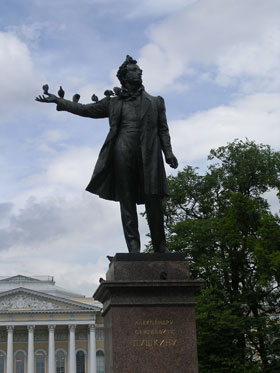
The photo has been taken by our colleague during her stay in St.Petersburg. Her attention was drawn to the pigeons that settled down on the monument of the most renowned Russian poet Alexandre Pushkin. The pigeons made themselves comfortable using his outstretched arm as a perch.

The photo came out underexposed, therefore Pushkin's figure and the cheeky pigeons form one silhouette.

A monument to Pushkin: an unerexposed photo

We will apply the AKVIS Enhancer plug-in to improve the level of detail of the photo and "separate the wheat from the chaff".

  • Step 1. Launch your photo editor and open the photo in it.
  • Step 2. Call the AKVIS Enhancer plug-in. The image will be processed at the default values.
  • Step 3. As the photo is dark we should clarify only the dark areas of the picture. For this purpose we will move the slider Shadows to the right to 90 and the slider Lightness to 70. You can leave other parameters as they are.
    AKVIS Enhancer program window

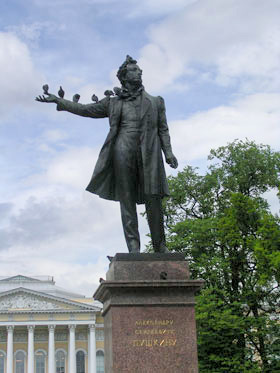
    After this simple correction the light areas of the photo have not changed (for example, the clouds), while the dark areas have become lighter and one can discern all the details of the monument. The tree behind the monument has become lighter and now it has a natural green color.

  • Step 4. Apply the exposure correction result by pressing the button Ok and compare the two photos.
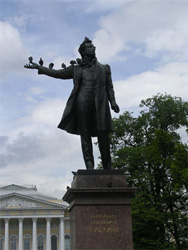
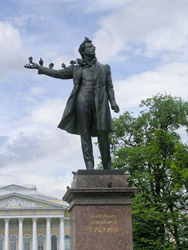
    the original underexposed photo of Pushkin's monument the photo after the exposure  compensation
    Before Enhancer After Enhancer
 
AKVIS Enhancer Plug-In AKVIS Enhancer Plug-In
   — Spazio di Lavoro — Spazio di Lavoro
   — Funzionamento — Funzionamento
   — Focus mode — Focus mode
   — Batch Processing — Batch Processing
AKVIS Enhancer - HDR program AKVIS Enhancer - HDR program
   — Spazio di Lavoro — Spazio di Lavoro
   — Enhancer mode — Enhancer mode
   — Focus mode — Focus mode
   — HDR mode — HDR mode
   — High dynamic range image — High dynamic range image
Esempi Esempi
   — Foto sottoesposte da chiesa — Foto sottoesposte da chiesa
   — Fotografia scura — Fotografia scura
   — Il bimbo in giardino — Il bimbo in giardino
   — Il camion in dettaglio — Il camion in dettaglio
   — La Roccaforte — La Roccaforte
   — Il cervo — Il cervo
   — Bambini africani — Bambini africani


   Privacy Policy | Mappa del Sito | Cerca nel sito | English  | Français  | Deutsch  | Español  | Português  | Italiano  | 日本語  | Pусский  | © 2004-2008, Sviluppato da AKVIS Software Inc. Diritti Riservati.