African Kids: Correcting an Underexposed Photo
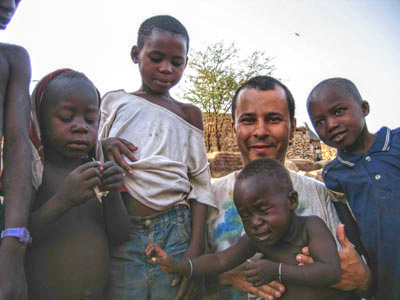
This photo was taken by Lucas Leon in Africa. The photo is underexposed and details in the lower part of the photo are not visible. AKVIS Enhancer will save the picture!
 |
 |
| Before | After |
-
Step 1. Here is the original underexposed photo:
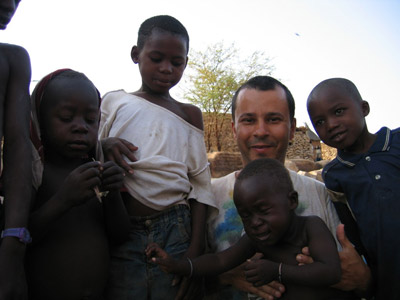
Open it in AKVIS Enhancer and select Improve Detail mode. The image will be processed at the default values of the parameters.
-
Step 2. We need to bring out details from the dark areas in the lower part of the image. Select one of the built-in presets or customize the settings to your liking.
Enhancer v. 17.8 - Free 10-day Trial
