Graphic software for Windows Mac graphic software
Please enter your email to be kept posted on updates and discounts:
 
  
  Products     Download     Online Store     Tutorial     Support     Company
en  fr  de  es  pt  it  jp  ru    
 

Tutorial: AKVIS Enhancer

Enhancer Plugin


AKVIS Enhancer is available in two versions – as an application program (standalone) and as a plug-in to a photo editor.

The versions differ in functionality.

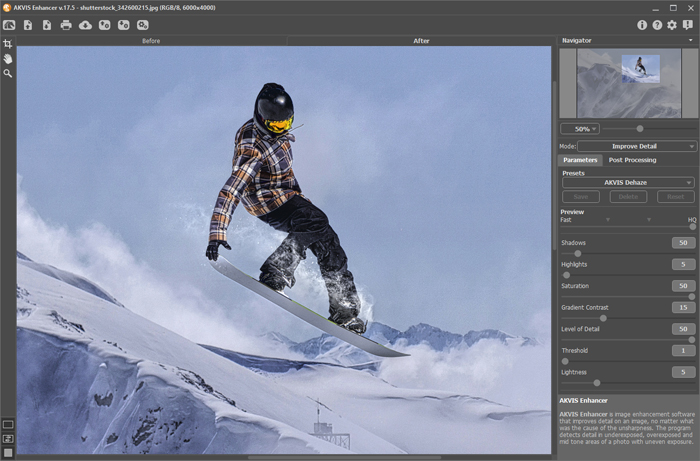
AKVIS Enhancer PlugIn improves details on a picture. The tool is useful in cases when a photo has an uneven exposure. For example, when a picture has been taken with the background overexposed and consequently the foreground is hardly discernible, which is especially annoying when you take a picture of a person; or when a photo lacks dramatic effect due to vagueness of the scene. Also the Enhancer plugin helps you to change image focus and recover lost details, improves sharpness of blurred images. The tool makes tone correction by certain colors.

The plugin supports the Batch mode that allows to automatically process multiple images. Just create an Action in your image editor and apply the plug-in with the same settings to a folder full of images. It saves you time!

Watch a flash movie demonstrating the technique of image enhancement with the Enhancer Plugin: click here (flash-movie, 1.2 Mb)

To learn how to use the Enhancer plug-in please read the Tutorial below:

 
How It Works How It Works
AKVIS Enhancer Plugin AKVIS Enhancer Plugin
   — Workspace — Workspace
   — Enhancer Mode — Enhancer Mode
   — Focus Mode — Focus Mode
   — Smart Correction Mode — Smart Correction Mode
   — Batch Processing — Batch Processing
AKVIS Enhancer Standalone  (+HDR) AKVIS Enhancer Standalone (+HDR)
   — Workspace — Workspace
   — Enhancer Mode — Enhancer Mode
   — Focus Mode — Focus Mode
   — Smart Correction Mode — Smart Correction Mode
   — HDR Mode (Series of Shots) — HDR Mode (Series of Shots)
   — What Does HDRI Mean? — What Does HDRI Mean?
   — Post Processing — Post Processing
Examples Examples
   — In the Street — In the Street
   — A Child in the Garden — A Child in the Garden
   — Highlands scenery (HDR)  — Highlands scenery (HDR)
   — See the lorry in detail — See the lorry in detail
   — Neuschwanstein Castle — Neuschwanstein Castle
   — Ancient Town — Ancient Town
   — Fun Slides in the Countryside (HDR) — Fun Slides in the Countryside (HDR)
   — Increase the Clearness of a Photo — Increase the Clearness of a Photo
   — Dark Picture of a Church — Dark Picture of a Church
   — Tennis-court — Tennis-court
   — Archery — Archery
   — Orange Tree — Orange Tree
   — Backlight Photo — Backlight Photo
   — Technical Illustration — Technical Illustration
   — Town at Night — Town at Night
   — Underexposed Photo — Underexposed Photo
   — A Kid with a Rattle — A Kid with a Rattle
   — African Kids — African Kids
   — A Siamese Cat — A Siamese Cat
   — Remove Smog from the Photo — Remove Smog from the Photo
   — Poet and Doves — Poet and Doves
   — A Black Cat in a Dark Room — A Black Cat in a Dark Room
   — Christmas Market — Christmas Market
   — Exposure Correction — Exposure Correction
   — Correction of a Dark Photo — Correction of a Dark Photo
   — Khan Palace Photo — Khan Palace Photo
   — Photo Correction: Lightening — Photo Correction: Lightening
   — Show Details in Shadows — Show Details in Shadows
   — An Old Brewery in a New Light (HDR) — An Old Brewery in a New Light (HDR)
   — The Golden Pavilion — The Golden Pavilion
   — An Ominous Way: Strengthen the Effect  — An Ominous Way: Strengthen the Effect


   Privacy Policy | Site Map | Search    
   Contact Us | Twitter | Facebook   
| English  |Français  |Deutsch  |Español  |Português  |Italiano  |日本語  |Pусский  | © 2004-2010 AKVIS.com. All rights reserved.