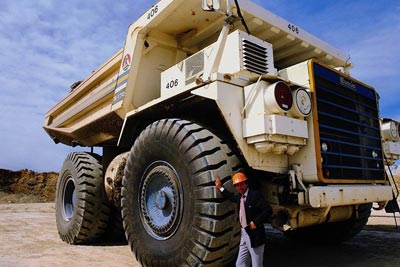
See the lorry in detail
If you put the resulting image next to the original photo you will see that after AKVIS Enhancer application the details on the earth, in the sky, on the lorry have become clearer, besides the overall contrast of the picture has improved.
 |
 |
| Before | After |
We use the AKVIS Enhancer plugin in this tutorial, but you can take the standalone edition and use the same parameters to achive this result.
-
Step 1. Open the image in your photo editor.
-
Step 2. Call the AKVIS Enhancer plugin by selecting the command Filter -> AKVIS -> Enhancer in Adobe Photoshop, or Effects -> Plugins -> AKVIS -> Enhancer if you work with Corel PaintShop Pro.
Select the Improve Detail mode. The photo will be processed at default parameter values.

-
Step 3. Configure the settings to lighten the shadows and bring out details hidden in darker areas of the image.
Press the button
 to apply the result of the photo correction and close the plugin window.

Enhancer v. 17.8 - Free 10-day Trial
