Gold Autumn: Make a Calendar
Would you like to make an original photo calendar? Just take any digital photo and follow this tutorial to create a calendar using AKVIS ArtSuite.
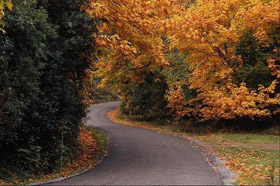
|
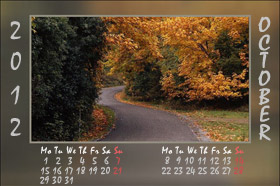
|
| Original image | Result |
The program is available as an independent program (standalone) and as a plug-in to a photo editor.
We’ll work with the plug-in version of ArtSuite in Adobe Photoshop.
- Step 1. Open an image in Adobe Photoshop.

- Step 2. Call AKVIS ArtSuite plugin from the main menu of the photo editor Filter->AKVIS->ArtSuite.
- Step 3. Choose the Artistic crop effect from the drop-down menu Effect in the Settings panel.
- Step 4.
Here is the image processed with the default settings.

- Step 5. Adjust the settings for the frame:
Increase the value of the Frame Width parameter from 26% to 35% and the value of the parameter Image Shift - Vertical to shift the image upwards and free space for the inscription.
Set the value of the Blur parameter to 30 and choose an appropriate Overlay Color for the frame. Increase the value of the Opacity parameter.
Adjust the Border Line parameters: choose an appropriate Color and reduce the value of Width from 2 to 5. Select the Keep Border Ratio option.
The result is shown on the picture below.

- Step 6. Press the button
 to accept the result and close the plugin window.
- Step 7. Now we'll add the inscription. It's an autumn scenery, therefore the calendar will be for October.
Choose the Vertical Type tool from the Toolbox of your photo editor and type the year and the month. Then activate the Horizontal Type tool to type the dates and the days of the week.
Here we have a new photo calendar:

You can use your family photos to make a personalized calendar.
ArtSuite v. 21.1 - 10日間の評価期間

- Step 5. Adjust the settings for the frame: