操作方法
AKVIS Sketch は、写真を白黒だけでなく、カラーのスケッチ画に変換できるソフトウェアです。このソフトウェアは、スタンドアロン プログラムとして、またフォトエディターのプラグイン フィルターとしても使用できます。
写真にスケッチ効果を与える場合は、次の手順に従って操作してください。
- ステップ 1:イメージを開きます。
スタンドアロン版で作業する場合:
空のワークスペースをダブルクリックするか、コントロール パネルの
 をクリックすると、[イメージを開く]ダイアログボックスが表示されます。ワークスペースにイメージをドラッグすることもできます。
AKVIS Sketch のスタンドアロン版は、RAW、JPEG、WEBP、PNG、BMP、TIFF の各ファイル形式をサポートしています。
- プラグイン版で作業する場合:
お使いのフォトエディターでイメージを開くには、[ファイル] > [開く]コマンドを実行するか、ホットキーであるCtrl+Oキー (Mac OS の場合は⌘+Oキーを使用します。
AKVIS Sketch プラグインを呼び出す方法は、
AliveColors の場合、[効果] > [AKVIS] > [Sketch]、
Adobe Photoshop の場合、[フィルター] > [AKVIS] > [Sketch]、
Corel Paint Shop Pro の場合、[効果] > [プラグイン] > [AKVIS] > [Sketch]、
Corel Photo-Paint の場合、[効果] > [AKVIS] > [Sketch]を選択します。ワークスペースの配置は、コントロール パネルで選択されているインターフェイス モード (簡易モード、詳細モード、プリセット) によって異なります。
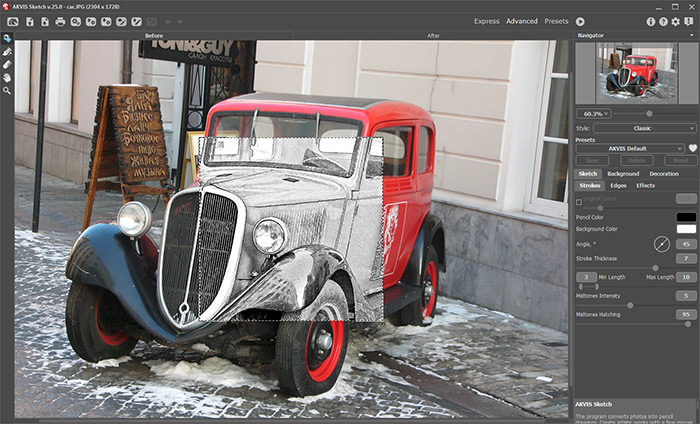
AKVIS Sketch ワークスペース (詳細モード) - ステップ 2:写真からスケッチ画への変換技法をクラシック技法、アーティスティック技法、マエストロ技法、マルチスタイル技法のいずれかを選択し、パラメーターを調整します。
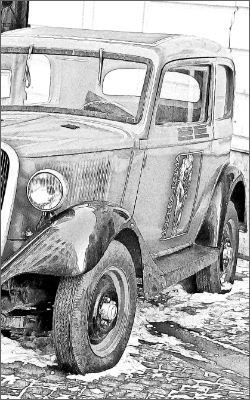
- クラシック技法では、カラーや白黒の鉛筆画がはっきりとした輪郭線で描かれます。主な特徴はその正確性です。完成イメージは、ハッチングを追加した輪郭線を主に使用して生成されたように見えます。この技法は万能で、様々な目的に利用できますが、技術説明図、アーキテクチャー画像、その他詳細の鮮明度が必要な画像には特に適しているといえます。
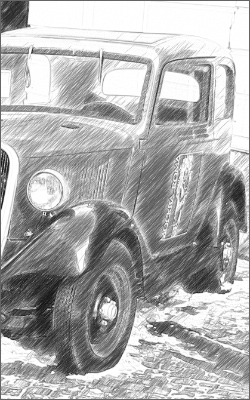
- アーティスティック技法は、プロの芸術家の作品のような表情豊かな絵を描くことができます。この技法では、クイック スケッチの作成と詳細で陰影のある鉛筆画の両方を作成できます。この技法の主な特徴は、ハッチングが使用可能であり、陰影や影が多様なことから自然なトーンの変化を与えることができるという点です。
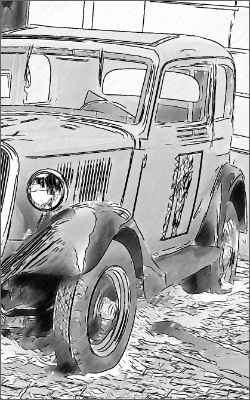
- マエストロ技法 が加わり、より芸出的な作業ができるようになりました。作り出される色鮮やかで表現力豊かな巨匠のような作品は、見事なハッチング、鮮明かつ自然な輪郭、ちょうど良い量のディテールが含まれ、写真ではなく本物の絵画のようです。この技法では、洗練された匠の技と芸術性を調和よく統合します。このツールは、Home Deluxe と Business ライセンスでのみ利用できます。
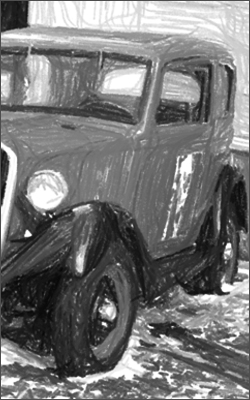
- マルチスタイル技法は、パステル、フェルトペン、オイルペンシル、ワックスクレヨンなどの効果を作成できる複雑な描画の技法です。このツールは、Home Deluxe と Business ライセンスでのみ利用できます。
- ステップ 3:プログラムが開くと、イメージは自動的に鉛筆画に変換されます。処理結果は、[処理前]タブのクイック プレビュー領域に表示されます。

クイック プレビュー - ステップ 4:
 をクリックし、元の写真を新しい設定内容で鉛筆画に変換します。
注意:処理はリアルタイムで確認できます。写真からスケッチ画への変換を途中で止めて、未完成の状態を保存することができます。処理を中断する場合は、進捗バーの右側の[停止]ボタンをクリックします。
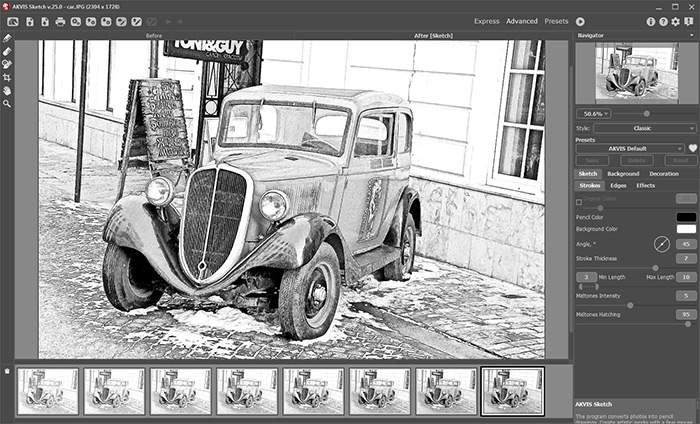
既定値 - ステップ 5:クラシック技法、マエストロ技法、マルチスタイル技法では、オプションとして、適用したストロークの方向を変更できる特別なツールを使用することもできます。ストロークの方向ツール
 を使うと、イメージ上のハッチングの描画を自由にコントロールできるようになります。この技術により、全体の模様やテキストの方向が正しく修正され、本物のスケッチにより近い作品を作り出すことができます。
注意:この機能は、Home Deluxe版と Business版でのみ利用できます。
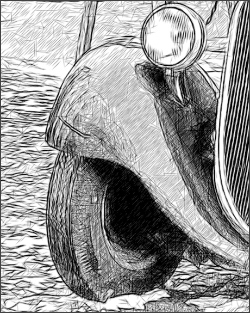
自動変換時のブラシストローク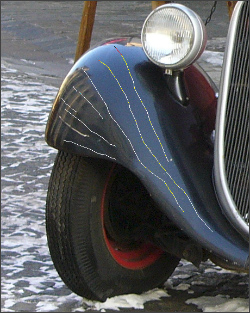
誘導ライン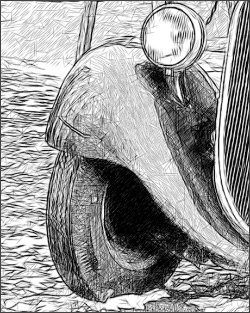
修正されたブラシストローク - ステップ 6:さらに設定を調整するために、[背景]タブにある[装飾]オプションの[キャンバス] 、[フレーム]、[テキスト]を使用することもできます。 をクリックして処理を開始します。
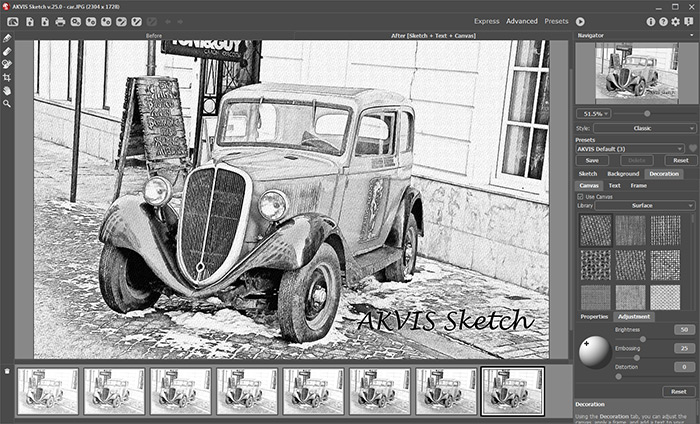
スケッチ画 + キャンバス + テキスト- ステップ 7:お好みの設定内容をプリセットとして保存し、後で使用することができます。プリセットには、[スケッチ]タブと[装飾]タブの設定が含まれます。
プリセット名フィールド近くに表示されるハートのアイコン
 /
/ をクリックすると、プリセットを[お気に入り]に追加、または[お気に入り]から削除することができます。
- ステップ 8:便利な タイムライン機能は、設定を変更することなく、様々なバリエーションのスケッチ画が生成されます。最終結果より、途中の画像が気に入った場合は、その画像をクリックして選択できます。結果は[処理後]タブに表示されます。
最終結果に戻りたい場合は、タイムライン一覧内の最後のショットをクリックします。
注意:この機能は、Home Deluxe版と Business版でのみ利用できます。

タイムライン ショット表示するショットの数は、[環境設定]ダイアログボックスで設定できます。
- ステップ 9:最終仕上げを行うことのできる後処理ツール、鉛筆
 、消しゴム
、消しゴム  、履歴ブラシ
  は、[処理後]タブで利用できます。
注意:これら後処理ツールは、Home Deluxe版と Business 版でのみ利用できます。
ヒント:これらのツールは、最終処理段階で使用します。
ボタンで処理を再実行した場合、ブラシを使用した編集が失われる場合があります!
- ステップ 10:スタンドアロン版では、切り取りツール
 を使って処理結果の一部を切り取って構成 (バランス) を調整することができます。プラグイン版の場合、フォトエディターでこの作業を行えます。
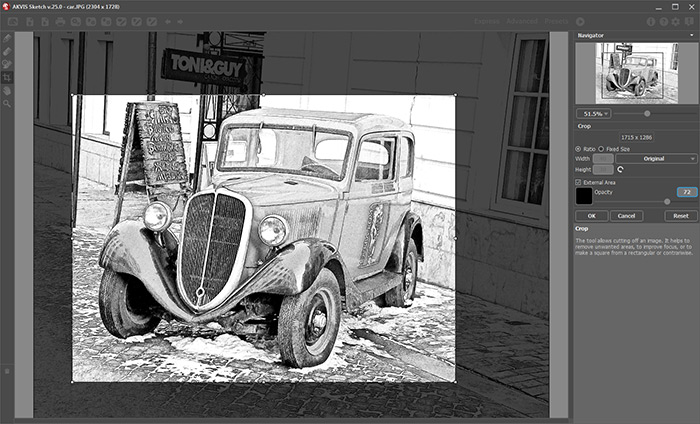
切り取りツール- ステップ 11:スタンドアロン版では、
 ボタンを使用して、印刷することもできます。
- ステップ 12:処理したイメージを保存します。
- スタンドアロン版で作業する場合:
 をクリックすると、[名前をつけて保存]ダイアログボックスが開きます。ファイル名を入力し、ファイルの種類 (TIFF、BMP、JPEG、WEBP、PNG) を選択し、保存先フォルダーを選択します。
- プラグイン版で作業する場合:
 をクリックして結果を適用し、プラグイン ウィンドウを終了します。AKVIS Sketch プラグインが終了し、フォトエディターのワークスペースにイメージが表示されます。
[ファイル] > [名前を付けて保存]コマンドを使用して[名前を付けて保存]ダイアログボックスを開き、ファイル名の入力、ファイルの種類の選択、保存先フォルダーの指定を行います。
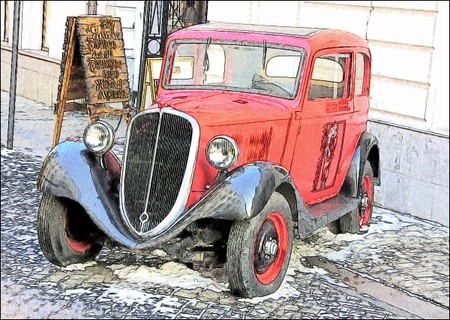
鉛筆画 - ステップ 7:お好みの設定内容をプリセットとして保存し、後で使用することができます。プリセットには、[スケッチ]タブと[装飾]タブの設定が含まれます。
Sketch v. 28.1 - 10日間の評価期間
