Adding Color to an Old Postcard
You can colorize this photo yourself using the half-finished materials that we give you. Download an archive containing the original image and the file with the strokes (*.strokes). Read the instructions here to see how it works.
It is beyond question that black and white photos have their charm. However, sometimes, adding color to a grayscale photo can help us to see it in a new light, to perceive new details. This postcard is a good illustration to this statement.
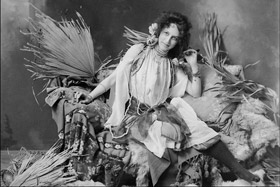
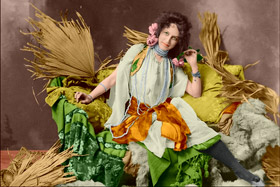
We use the plugin version in this tutorial, but you can take the standalone program and do the same to achive this result.
Follow the instructions to "breathe new life" into the postcard:
- Step 1. Open the image in your photo editor.
- Step 2. Call the AKVIS Coloriage AI plug-in. For this purpose in AliveColors select the menu item Effects –> AKVIS –> Coloriage AI; in Adobe Photoshop select the menu item Filter –> AKVIS –> Coloriage AI; in Corel Photo-Paint - select the menu item Effects –> AKVIS –> Coloriage AI.
- Step 3. In the Classic mode, select a color for every object of the image.
Take your time and outline with
 the big objects (for example, the girdle, the dress, the cushion, the plaid, and the furs on the sofa) following their boundaries.
To colorize the small details, draw finer strokes on them. For example, to color the pearls a line drawn inside every thread of the beads will be enough. To paint the eyes, just draw some strokes inside the eye iris and on the white of the eye.
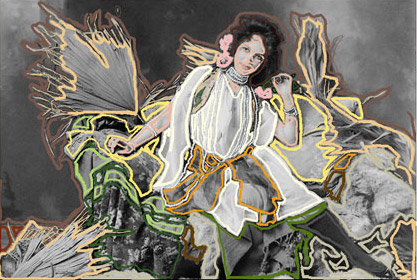
- Step 4. Press the button
 to start the colorization process. The colorized image will be shown in the After tab.
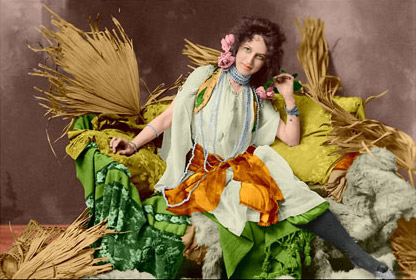
- Step 5. Press the button
 to apply the results of the colorization and close the plugin window.
Coloriage AI v. 15.7 - Free 10-day Trial
