Graphic software for Windows Mac graphic software
Please enter your email to be kept posted on updates and discounts:
 
  
  Products     Download     Online Store     Tutorial     Support     Company
en  fr  de  es  pt  it  jp  ru    
 

Tutorial: AKVIS Coloriage

Love Story


"L'amour c'est un oiseau rebelle, que nul ne peut apprivoiser.." sings Carmen. "Love is a rebellious bird that nothing can tame.."

That's true. It happens that an old love will not set you free even after 50 years.
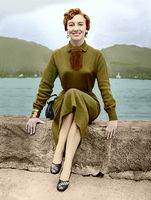
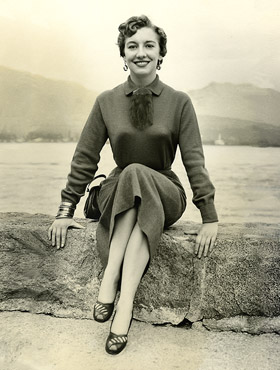
Original image Colorized image

The author of the tutorial, Gordon Sisson, tells us in his letter that he was madly in love with Carol Leonard (the girl on the photo) but he was "so stupid to let her slip away".

This tutorial is not just an attempt to restore an old photo of a beautiful woman, but to recall the happy days when she was near, to hear the tides of the lake and to see the wonderful smile on the lips of his sweetheart.

Gordon hopes that she is happy and he will be glad to get in touch with Carol. (If she sees the tutorial, she can contact us). Unfortunately, he didn't save the strokes, so you can only compare the original black and white photo and the result of colorization.

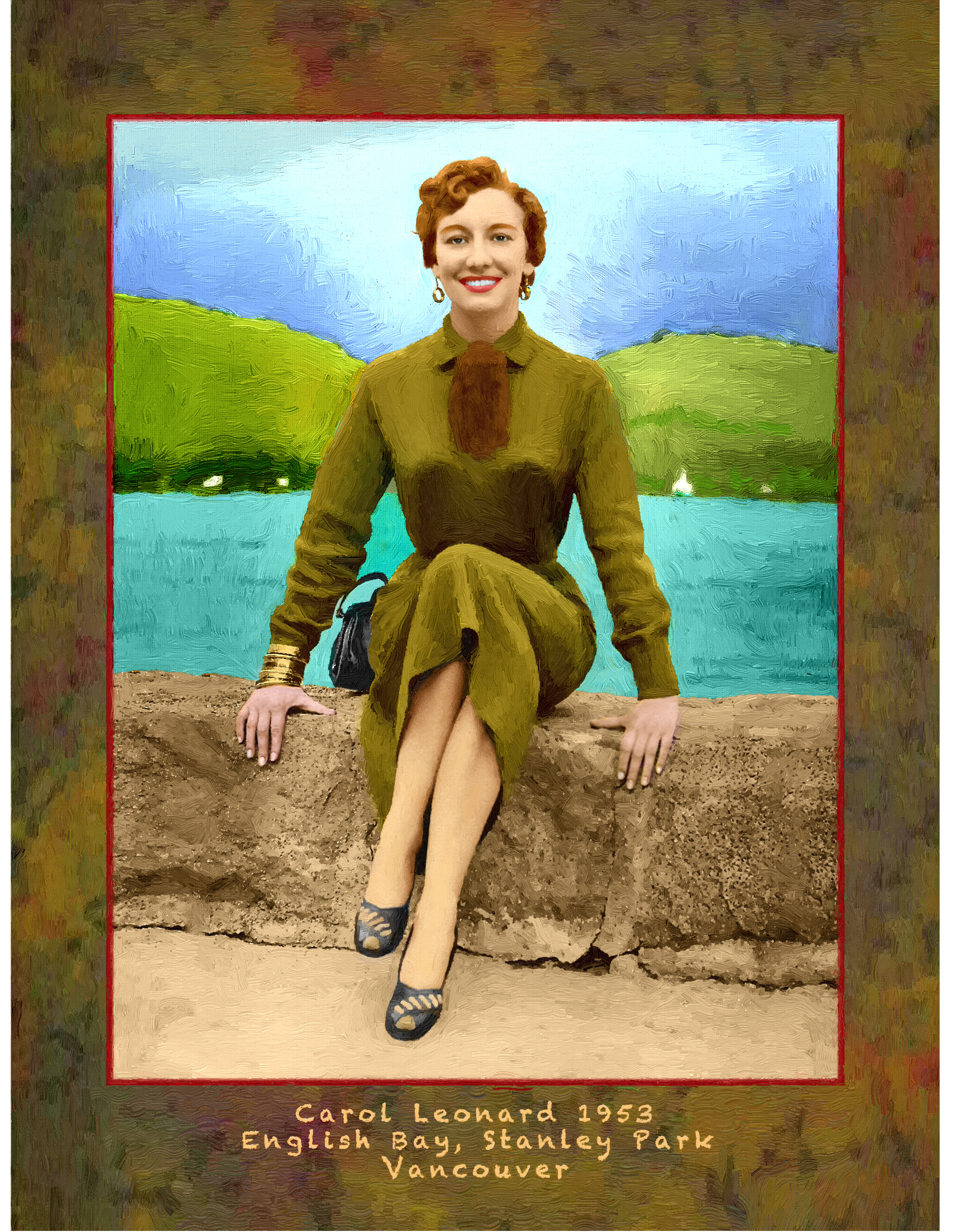
The photo was taken in August, 1953 in Stanley Park, Vancouver. Gordon colorized it using AKVIS Coloriage.

a black and white photo


Before colorizing the photo with the plug-in AKVIS Coloriage Gordon Sisson improved focus and sharpened the photo.

For focus, he used a plug-in from Kodak called Focus Magic. He writes:

"I go to — fix out of focus blur — and open it. The plug-in then shows a comparison of the untouched file and a recommended degree of focus. I usually back off one level of focus and back off the amount from 100% to 75 percent.
When I have fixed whatever else is needed, like a little blemish on a cheek or some distraction in the background, I sharpen the picture. There are several methods of doing this in Photoshop. I have severely tested them all and my choice is the Lab color method:
I convert the image into Lab mode, choose the Lightness channel and call the filter Unsharp Mask. In the Unsharp Mask window I use the following settings: Amount 150%, Radius 6.0 px, Threshold 6 levels".

    Note: alternatively you can use AKVIS Enhancer in the Focus mode.

After sharpening, the picture was converted back to RGB mode.

    Note: you don't have to do this if you work with the standalone edition of AKVIS Coloriage. It converts images to RGB automatically.

Now we can start colorizing the photo with AKVIS Coloriage. Gordon Sisson closely followed the colorization instructions and obtained a splendid result.
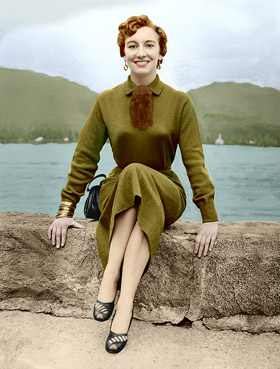
colorized photo
 
How It Works How It Works
   — Workspace — Workspace
   — How To Use The Program — How To Use The Program
   — Colorization Tips — Colorization Tips
   — Load strokes from file (*.strokes) — Load strokes from file (*.strokes)
Examples Examples
   — An Old Postcard — An Old Postcard
   — Changing Color of the Car Body — Changing Color of the Car Body
   — Colorizing a Black and White Photo — Colorizing a Black and White Photo
   — Selective desaturation — Selective desaturation
   — A romantic photo — A romantic photo
   — Color correction — Color correction
   — Colorizing a portrait — Colorizing a portrait
   — A technique of reiterative colorization — A technique of reiterative colorization
   — A present for the Mother's Day — A present for the Mother's Day
   — Canadian Settlers — Canadian Settlers
   — Add color to the photo of a child — Add color to the photo of a child
   — Interior design — Interior design
   — Colorize a family portrait — Colorize a family portrait
   — Change the color of clothes — Change the color of clothes
   — Colorize a group photo — Colorize a group photo
   — Creating a colorful background — Creating a colorful background
   — Colorize your memories — Colorize your memories
   — Paint your house — Paint your house
   — Raise spirits — Raise spirits
   — Partial coloring of B&W photos — Partial coloring of B&W photos
   — Expressive cat eyes — Expressive cat eyes
   — A portrait of a geisha — A portrait of a geisha
   — Colorize a bas-relief — Colorize a bas-relief
   — Photo colouring tricks — Photo colouring tricks
   — An old postcard with a Geisha — An old postcard with a Geisha
   — Touching up a colorized photo — Touching up a colorized photo
   — An anime girl — An anime girl
   — Colorize a photo for a collage — Colorize a photo for a collage
   — A Flower Show — A Flower Show
   — A pencil sketch: self-portrait — A pencil sketch: self-portrait
   — Creating a Christmas Postcard — Creating a Christmas Postcard
   — Love Story — Love Story
   — Desktop Wallpaper with a Pet — Desktop Wallpaper with a Pet
   — Colourize a Photo in Paint Shop Pro — Colourize a Photo in Paint Shop Pro
   — How to get a nice sepia photo — How to get a nice sepia photo
   — A Castle in Scotland — A Castle in Scotland
   — How to achieve a natural colorization — How to achieve a natural colorization
   — Christmas Card: B&W to Color — Christmas Card: B&W to Color
   — Movie Star Ayshwarya Ray — Movie Star Ayshwarya Ray
   — Coloring old black and white drawing — Coloring old black and white drawing
   — Flower meadow — Flower meadow
   — Children’s Photo — Children’s Photo
   — Beautiful Nataly (three plugins) — Beautiful Nataly (three plugins)
   — A Gift For The Wife — A Gift For The Wife
   — Medieval Engraving — Medieval Engraving


   Privacy Policy | Site Map | Search | English  |Français  |Deutsch  |Español  |Português  |Italiano  |日本語  |Pусский  | © 2004-2009, AKVIS Software Inc. All rights reserved.