Colorize a black and white photo with AKVIS Coloriage


Ingrese su email para suscribirse a la lista de AKVIS.
 
 
  Productos     Descargar     Tienda online     Tutorial     Apoyo técnico     Compañia      Área de clientes
en  fr  de  es  pt  it  jp  ru    
 

Tutorial: AKVIS Coloriage

Love Story


Esta información está disponible solamente en inglés. La version en español aparecerá pronto.


"L'amour c'est un oiseau rebelle, que nul ne peut apprivoiser.." sings Carmen. "Love is a rebellious bird that nothing can tame.."

That's true. It happens that an old love will not set you free even after 50 years.

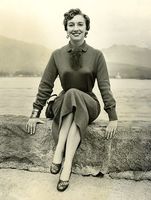
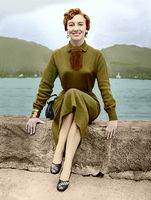
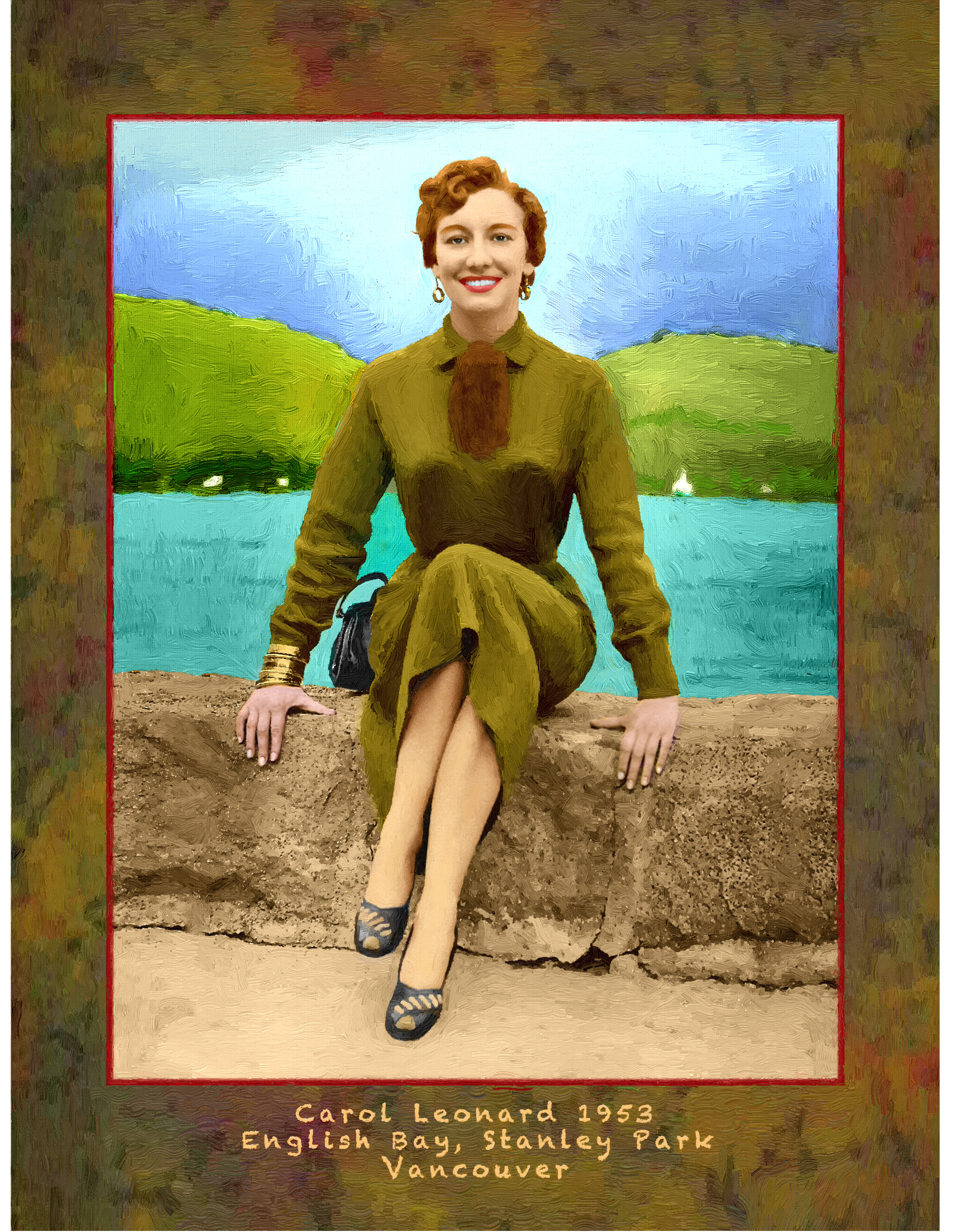
The author of the tutorial, Gordon Sisson, tells us in his letter that he was madly in love with Carol Leonard (the girl on the photo) but he was "so stupid to let her slip away".

This tutorial is not just an attempt to restore an old photo of a beautiful woman, but to recall the happy days when she was near, to hear the tides of the lake and to see the wonderful smile on the lips of his sweetheart.

Gordon hopes that she is happy and he will be glad to get in touch with Carol. (If she sees the tutorial, she can contact us).

The photo was taken in August, 1953 in Stanley Park, Vancouver. Gordon colorized it using AKVIS Coloriage.

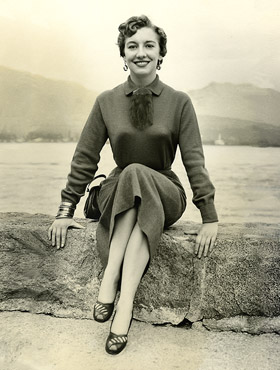
a black and white photo


Before colorizing the photo with the plug-in AKVIS Coloriage Gordon Sisson improved focus and sharpened the photo.

For focus, he used a plug-in from Kodak called Focus Magic. He writes: "I go to fix out of focus blur and open it. The plug-in then shows a comparison of the untouched file and a recommended degree of focus. I usually back off one level of focus and back off the amount from 100% to 75 percent.

When I have fixed whatever else is needed, like a little blemish on a cheek or some distraction in the background, I sharpen the picture. There are several methods of doing this in Photoshop. I have severely tested them all and my choice is the Lab color method:

I convert the image into Lab mode, choose the Lightness channel and call the filter Unsharp Mask. In the Unsharp Mask window I use the following settings: Amount 150%, Radius 6.0 px, Threshold 6 levels".

After sharpening, the picture was converted back to RGB mode.

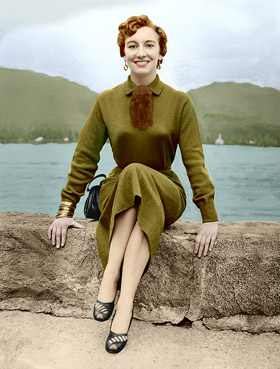
Now we can start colorizing the photo with AKVIS Coloriage. Gordon Sisson closely followed the colorization instructions and obtained a splendid result. Unfortunately, he didn't save the strokes, so you can only compare the original black and white photo and the result of colorization.

a black and white photo colorized photo

Mr. Sisson also converted his photo into oil painting (with AKVIS ArtWork):

Picture
Picture
(click on the painting to see it in full size)
 
¿Cómo funciona? ¿Cómo funciona?
   — Área de trabajo — Área de trabajo
   — Utilizar el programa — Utilizar el programa
   — Seleccionar colores — Seleccionar colores
   — Consejos — Consejos
   — Archivo con las líneas (*.strokes) — Archivo con las líneas (*.strokes)
   — Opciones — Opciones
Ejemplos Ejemplos
   — Una tarjeta postal — Una tarjeta postal
   — Cambiar el color de un coche — Cambiar el color de un coche
   — Desaturación selectiva — Desaturación selectiva
   — Coloración parcial — Coloración parcial
   — Una mujer con lila — Una mujer con lila
   — Colorear una foto en blanco y negro — Colorear una foto en blanco y negro
   — Colorear un retrato — Colorear un retrato
   — El método de coloración reiterado — El método de coloración reiterado
   — Recuerdos de la infancia — Recuerdos de la infancia
   — Un regalo para el Día de la Madre — Un regalo para el Día de la Madre
   — Corrección de colores — Corrección de colores
   — Colonos del Canadà — Colonos del Canadà
   — Colorear la foto del niño — Colorear la foto del niño
   — Colores para el interior — Colores para el interior
   — Colorear un retrato de familia — Colorear un retrato de familia
   — Cambiar el color de un vestido — Cambiar el color de un vestido
   — Colorear un retrato en grupo — Colorear un retrato en grupo
   — Crear un fondo multicolor — Crear un fondo multicolor
   — Pintar la fachada de casa — Pintar la fachada de casa
   — Fondo mosáico — Fondo mosáico
   — Los ojos expresivos del gato — Los ojos expresivos del gato
   — Retrato de una Geisha — Retrato de una Geisha
   — Colorear un bajo relieve — Colorear un bajo relieve
   — Tarjeta postal con geisha — Tarjeta postal con geisha
   — Retoque final de una foto coloreada — Retoque final de una foto coloreada
   — Imagen Anime — Imagen Anime
   — Una foto para collage — Una foto para collage
   — La feria de las flores — La feria de las flores
   — Dibujo a Lápiz: Auto-retrato — Dibujo a Lápiz: Auto-retrato
   — Fondo con una mascota — Fondo con una mascota
   — Tarjeta Navideña — Tarjeta Navideña


volver arriba


   Política de privacidad | Mapa Web | Buscar    
   Contáctenos | Twitter | Facebook | YouTube Channel    
| English  |Français  |Deutsch  | Español  |Português  |Italiano  |日本語  |Pусский  | © 2004-2012 AKVIS. Todos los derechos reservados.