Un grabado medieval
El autor de esta tutoría es Rakotomalala Elie.
Cuando buscaba un programa que sirviera para añadir color a las fotografías en blanco y negro, me encontré con el programa AKVIS Coloriage AI. Utilicé la versión de prueba y quedé completamente encantado con este programa.
Procederé a describir cómo dar color a una imagen en blanco y negro. Para esta tutoría, escaneé una fotografía en blanco y negro de un libro viejo que trataba acerca de la historia francesa. Luego le añadí color y, en mi opinión, ¡obtuve un gran resultado!
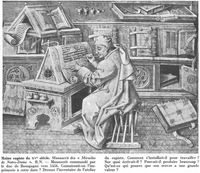
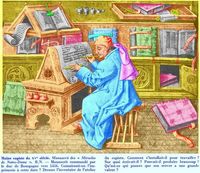
AKVIS Coloriage AI es muy fácil de utilizar. Puede ejecutarlo como un plugin en un editor de gráficos o como un programa standalone. Olvídese de trabajar con capas, aplicar máscaras y realizar selecciones con meticulosidad. Lo que haremos es dividir, en cuatro pasos, el trabajo que se llevará a cabo sobre la imagen, lo cual no tomará más de 50 minutos:
- abra la imagen;
- delinee los sectores que desee colorear;
- en el modo Clásico pinte la imagen haciendo clic con el ratón;
- guarde el resultado.
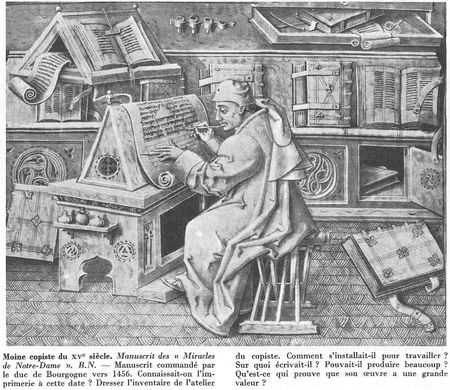
Podrá observar hasta el más mínimo detalle de la imagen si la amplía con el zoom:
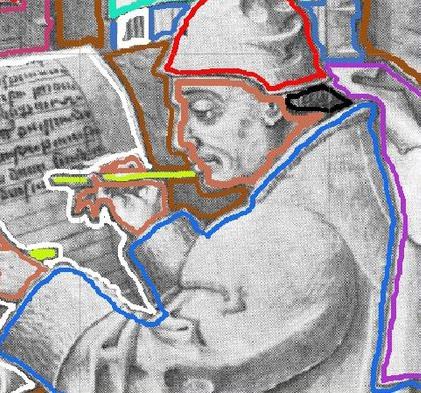
Si se examina la imagen con Mostrar luminosidad  , podremos ver el aspecto de los trazos de colores en base al brillo relativo de los pixeles. Luego de haber efectuado los trazos, podremos tener una idea de cómo se verá el efecto de coloreado antes de realizar el procesamiento final. Podrá monitorear el trabajo realizado y efectuar cambios sobre los contornos o añadir contornos nuevos.
En las imágenes que se ven a continuación, podrá ver cuáles son las áreas que fueron delineadas y cuáles no.
Nota: haciendo clic en Guardar las líneas  , puede guardar los trazos de colores que realizó en la imagen para luego trabajar con éstos en otra ocasión. Para ello, deberá cargar el archivo con extensión .strokes que creó anteriormente haciendo clic en Cargar las líneas
  .
.
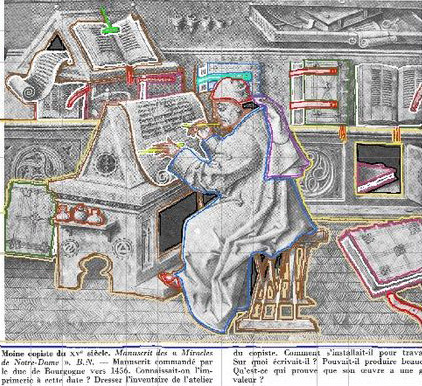

No es necesario borrar los trazos si no le agrada el color que tienen… puede cambiarlo utilizando las herramientas Tubo  y Tubo mágico
  . Con la primera, podrá cambiar el color de los trazos de a uno por vez haciendo clic con el botón izquierdo del mouse encima de éstos; en cambio, con la segunda, podrá cambiar todos los trazos de un mismo color de una sola vez haciendo clic con el botón izquierdo del mouse sobre uno de ellos.
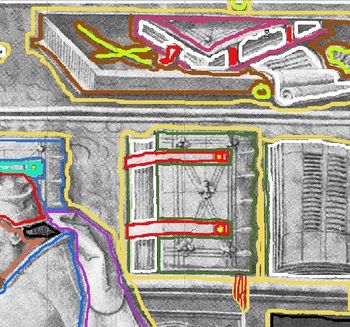
Gracias a sus dotes artísticos, podrá determinar el tono y el matiz de los colores.
Ahora se habrán realizado todos los trazos…
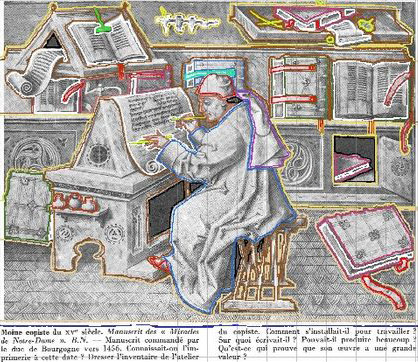
y aquí está el resultado:
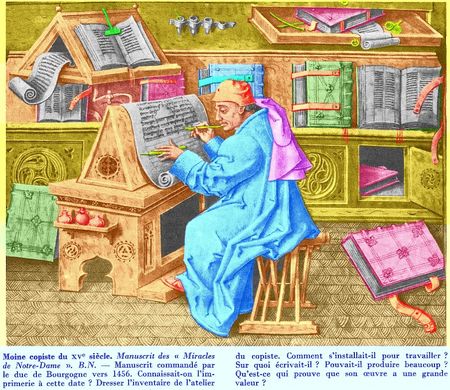
Resultado
Podremos ver que el texto, que se encuentra en la parte inferior, habrá sido fácilmente pintado de azul.
Coloriage AI v. 15.7 - Prueba gratuita de 10 días
