A Lovely French Couple
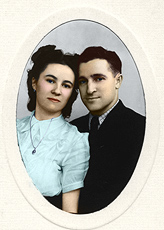
The author of this tutorial is Martine Raymond. He found it easy to add vivid color to this old family portrait with AKVIS Coloriage AI.
Note: The example was made in an old version of the program. From version 15.0, this method is available in the Classic mode.
-
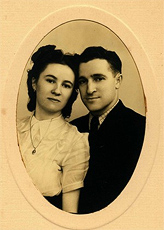
Step 1. First the photo was scanned and opened in a photo editor. You can use any image editing program that supports AKVIS plugins, for example, AliveColors.
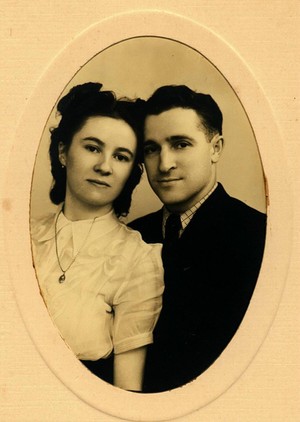
Family PortraitTo colorize such a dark, monochromatic photograph in bright colors, some preliminary color correction is needed. Use any of the correction methods in the Image -> Adjustment menu.
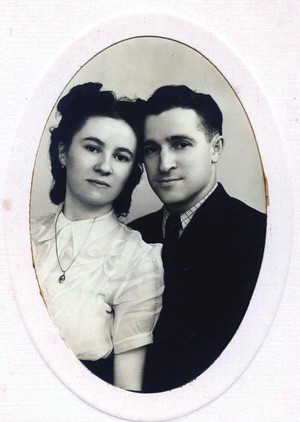
After Color Correction -
Step 2. Call the plug-in from the list of filters. In AliveColors, select Effects -> AKVIS -> Coloriage AI. Use the Pencil
 to specify the colors for all objects in the picture. Use the Keep Color Pencil
  over the eyes, so that color will not spread into them.
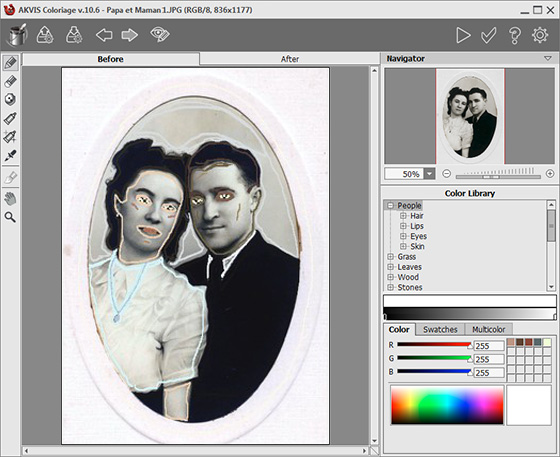
Color Strokes -
Step 3. Press
 to start the colorization process and then
  to apply the result.
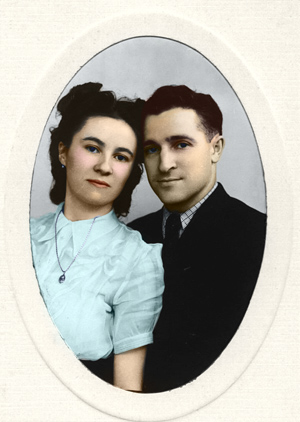
Colorization Result
 |
 |
Coloriage AI v. 15.7 - Free 10-day Trial
