Orange Door: A Colorful Painting in the "Comics" Style
The author of this tutorial is Tommy Feldman (Germany). He wrote:
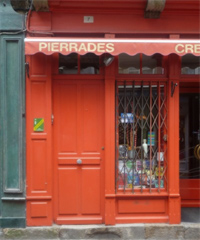
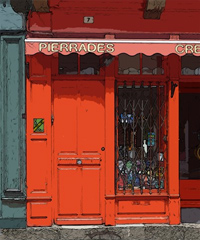
"For this tutorial, I chose a photo of a door of a small store in Breton. I wanted to turn this photo into a bright, attractive comic-like painting. Using the same preset on a number of images yields a series of paintings in the Comics style."
-
Step 1. Open the image in AKVIS ArtWork. To create an image with beautiful edges, the original image should be very sharp.
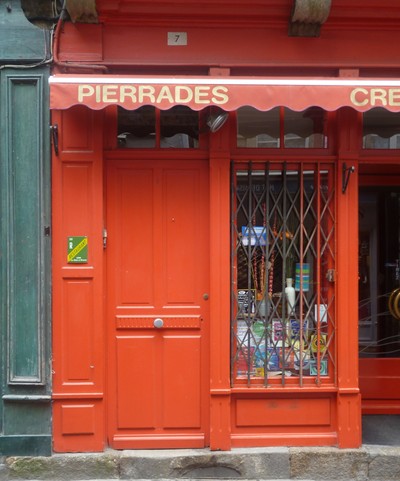
Original Image -
Step 2. The preview window will help you see the effect of changing the parameters for the Comics style.
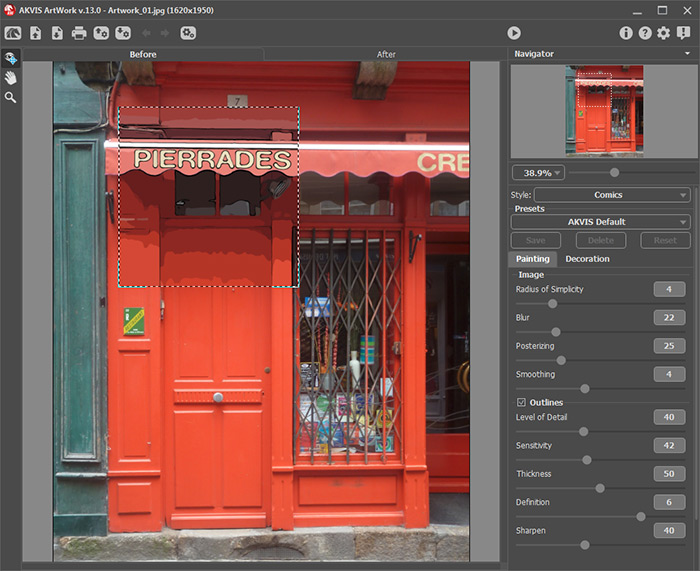
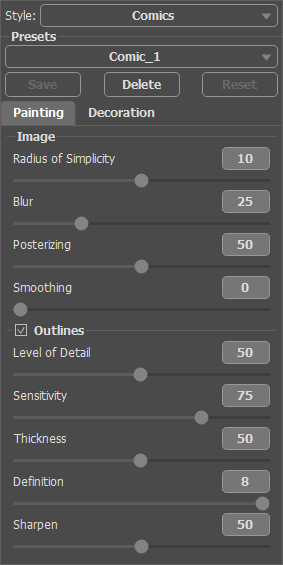
AKVIS ArtWork WorkspaceI could see that a highly detailed painting could be obtained by leaving Blur at its miniumum value (25). The value of Smoothing was changed to 0 to prevent the alignment of segment boundaries.
Parameters which control how boundaries are drawn (the Outlines group) were adjusted to their mean values to preserve details.
Adjusting Sensitivity was especially important since it governs how lines are drawn. You can experiment with the other parameters to get the desired result.
These settings were saved as a preset named Comic_1 so that they could be used on other images.
Effect's Parameters -
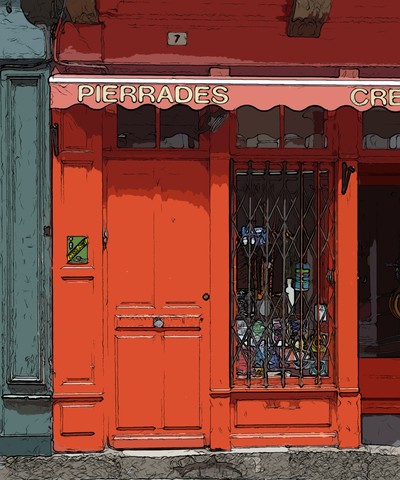
Step 3. Press
 to process the entire image. The comics style of the final result is somewhat abstract but that is what makes this image so interesting.
Result
ArtWork v. 15.1 - Free 10-day Trial
