Ballet Art: Trying ArtWork Styles


Please enter your email to be kept posted on updates and discounts:
 
 
  Products     Download     Online Store     Tutorial     Support     Company      Customer Room
en  fr  de  es  pt  it  jp  ru    
 

Tutorial: AKVIS ArtWork

Ballet Art


The author of this tutorial is Nikolai Maiorov. According to Nikolai, thanks to AKVIS ArtWork, he had a wonderful opportunity to take a fresh look at some of his archives, especially photographs and drawings with a ballet theme. This tutorial presents images processed in various styles, from oil to expressive prints.
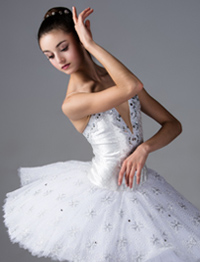
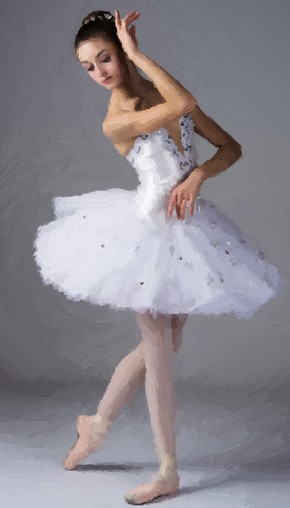
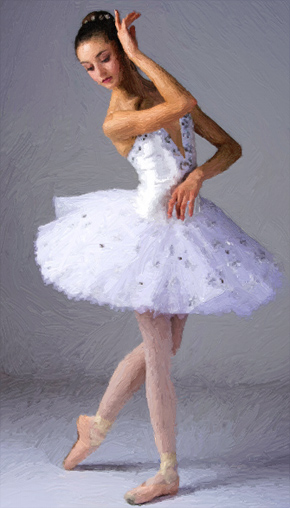
    Original Image Oil Painting
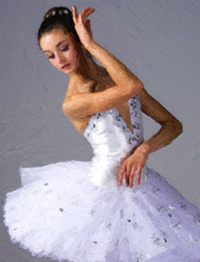
    Original Image Oil Painting
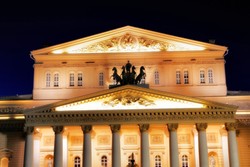
    Original Image Comics
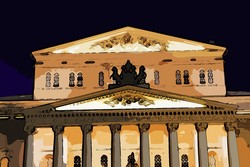
    Original Image Comics
    Original Image Pen & Ink
    Original Image Pen & Ink
    Original Image Linocut
    Original Image Linocut

Tutorial Images

- In Oil style:

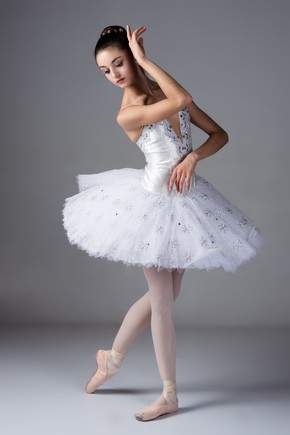
  • Step 1. Open the selected photograph in AKVIS ArtWork. This is a ballerina, standing with her back in the epaulement position.

    Original Image (Photo 1)
    Original Image (Photo 1)
  • Step 2. The author wanted to get something very close to the classical works of artists done in the ballet theme, so he chose the oil painting style (Oil from the drop down list in the Settings Panel). The preview window shows what the result will look like.
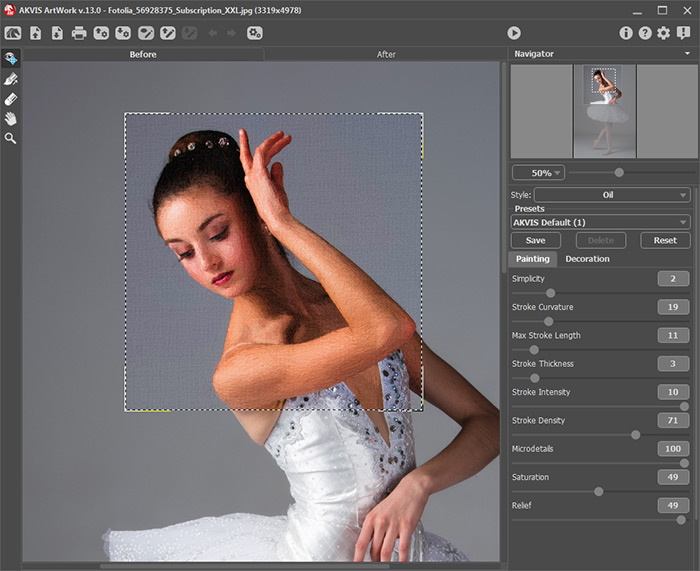
    Original Image in  AKVIS ArtWork (Oil Style)
    AKVIS ArtWork Workspace ("Oil" Style)
  • Step 3. Process the image by pressing . The default settings (AKVIS Default) produce an image with light, watery strokes. The same image looks different if another preset is used (for example, AKVIS Dry Brush).
    Processed Using Default Settings Processed Using the AKVIS Dry Brush Preset
    Processed Using Default Settings Processed Using AKVIS Dry Brush Preset

  • Step 4. Save the image by pressing .


- In Comics style:

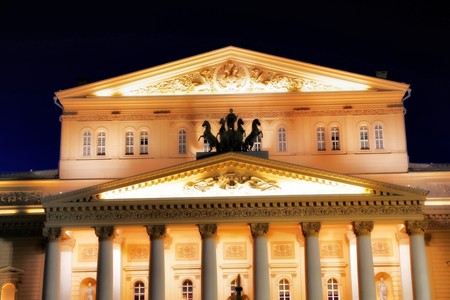
  • Step 1. Open a new image in the program - the Bolshoi Theater in front of a night sky.

    Original Image (Photo 2)
    Original Image (Photo 2)
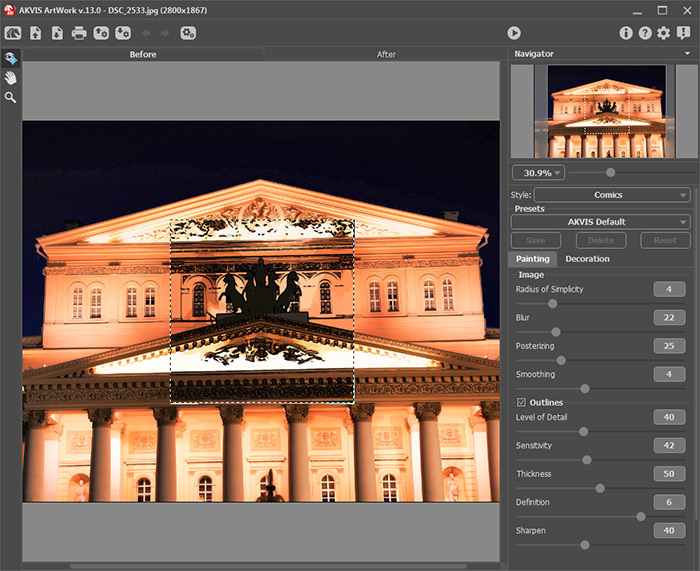
  • Step 2. Choose the Comics style from the list in the Settings Panel.

    Original Image in AKVIS ArtWork (Comics Style)
    AKVIS ArtWork Workspace ("Comics" Style)

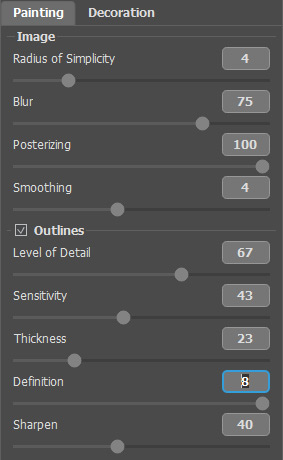
    The abundance of detail and thick black lines coarsen the image. To make the image appear lighter and more transparent, the settings can be changed to increase blurring of lines and dampen detail.

    Selected Parameters
    Selected Parameters
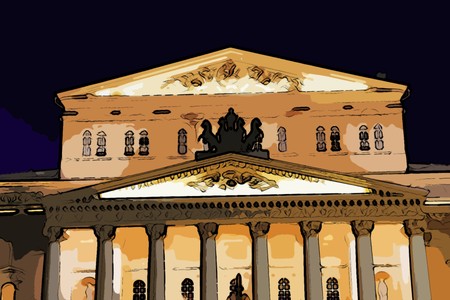
  • Step 3. Process the image by pressing . The result is a beautiful, clear and bright picture:

    Painting in Comics Style
    Painting in "Comics" Style
  • Step 4. Save the image by pressing .


- In Pen & Ink Style:

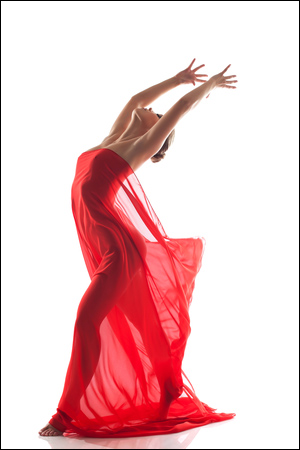
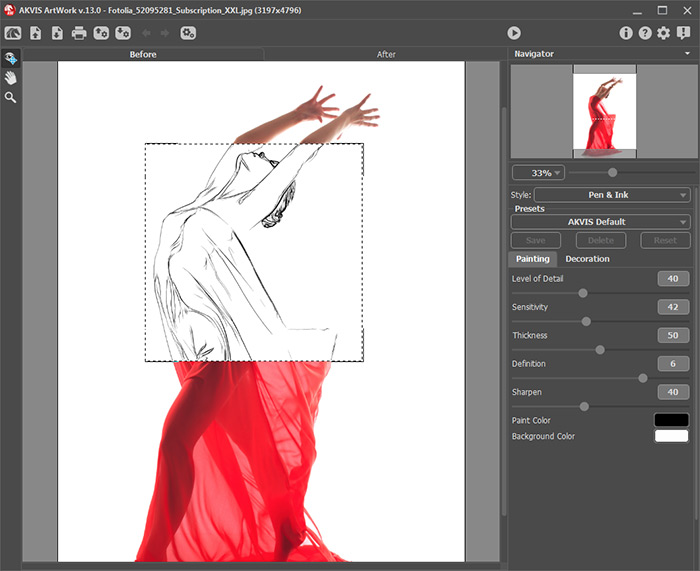
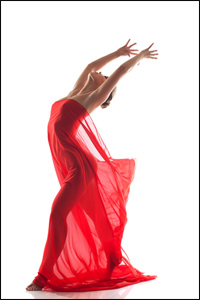
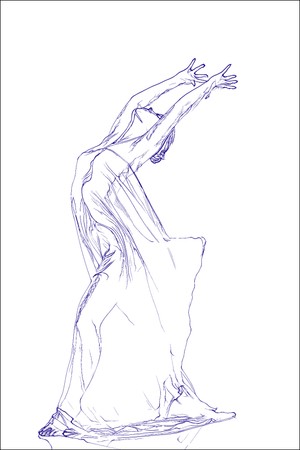
  • Step 1. The third tutorial is devoted to a line drawing. A photo of a girl in picturesque flowing robes will be opened in the program and turned into a sketch, spread across the paper by the pen of a dreamer.

    Original Image (Photo 3)
    Original Image (Photo 3)
  • Step 2. Choose Pen & Ink style from the list in the Settings Panel.

    Original Image in AKVIS ArtWork (Pen & Ink Style)
    AKVIS ArtWork Workspace ("Pen & Ink" Style)

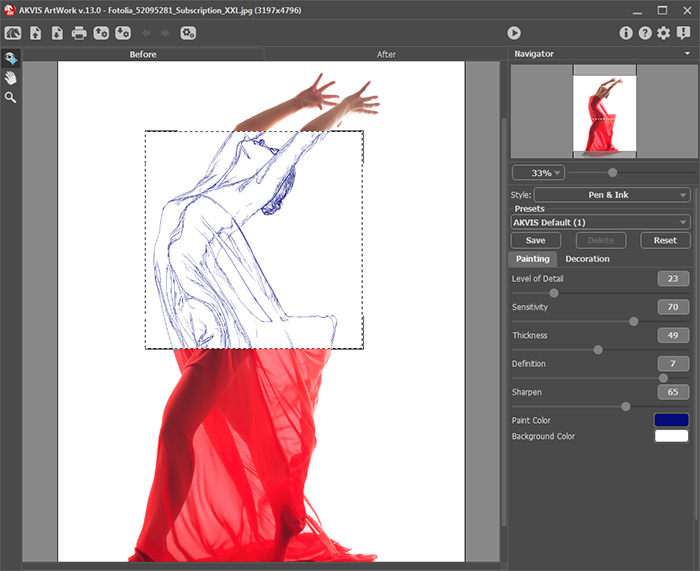
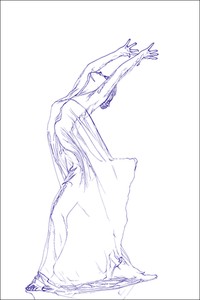
    The preview window shows there are some extra lines distorting and polluting the image. To get fine, graceful lines, you should reduce the rendering parameters. The drawing takes on an even lighter quality when executed not in black but blue ink.

    Selected Parameters
    Selected Parameters
  • Step 3. Process the image by pressing .

    Ink Drawing
    Ink Drawing
  • Step 4. Save the image by pressing .


- In Linocut Style:

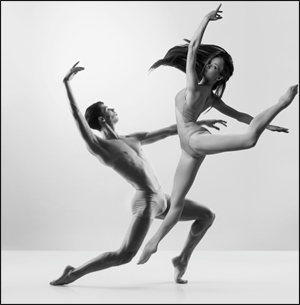
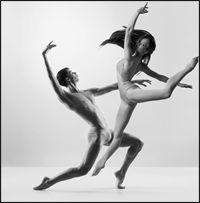
  • Step 1. Open yet another image in the program - one of a duet of modern dancers.

    Original Image (Photo 4)
    Original Image (Photo 4)
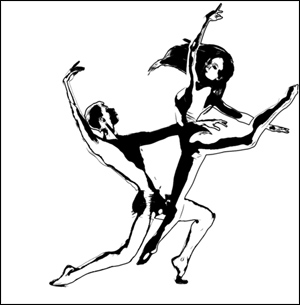
  • Step 2. To convey the elastic dance techniques of modern dance, we can use a stylized engraving (Linocut style from the list). It should be noted that due to the singular qualities of this style, it should be applied sparingly to people.
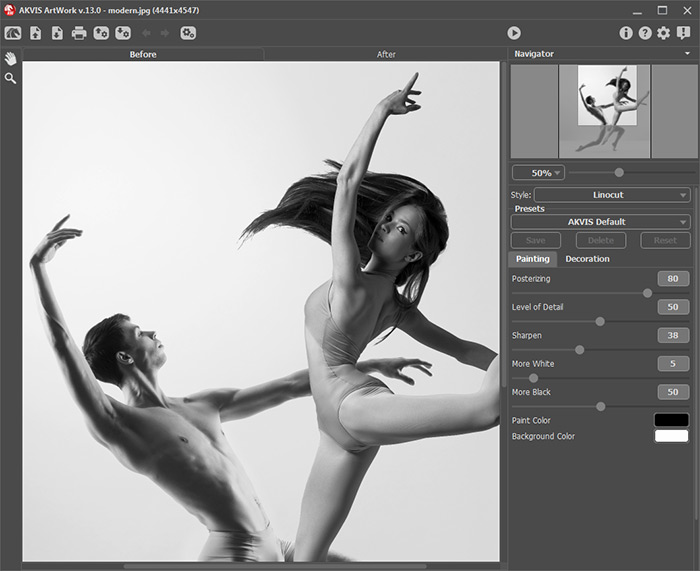
    Original Image in  AKVIS ArtWork (Linocut Style)
    AKVIS ArtWork Workspace ("Linocut" Style)
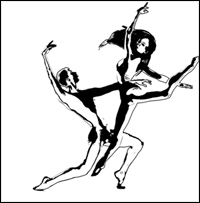
  • Step 3. Process the image by pressing . The result is an image with strong contrast - very effective on a white background.

    Linocut
    Linocut
  • Step 4. Save the image.
 
How It Works How It Works
   — Workspace — Workspace
   — How To Use The Program — How To Use The Program
   — Add Text to a Painting — Add Text to a Painting
   — Painting on a Canvas — Painting on a Canvas
   — Working with the Presets — Working with the Presets
   — Preferences — Preferences
   — Batch Processing — Batch Processing
Styles Styles
   — Oil Painting — Oil Painting
   — Watercolor Painting — Watercolor Painting
   — Comics Effect — Comics Effect
   — Pen & Ink — Pen & Ink
   — Linocut — Linocut
   — Pastel Painting — Pastel Painting
Examples Examples
   — Harmony: Oil Painting Portrait — Harmony: Oil Painting Portrait
   — City Canal View: Oil Landscape — City Canal View: Oil Landscape
   — Animated Comic of a Cat: Video to Cartoon — Animated Comic of a Cat: Video to Cartoon
   — Emergency Cow: Make a Poster — Emergency Cow: Make a Poster
   — Greetings from Canary Islands — Greetings from Canary Islands
   — Summer Coloured Green — Summer Coloured Green
   — Casandra's Portrait — Casandra's Portrait
   — ArtWork for Art Students — ArtWork for Art Students
   — Day At The Beach — Day At The Beach
   — ArtWork Oil Gallery — ArtWork Oil Gallery
   — Orchid: an Oil Painting of Flowers — Orchid: an Oil Painting of Flowers
   — Miniature Painting — Miniature Painting
   — Still Life With Peaches — Still Life With Peaches
   — From Flawed Photo To Work Of Art — From Flawed Photo To Work Of Art
   — Antique Collage: Comics Effect — Antique Collage: Comics Effect
   — Baroque Architecture: Linocut — Baroque Architecture: Linocut
   — Ballet Art: Trying ArtWork Styles — Ballet Art: Trying ArtWork Styles
   — Human Flower: Pen & Ink Drawing — Human Flower: Pen & Ink Drawing
   — Oil Painting With a Hand-Drawn Effect — Oil Painting With a Hand-Drawn Effect
   — A Little Secret: Two ArtWork Styles — A Little Secret: Two ArtWork Styles
   — Mythical Horse: Watercolor Picture — Mythical Horse: Watercolor Picture
   — Forest Nymph — Forest Nymph
   — Ballet Dancers: Oil Painting — Ballet Dancers: Oil Painting
   — Portrait of a Lady: Modern Art — Portrait of a Lady: Modern Art
   — Sunset on Lake Garda in Pastel — Sunset on Lake Garda in Pastel
   — Creating  a Semi-Processed Image Effect — Creating a Semi-Processed Image Effect
   — A Holiday In Normandy — A Holiday In Normandy
   — Orange Door: a Comic-Like Painting — Orange Door: a Comic-Like Painting


back to top


   Privacy Policy | Site Map | Search at AKVIS    
   Contact Us | Twitter | Facebook | YouTube Channel    
| English  |Français  |Deutsch  |Español  |Português  |Italiano  |日本語  |Pусский  | © 2004-2012 AKVIS. All rights reserved.