Saint-Petersburg Views: Save Photos using AKVIS Retoucher
This tutorial has been sent to us by the authors of the project TextureMonk David and Leon.
Note: This tutorial was created in the old version of Retoucher. Learn here how to use the new version with all its features! Though it processes images in a similar way, new Retoucher offers selection and retouch tools and advanced features.
The authors write:
We have just come back from St Petersburg, Russia with over 80G, about 8000 raw images and on our last day there we found out that one of our cameras (we have Cannon EOS 1D's) had over 30 dirt spots on the sensor - where these things come from we do not know! But life is life and so we decided to rummage around on the web and look for an automatic, intelligent tool to remove the dirt. And we found AKVIS Retoucher.
 |
 |
David (co-partner of Texturemonk.com) has long had this idea of creating a mask of just the dirt spots and remove them by somehow overlaying these on the original ; but something was lacking - the intelligent removal and restoration of the pixels under the dirt spot - and yes, your tool Retoucher is our answer.
- Step 1. Choose an image which shows you most of the dirt marks.
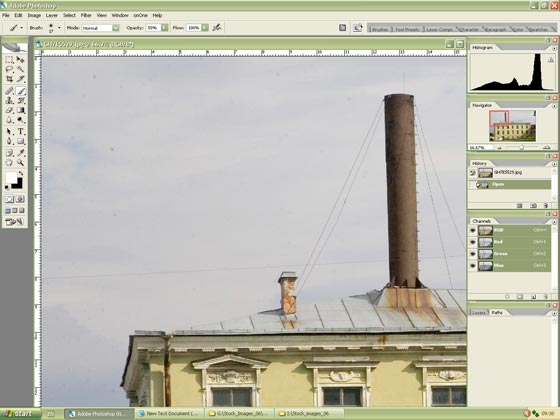
Figure 1. Dirt spots on the image - Step 2. In Adobe Photoshop click on the Quick Mask Mode, activate the Brush tool with hard edge (Hardness 100%) and highlight the spots.
Note. When you select spots in Quick Mask Mode make sure that the Masked Area check-box is activated in the Quick Mask Mode settings. You can see the settings if you double-click on the button Quick Mask Mode in the Toolbar.
- Step 3. When all the spots are selected open the Quick Mask Mode settings once again. This time activate the check box Selected Area. As a result the selection will be inverted.
- Step 4. Still in the Quick mask call the command Select -> All then Edit ->Copy.
- Step 5. Create a new image with a transparent background, paste the copied selection and
save it as a psd file. We will use this selection later for other photos from this series.
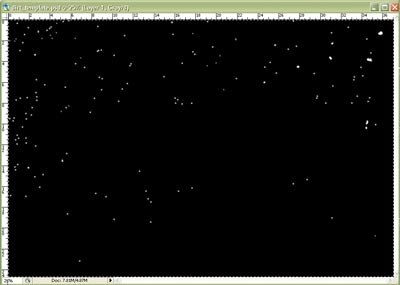
Figure 2. Dirt mask image - Step 6. Back to the processing of our photo.
- Switch to the Standard Mode. All the spots on the photo are selected.
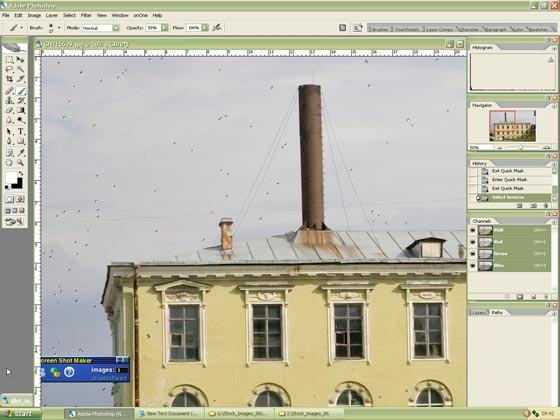
Figure 3. Image ready for dirt removal by Retoucher - Call the AKVIS Retoucher plug-in and start the retouching process by pressing the button
 .
.
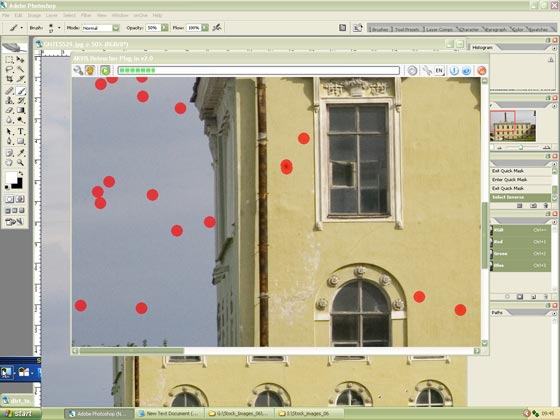
Figure 4. Image being processed by Retoucher - The areas highlighted in red will disappear taking away the spots.
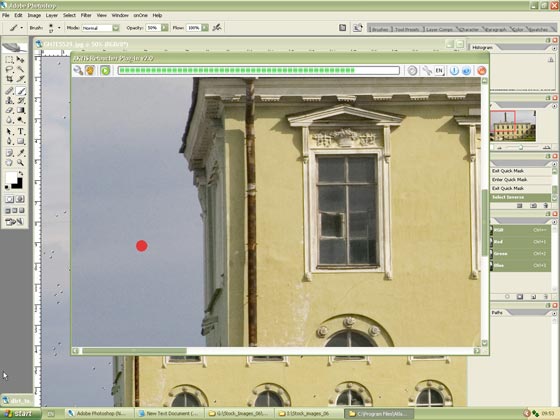
Figure 5. Nearly done… - Apply the result to the picture by pressing the button
 .
.
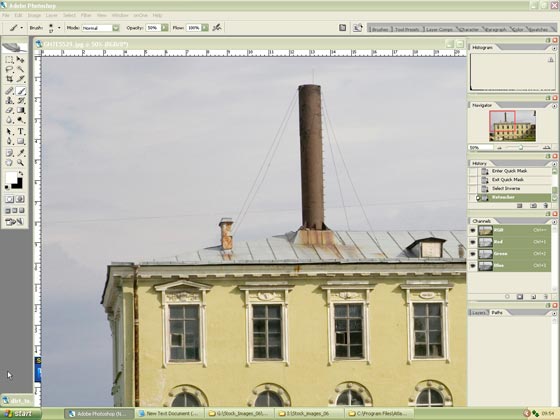
Figure 6. End Result - Step 7. To remove dirt from other images with similar dirt marks open the image created in step 5. Call the command Select -> All and Edit ->Copy.
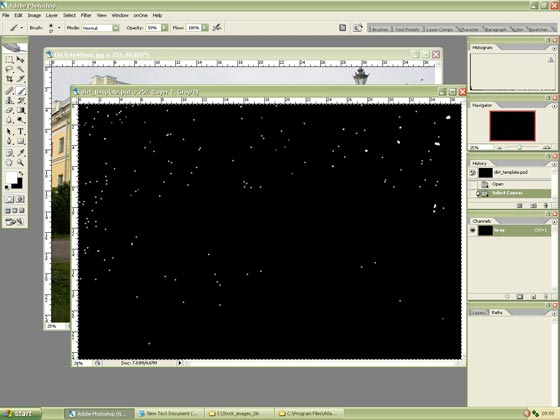
Figure 7. Showing Dirt mask image - Step 8. Now open the image to be processed and click on Quick Mask Mode button. Then call the command Edit ->Paste to paste the dirt mask from the buffer into the Quick mask.
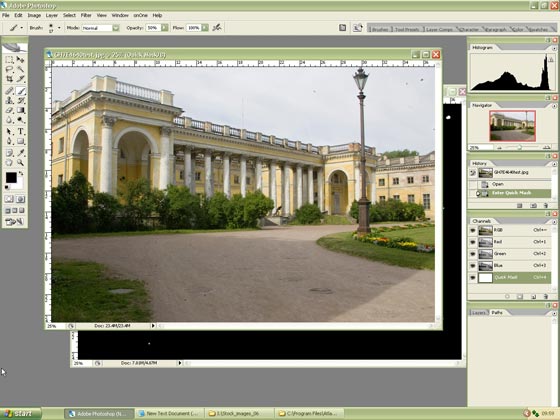
Figure 8. New image with similar dirt spots and with Dirt Mask in place
(For the Historians among us this is Alexander Palace - Residence of the Last Tzar) - Step 9. Then click the button Edit in Standard Mode and we are ready for Retoucher again.
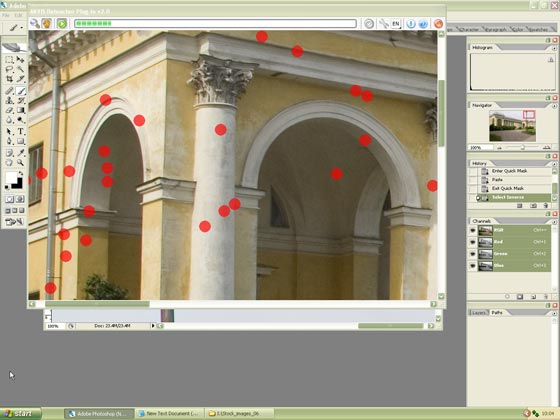
Figure 9. A Close up view of selected dirt marks being processed by Retoucher - Step 10. When the spots are removed, apply the result by pressing the button .
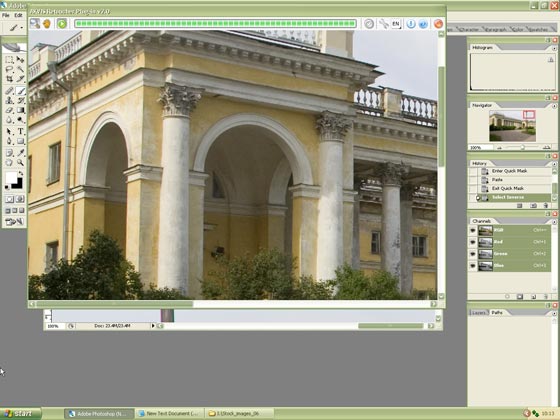
Figure 10. Done - Step 11. All in all, we feel that AKVIS Retoucher has saved us a lot of time recovering our dirt damaged images to how they should have looked.
Retoucher v. 12.2 - Free 10-day Trial
