Graphic software for Windows Mac graphic software
Please enter your email to be kept posted on updates and discounts:
 
  
  Products     Download     Online Store     Tutorial     Support     Company
en  fr  de  es  pt  it  jp  ru    
 

Tutorial: AKVIS Retoucher

Photo Restoration Software: How It Works


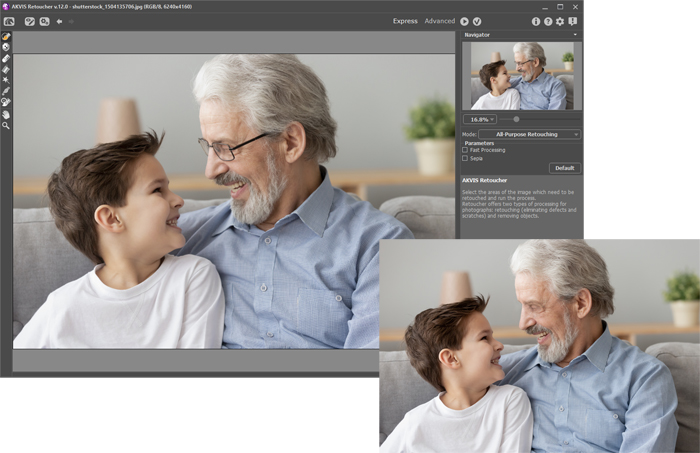
AKVIS Retoucher is an efficient tool for photo restoration and photo retouching. Retoucher removes dust, scratches, stains and other defects that appear on damaged photos. The plugin is also able to reconstruct missing parts of a photo using the information of the surrounding areas.

The work is done automatically; you only have to indicate areas to be restored, push the button, and here you are - the surface becomes smooth and imperfections disappear. It looks like magic when you observe the scratches vanishing before your very eyes.

Learn how to use AKVIS Retoucher by watching a flash movie. The step-by-step instructions will give you a glimpse into the way it works. Click here (flash-movie, 6.4 Mb)


How It Works

 
How It Works How It Works
   — Using The Plugin To Restore Photos — Using The Plugin To Restore Photos
Examples Examples
   — Old Photo from Photoshop Samples — Old Photo from Photoshop Samples
   — Baby Photo Restoration — Baby Photo Restoration
   — Removing the Date Stamp — Removing the Date Stamp
   — Badly Damaged Photo — Badly Damaged Photo
   — Restoring a Picture — Restoring a Picture
   — Restoration of an Old Family Photo — Restoration of an Old Family Photo
   — Portrait of a Child — Portrait of a Child
   — Gypsy Photo Restoration — Gypsy Photo Restoration
   — A Sunny Smile — A Sunny Smile
   — Torn Photo Restoration — Torn Photo Restoration
   — Restoration of a Boy's Photo — Restoration of a Boy's Photo
   — A Happy Kid — A Happy Kid
   — Black and White Photo — Black and White Photo
   — Video Editing — Video Editing
   — For the Mother's Day — For the Mother's Day
   — Ukrainian Family — Ukrainian Family
   — Prepress Processing (for Printing) — Prepress Processing (for Printing)
   — Retouching Photos in 7 Steps — Retouching Photos in 7 Steps
   — A Daguerreotype — A Daguerreotype
   — Remove an Unwanted Area in PSP9 — Remove an Unwanted Area in PSP9
   — Lioness in a Cage (remove rods) — Lioness in a Cage (remove rods)
   — Retouching a Wedding Photo — Retouching a Wedding Photo
   — Saint-Petersburg Views — Saint-Petersburg Views
   — Remove Stains from Grandpa Photo — Remove Stains from Grandpa Photo
   — New Life of an Old Photo — New Life of an Old Photo
   — Retouching and Coloring — Retouching and Coloring
   — Lasting Memories — Lasting Memories
   — Beautiful New Image — Beautiful New Image
   — Removing Unwanted Details — Removing Unwanted Details


   Privacy Policy | Site Map | Search | English  |Français  |Deutsch  |Español  |Português  |Italiano  |日本語  |Pусский  | © 2004-2009, AKVIS Software Inc. All rights reserved.    
?>