Lasting Memories
The author of this example is Vladimir Kislov.
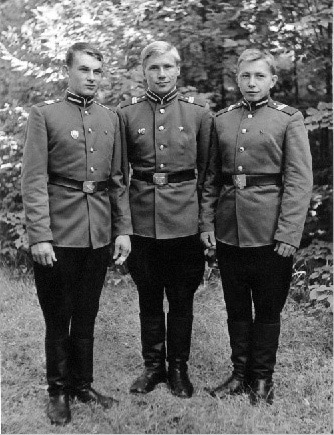
Vladimir's father asked him to restore an old photo that reminded him of his days in a military academy. With the help of Adobe Photoshop and AKVIS Retoucher plugin Vladimir restored the image by removing stains and scratches.
 |
 |
The photo brings back old memories about youth, faithful friends, desire to serve the Motherland. However, photos lose their lustre, they get damaged and make the memories of the old good times fade. Using AKVIS Retoucher you can stop time and bring your old photos back to life.
Note: This tutorial was created in the old version of Retoucher. Learn here how to use the new version with all its features! Though it processes images in a similar way, new Retoucher offers selection and retouch tools and advanced features.
- Step 1. Open your photo in a photo editor.
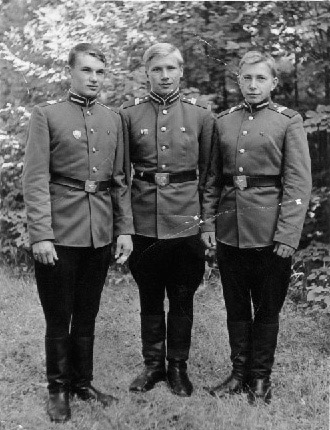
- Step 2. Select the area that should be restored. In Adobe Photoshop the easiest way is to use the Quick Mask mode. Click on the Quick Mask mode button
 in the Toolbox (the button Q).
Use the Pencil tool to paint over the defects, small scratches and fold lines. The area that you select in the Quick Mask mode will be highlighted in red.
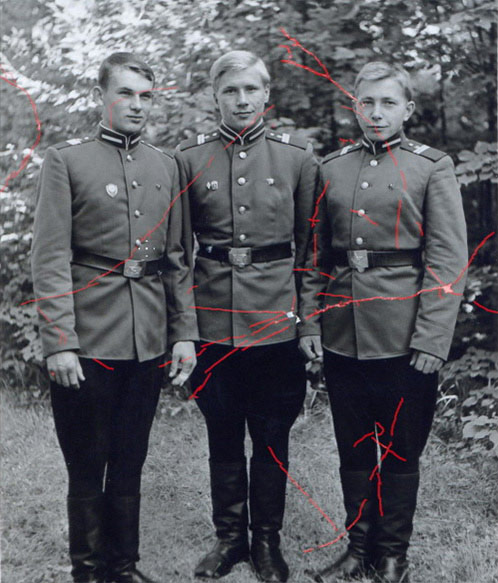
Switch to the Standard mode (the button
 ) and inverse the selection:
Select->Inverse (the button Shift + Ctrl + I).
) and inverse the selection:
Select->Inverse (the button Shift + Ctrl + I).
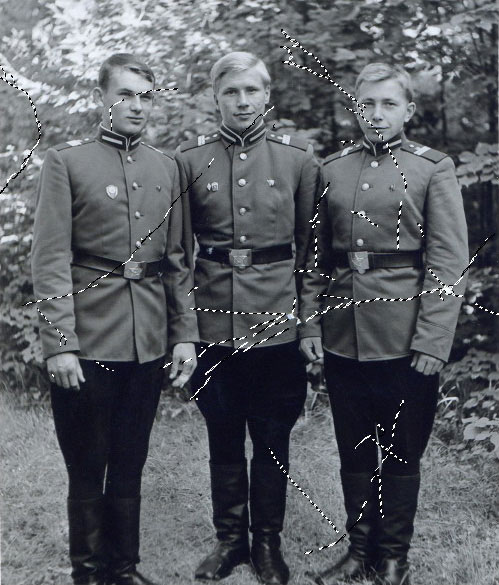
- Step 3. Call AKVIS Retoucher from the main menu of Adobe Photoshop Filter -> AKVIS -> Retoucher. Here we get the plugin window with the default settings. If you want you can change the values of the parameters by pressing the button Options
 . Launch the restoration process by pressing the
  . It may take a few minutes. You will see the defects disappear during the restoration process.
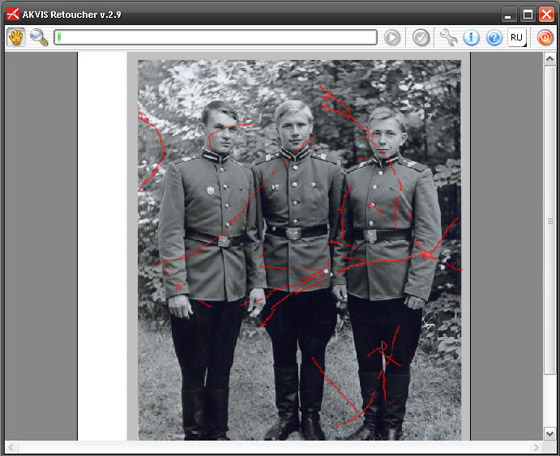
- Step 4. Click on the button
 to apply the result and close the plugin window.
You can also colorize the photo, if you like, using the advanced coloring technology that restores the original colors.
Retoucher v. 12.2 - Free 10-day Trial

- Step 3. Call AKVIS Retoucher from the main menu of Adobe Photoshop Filter -> AKVIS -> Retoucher. Here we get the plugin window with the default settings. If you want you can change the values of the parameters by pressing the button Options