Miniature Painting: Add Oil Effect, Canvas and Frame to Color Drawing


AKVIS ニュースの購読を申し込むには, 電子メールアドレスを入力してください。
 
 
  プログラム     ダウンロード     サイバーショップ     チュートリアル     サポート     会社情報      お客様の部屋
en  fr  de  es  pt  it  jp  ru    
 

チュートリアル: AKVIS ArtWork

Miniature Painting


あいにく, このページは英語にだけ使用可能です。日本語のバージョンは遠からず出ります。
Attention! You can get a free licence for an AKVIS program by translating texts from English to Japanese.
Please contact us at team@akvis.com.

The author of this tutorial is Nancy Knadler.


A unique quality of this tutorial, is that the image used was not a photograph, but a color drawing, which was transformed into an oil painting. With AKVIS ArtWork you can experiment with various styles and achieve an amazing result!
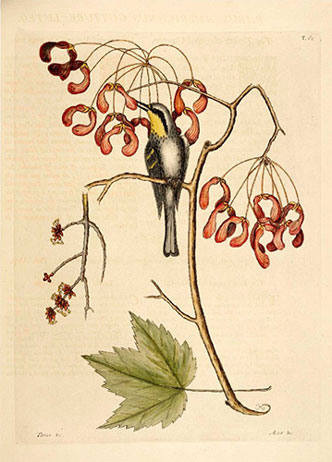
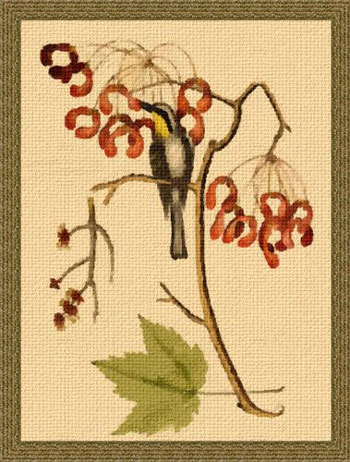
    Color drawing Miniature painting

Follow these steps:

  • Step 1. Open an image in Adobe Photoshop, or an image editor of your choice with the command File -> Open.
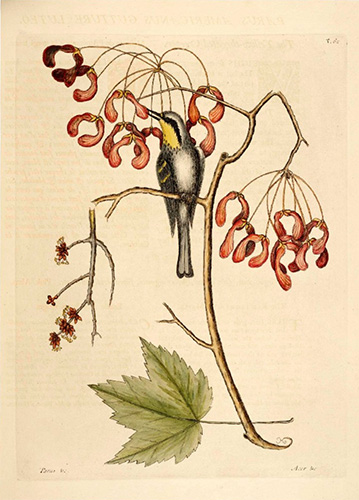
    Original image
    Original image
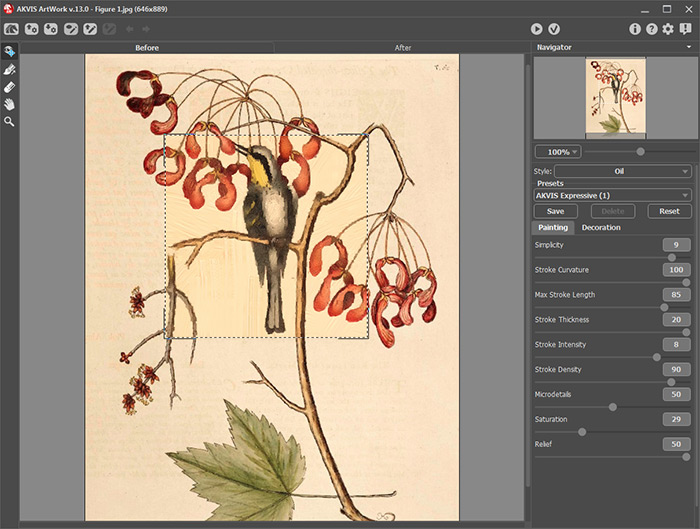
  • Step 2. In Photoshop, call the AKVIS plug-in by going to the Filter menu and choosing Filter –> AKVIS –> ArtWork. The image opens up in the ArtWork window.
  • Use Oil style and after experimenting set the following parameters:

    Simplicity = 9;
    Stroke Curvature = 100;
    Max Stroke Length = 85;
    Stroke Thickness = 20;
    Stroke Intensity = 8;
    Stroke Density = 90;
    Microdetails = 49;
    Saturation = 29;
    Relief = 50.

    Press to process the image.

    Oil painting
    Oil painting
  • Step 3. The author writes, that she was happy with the look of the image but decided to add a texture. Click on the Canvas tab and choose a texture using the following parameters:
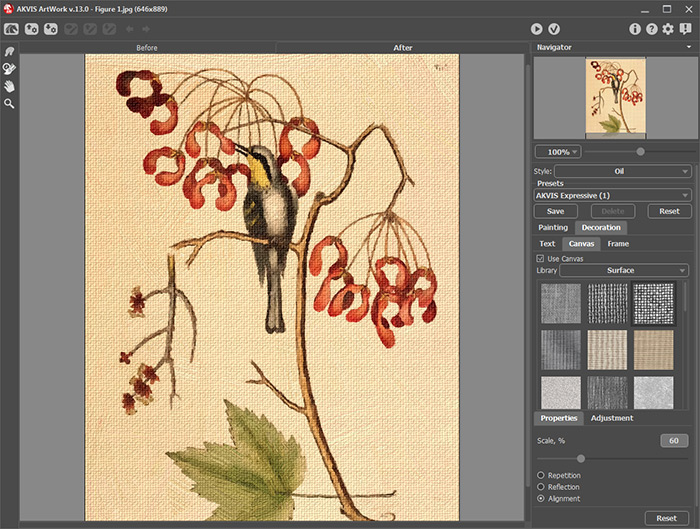
    Scale = 100;
    Reflection checked;
    Brightness = 30;
    Embossment = 25;
    Reveal Texture = 30;
    Distortion = 0.

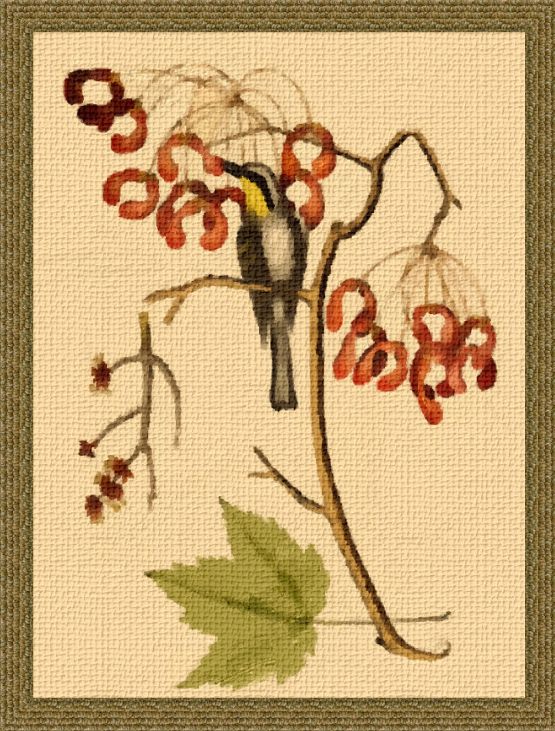
  • Press to process the image. The picture painted on canvas looks more expressive:

    Oil painting with canvas
    Oil painting with canvas

    Press to apply the changes and go back to Photoshop.

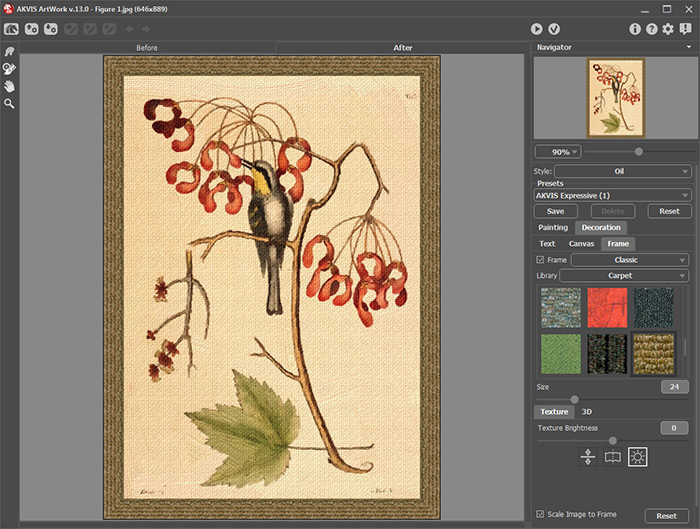
  • Step 4. Finally, author decided to add a frame by going to Filter menu again and calling up another AKVIS plugin AKVIS ArtSuite: Filter -> AKVIS -> ArtSuite.
    AKVIS ArtSuite plug-in window
    AKVIS ArtSuite plug-in window

    In ArtSuite, click the Frames drop down menu, choose the Classic Frame style and choose a textured frame that matches the color scheme of image with the following parameters:

    Frame Width = 24%;
    Texture Brightness = 100%;
    Checked Scale Image to Frame;
    Checked Average Brightness.

    Run the process , apply the frame and go back to Photoshop where you can save a new improved image.
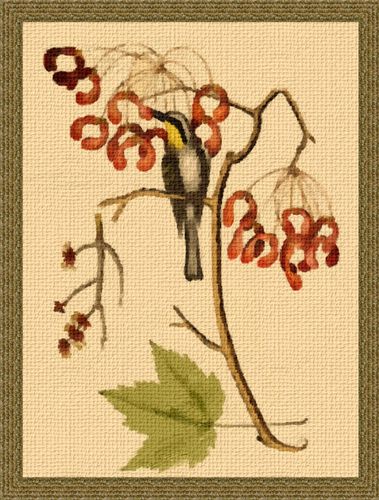
    Miniature Painting
    Miniature with Bird (click to enlarge)


操作方法 操作方法
   — ワークスペース — ワークスペース
   — 操作方法  — 操作方法
   — テキスト — テキスト
   — キャンバス — キャンバス
   — ArtWorkプリセット — ArtWorkプリセット
   — 環境設定 — 環境設定
   — バッチ処理 — バッチ処理
技法 技法
   — 油絵 — 油絵
   — 技法 — 技法
   — コミック — コミック
   — ペン & インク — ペン & インク
   — リノカット (リノリウム版画) — リノカット (リノリウム版画)
   — パステル — パステル
操作例 操作例
   — Harmony: Oil Painting Portrait — Harmony: Oil Painting Portrait
   — City Canal View — City Canal View
   — Animated Comic of a Cat — Animated Comic of a Cat
   — Emergency Cow - Poster — Emergency Cow - Poster
   — ArtWork Oil Gallery — ArtWork Oil Gallery
   — Still Life With Peaches — Still Life With Peaches
   — Mythical Horse: Watercolor Picture — Mythical Horse: Watercolor Picture


ページの先頭へ


   プライバシー | サイトマップ | Web サイトの検索    
   連絡先 | Twitter | Facebook | YouTube Channel    
| English  |Français  |Deutsch  |Español  |Português  |Italiano  | 日本語  |Pусский  | © 2004-2012 AKVIS. All rights reserved.