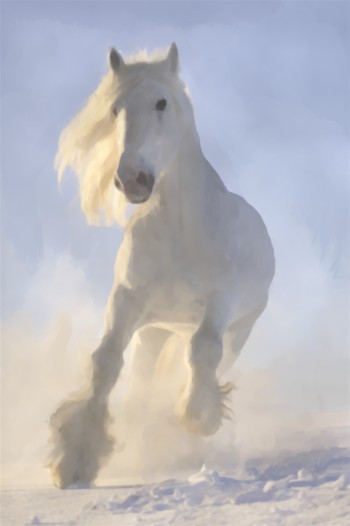
Mythical Horse: A Magical Watercolor Illustration


AKVIS ニュースの購読を申し込むには, 電子メールアドレスを入力してください。
 
 
  プログラム     ダウンロード     サイバーショップ     チュートリアル     サポート     会社情報      お客様の部屋
en  fr  de  es  pt  it  jp  ru    
 

チュートリアル: AKVIS ArtWork

Mythical Horse


あいにく, このページは英語にだけ使用可能です。日本語のバージョンは遠からず出ります。
Attention! You can get a free licence for an AKVIS program by translating texts from English to Japanese.
Please contact us at team@akvis.com.

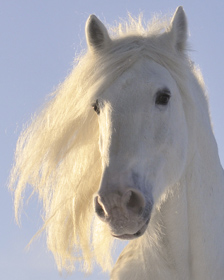
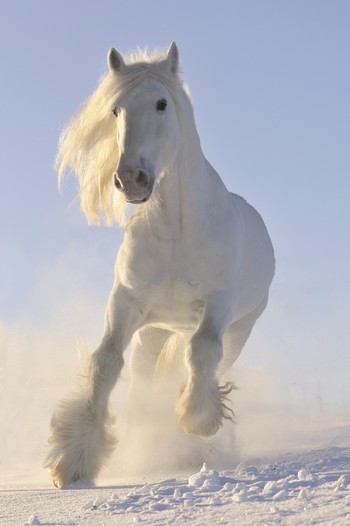
Magical horses appear in the fairy tales of many cultures - Tulpar, Pegasus, Sivka-Burka, Bayard, Akbuzat, Sleipnir, Gaitan, Rakhsh, Tetroni, Chalkuyruk, Dzindz, Aranzal, Târkshya, Babieca, etc. Horses of the gods, knights, and heroes are beautiful and endowed with special powers. Their images are represented in sculpture, paintings, frescos, and bas-relief. We can use AKVIS ArtWork to create our own fairy-tale and turn any horse into a legendary creature.

    Original Image Result
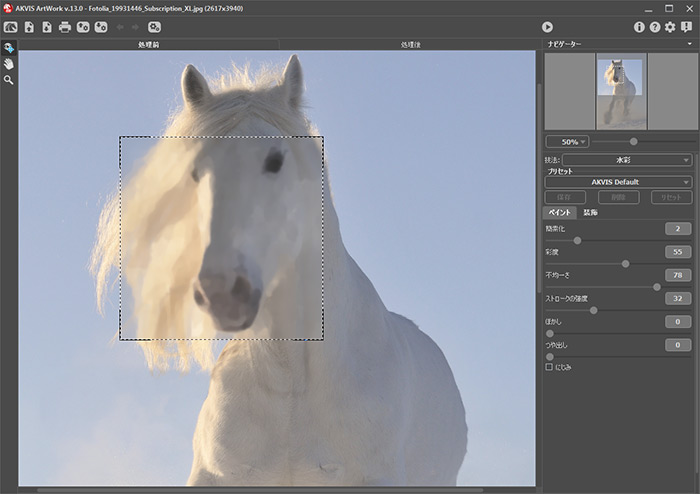
  • Step 1. Open an image in AKVIS ArtWork and choose Watercolor from the list of styles.

    Original Image
    Original Image
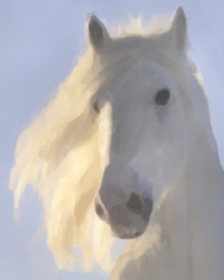
  • Step 2. The preview window shows how the image would be processed using the current settings. It should be noted that the final result will probably differ slightly from that in the preview window, however the preview window is still useful for keeping track of any changes made to parameters.

    Preview, Default Settings
    Preview, Default Settings
  • Step 3. Press to start processing the image.

    Note: Once processing is complete, uneven shading can be corrected manually using the Post-Processing Tools (available only under the Home Deluxe and Business licenses): Smudge and Blur .

    The result is below:

    Watercolor
    Watercolor (click to see the image in full size)


操作方法 操作方法
   — ワークスペース — ワークスペース
   — 操作方法  — 操作方法
   — テキスト — テキスト
   — キャンバス — キャンバス
   — ArtWorkプリセット — ArtWorkプリセット
   — 環境設定 — 環境設定
   — バッチ処理 — バッチ処理
技法 技法
   — 油絵 — 油絵
   — 技法 — 技法
   — コミック — コミック
   — ペン & インク — ペン & インク
   — リノカット (リノリウム版画) — リノカット (リノリウム版画)
   — パステル — パステル
操作例 操作例


ページの先頭へ


   プライバシー | サイトマップ | Web サイトの検索    
   連絡先 | Twitter | Facebook | YouTube Channel    
| English  |Français  |Deutsch  |Español  |Português  |Italiano  | 日本語  |Pусский  | © 2004-2012 AKVIS. All rights reserved.