Emergency Cow


AKVIS ニュースの購読を申し込むには, 電子メールアドレスを入力してください。
 
 
  プログラム     ダウンロード     サイバーショップ     チュートリアル     サポート     会社情報      お客様の部屋
en  fr  de  es  pt  it  jp  ru    
 

チュートリアル: AKVIS ArtWork

Emergency Cow


あいにく, このページは英語にだけ使用可能です。日本語のバージョンは遠からず出ります。
Attention! You can get a free licence for an AKVIS program by translating texts from English to Japanese.
Please contact us at team@akvis.com.

The author of this tutorial is Valentina Aynagos (Germany).


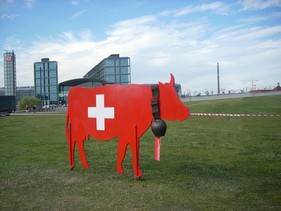
Have you ever happened to meet in a field grazing... a red cow? No, this is neither a warning sign nor a shooting target.

In 2005, in the capital of Switzerland, a discussion was held concerning a crucial issue - choosing an additional emblem for the International Red Cross and Red Crescent societies. Different countries offered their own symbols: the Star of David, a swastika, a diamond. One symbol in particular that was proprosed was the Red Cow, symbolizing a peaceful animal that gives milk, and life. This proposal was not supported, but the author managed to take a photo of a mockup of the cow. The inscription on the label reads: "The original is in Switzerland".

    Original Photo Result

Turning the photo into a colorful poster was very easy:

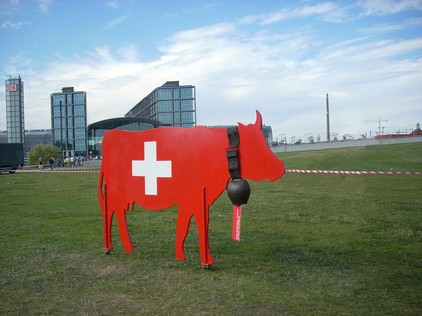
  • Step 1. Open the photo in AKVIS ArtWork by pressing the button.
    Original Photo
    Original Photograph
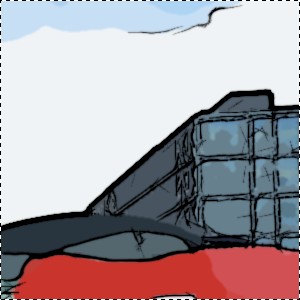
  • Шаг 2. Choose the Comics style from the drop down menu in the Settings Panel. The result based on the default settings (AKVIS Default) will be shown in the Preview Window. To prevent black lines from being drawn on the sky, reduce the Level of Detail parameter from 40 to 20:
    Default Settings Detail Reduced
    Default Settings Level of Detail = 20
  • Step 3. Press the button to process the image.
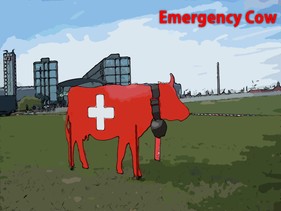
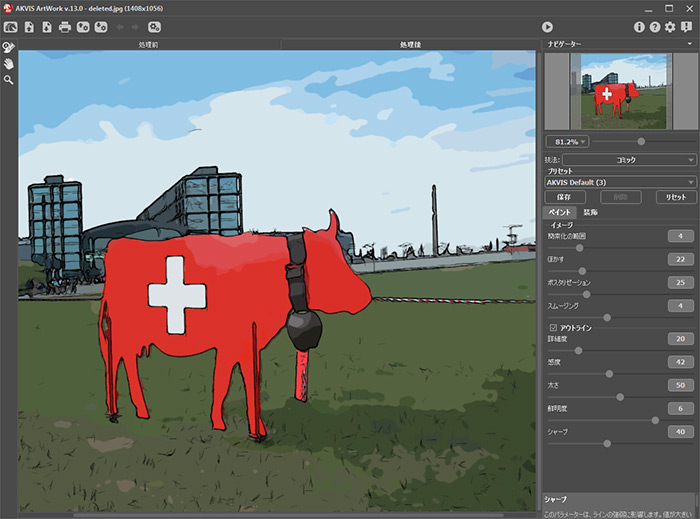
    Image in Comics Style
    ArtWork's workspace displaying the result after processing
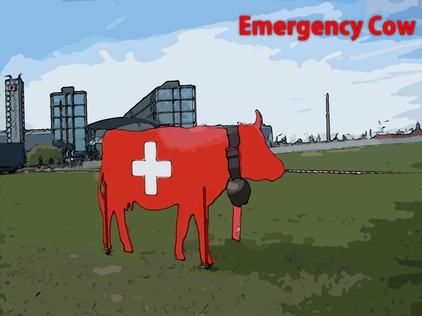
  • Step 4. To add some illustrative text, press the Text tab. Choose the color red for the text and black for the text's outline.
    Result
    Result
  • Step 5. Save the image by pressing the button and exit AKVIS ArtWork.


操作方法 操作方法
   — ワークスペース — ワークスペース
   — 操作方法  — 操作方法
   — テキスト — テキスト
   — キャンバス — キャンバス
   — ArtWorkプリセット — ArtWorkプリセット
   — 環境設定 — 環境設定
   — バッチ処理 — バッチ処理
技法 技法
   — 油絵 — 油絵
   — 技法 — 技法
   — コミック — コミック
   — ペン & インク — ペン & インク
   — リノカット (リノリウム版画) — リノカット (リノリウム版画)
   — パステル — パステル
操作例 操作例
   — Harmony: Oil Painting Portrait — Harmony: Oil Painting Portrait
   — City Canal View — City Canal View
   — Animated Comic of a Cat — Animated Comic of a Cat
   — Emergency Cow - Poster — Emergency Cow - Poster
   — ArtWork Oil Gallery — ArtWork Oil Gallery
   — Still Life With Peaches — Still Life With Peaches
   — Mythical Horse: Watercolor Picture — Mythical Horse: Watercolor Picture


ページの先頭へ


   プライバシー | サイトマップ | Web サイトの検索    
   連絡先 | Twitter | Facebook | YouTube Channel    
| English  |Français  |Deutsch  |Español  |Português  |Italiano  | 日本語  |Pусский  | © 2004-2012 AKVIS. All rights reserved.