Miniature Painting: Add Oil Effect, Canvas and Frame to Color Drawing


Ingrese su email para suscribirse a la lista de AKVIS.
 
 
  Productos     Descargar     Tienda online     Tutorial     Apoyo técnico     Compañia      Área de clientes
en  fr  de  es  pt  it  jp  ru    
 

Tutorial: AKVIS ArtWork

Miniature Painting


Esta información está disponible solamente en inglés. La version en español aparecerá pronto.

The author of this tutorial is Nancy Knadler.


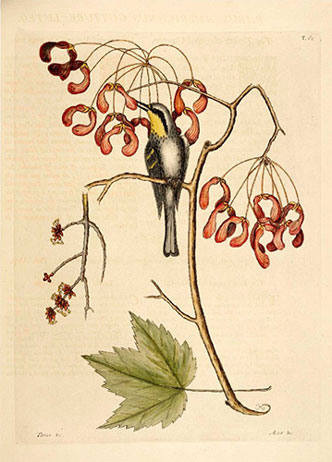
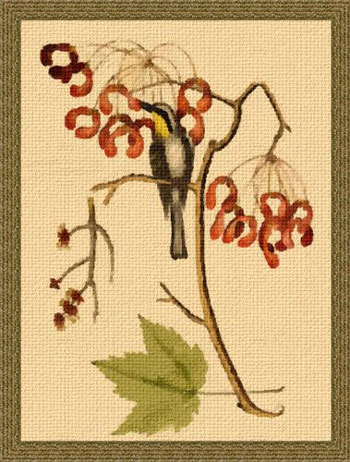
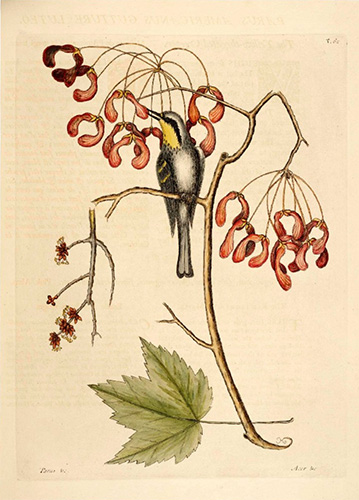
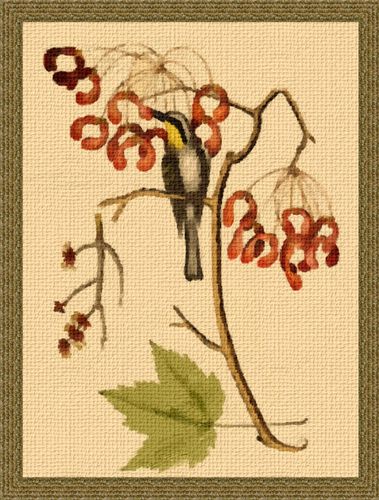
A unique quality of this tutorial, is that the image used was not a photograph, but a color drawing, which was transformed into an oil painting. With AKVIS ArtWork you can experiment with various styles and achieve an amazing result!

    Color drawing Miniature painting

Follow these steps:

  • Step 1. Open an image in Adobe Photoshop, or an image editor of your choice with the command File -> Open.
    Original image
    Original image
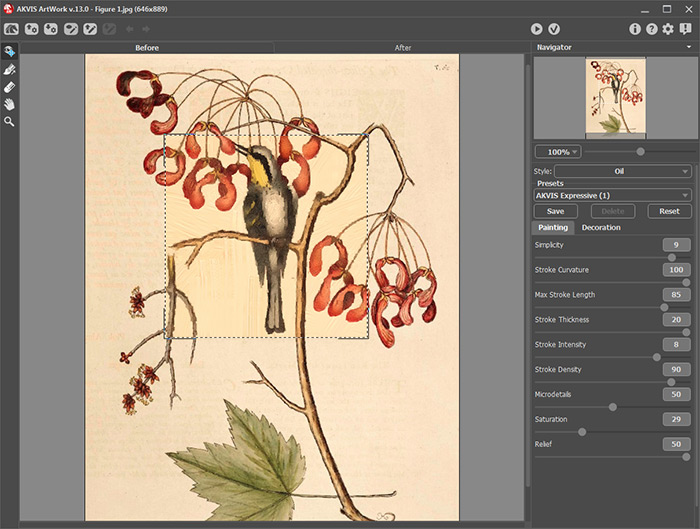
  • Step 2. In Photoshop, call the AKVIS plug-in by going to the Filter menu and choosing Filter –> AKVIS –> ArtWork. The image opens up in the ArtWork window.
  • Use Oil style and after experimenting set the following parameters:

    Simplicity = 9;
    Stroke Curvature = 100;
    Max Stroke Length = 85;
    Stroke Thickness = 20;
    Stroke Intensity = 8;
    Stroke Density = 90;
    Microdetails = 49;
    Saturation = 29;
    Relief = 50.

    Press to process the image.

    Oil painting
    Oil painting
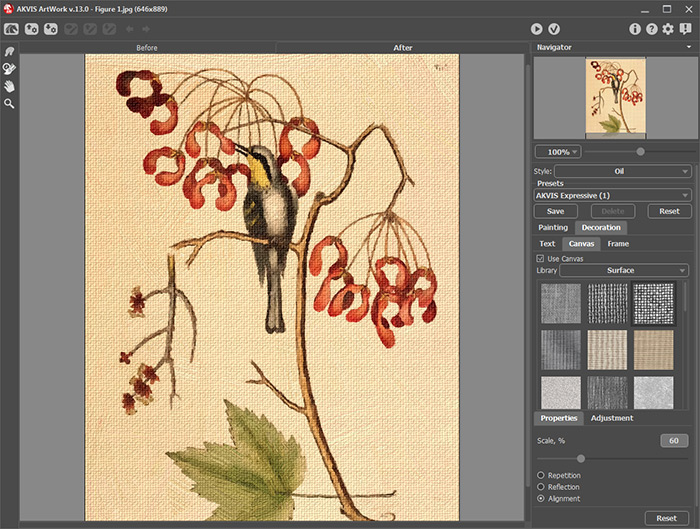
  • Step 3. The author writes, that she was happy with the look of the image but decided to add a texture. Click on the Canvas tab and choose a texture using the following parameters:

    Scale = 100;
    Reflection checked;
    Brightness = 30;
    Embossment = 25;
    Reveal Texture = 30;
    Distortion = 0.

  • Press to process the image. The picture painted on canvas looks more expressive:

    Oil painting with canvas
    Oil painting with canvas

    Press to apply the changes and go back to Photoshop.

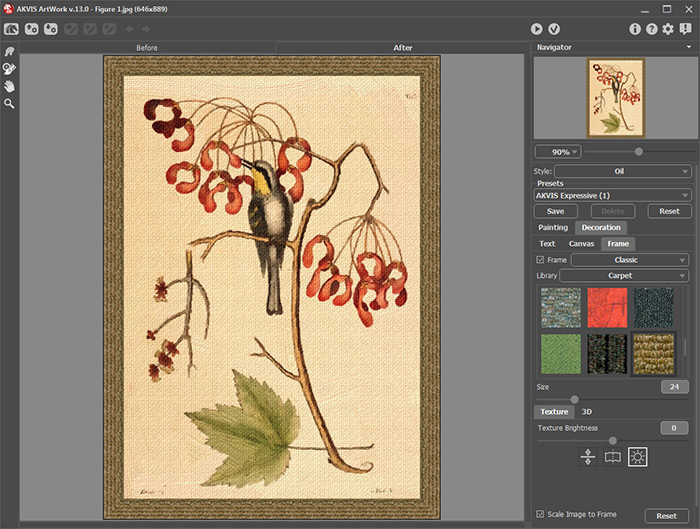
  • Step 4. Finally, author decided to add a frame by going to Filter menu again and calling up another AKVIS plugin AKVIS ArtSuite: Filter -> AKVIS -> ArtSuite.
    AKVIS ArtSuite plug-in window
    AKVIS ArtSuite plug-in window

    In ArtSuite, click the Frames drop down menu, choose the Classic Frame style and choose a textured frame that matches the color scheme of image with the following parameters:

    Frame Width = 24%;
    Texture Brightness = 100%;
    Checked Scale Image to Frame;
    Checked Average Brightness.

    Run the process , apply the frame and go back to Photoshop where you can save a new improved image.

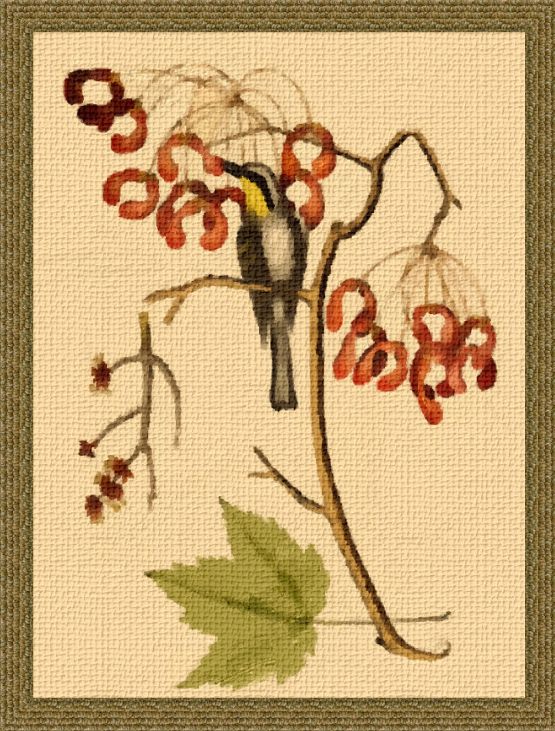
    Miniature Painting
    Miniature with Bird (click to enlarge)


Cómo funciona Cómo funciona
   — Área de trabajo — Área de trabajo
   — Como trabajar con el programa — Como trabajar con el programa
   — Añada texto a su pintura — Añada texto a su pintura
   — Imitar a una pintura sobre un lienzo — Imitar a una pintura sobre un lienzo
   — Presets — Presets
   — Opciones — Opciones
   — Procesamiento por lotes — Procesamiento por lotes
Estilos Estilos
   — Pintura al óleo — Pintura al óleo
   — Acuarela — Acuarela
   — Cómics — Cómics
   — Pluma y tinta — Pluma y tinta
   — Linograbado — Linograbado
   — Pastel — Pastel
Ejemplos Ejemplos
   — Retrato al óleo — Retrato al óleo
   — Vista al canal — Vista al canal
   — Dibujo animado de un gato — Dibujo animado de un gato
   — Crear un cartel: vaca roja — Crear un cartel: vaca roja
   — Saludos desde Gran Canaria — Saludos desde Gran Canaria
   — Bodegón al óleo con  melocotones — Bodegón al óleo con melocotones
   — Top Solamente AKVIS — Top Solamente AKVIS
   — Arcquitectura barroca: Linograbado — Arcquitectura barroca: Linograbado
   — Flor humana: Pluma y tinta — Flor humana: Pluma y tinta
   — Caballo místico: Acuarela — Caballo místico: Acuarela
   — Bailarinas — Bailarinas
   — Atardecer en Lago Garda en estilo Pastel — Atardecer en Lago Garda en estilo Pastel


volver arriba


   Política de privacidad | Mapa Web | Buscar    
   Contáctenos | Twitter | Facebook | YouTube Channel    
| English  |Français  |Deutsch  | Español  |Português  |Italiano  |日本語  |Pусский  | © 2004-2012 AKVIS. Todos los derechos reservados.