Cadre photo Éraillures
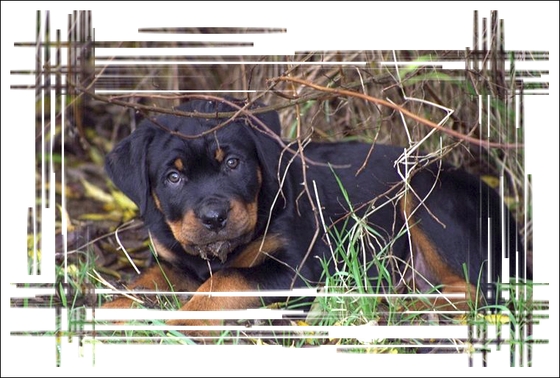
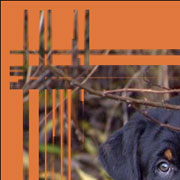
Le cadre photo Éraillures est un cadre en couleur avec une surface "grattée" qui fait visible l'image originale.
Utilisez les Paramètres suivants pour règler la largeur du cadre aussi que la largeur, le nombre et la longueur des éraillures.
On peut régler les Paramètres suivants :
Couleur du cadre. Le paramètre définit la couleur du cadre gratté. Double-cliquez sur la palette et sélectionnez une couleur dans la Boîte de dialogue de sélection des couleurs.

Couleur brune sélectionnée
Transparent. Lorsque la case Transparent est activée, la zone sous le cadre devient transparente. On peut l'utiliser sur une image à plusieurs calques, de cette façon, l'image sur le calque(s) inférieur(s) est visible et sert de cadre.

La case Transparent est activée
Largeur du cadre (0-100%). Le paramètre définit la largeur du cadre grattés. À 0%, il n'y a pas de cadre, à 100% la largeur du cadre fait un quart de la dimension minimale de l'image (soit la largeur ou l'hauteur). Par exemple, pour une image de 600 x 800 pixels la largeur 100% de l'image est calculée comme suit: 1 / 4 de la taille minimale (600 px) est 150 pixels.

Largeur du cadre = 40%
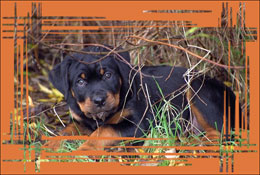
Largeur du cadre = 90%
Largeur de la bordure (0-100%). Le paramètre définit la largeur de la bordure du cadre sur laquelle aucune rayure n'est faite. La valeur est fixée en pourcentage de la largeur du cadre. Plus grande est la valeur du paramètre, plus large est la bordure, à 100% elle occupe la moitié du cadre.

Largeur de la bordure = 0%

Largeur de la bordure = 100%
Largeur des traits (1-10%). Le paramètre règle la largeur des traits en pour cent du quart de la taille minimale de l'image (soit la largeur ou l'hauteur). Plus grande est la valeur du paramètre, plus larges sont les traits. Si les traits sont extrêmement larges, ils fusionnent et forment un ligne épaisse.
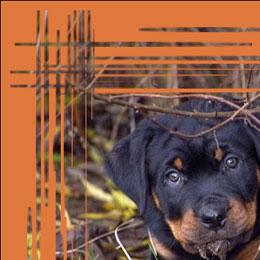
Largeur des traits = 2%
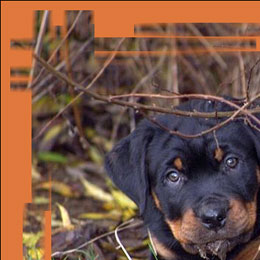
Largeur des traits = 7%
Nombre de traits (1-300). Ce paramètre définit le nombre des rayures tirées sur chaque côté de l'image. Plus la valeur est élevée, plus de rayures sont tirées sur chaque côté de l'image.
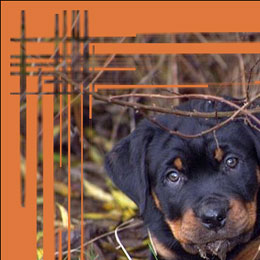
Nombre de traits = 20
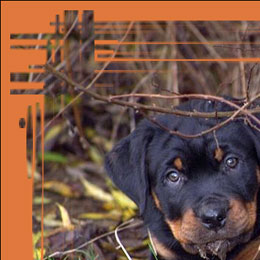
Nombre de traits = 70
Longueur des traits (0-100%). Le paramètre règle la longueur maximale des rayures. La longueur d'une rayure est calculée en pour cent de la longueur de la côté le long de laquelle elle est tirée. Par exemple, si la côté a une longueur de 800 px et la valeur du paramètre est de 50%, la longueur maximale des rayures fait 400 pixels.
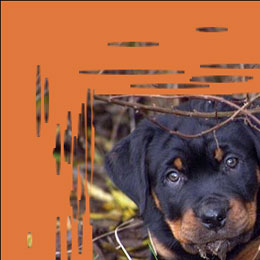
Longueur des traits = 10%

Longueur des traits = 40%
Effets aléatoires (0-9999). C'est le nombre de départ pour le générateur de nombres aléatoires. Chaque nombre correspond à la distribution unique des rayures.

ArtSuite v. 21.1 - 10 jours d'essai
