Portrait of a Child
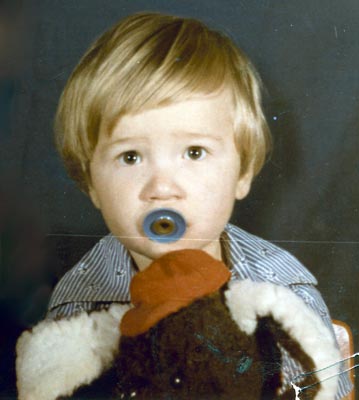
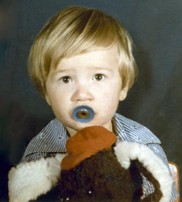
To reconstruct this color photograph, we'll need to remove a scratch that runs across almost the entire image, some minor defects on the background, a blue spot on the toy, and some creases on the lower right corner.
Let's see how Retoucher handled these tasks.
- Step 1. Open the image in AKVIS Retoucher. Here is the original, scanned from a color photo:
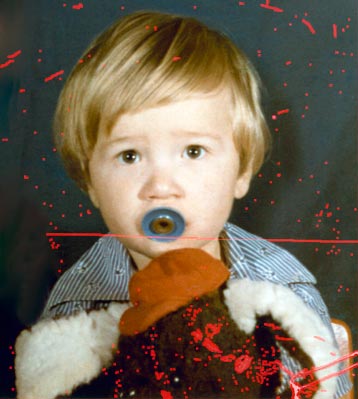
- Step 2. Select the defects, using the Selection Brush
 in AKVIS Retoucher.
- Step 3. Start automatic processing by pressing
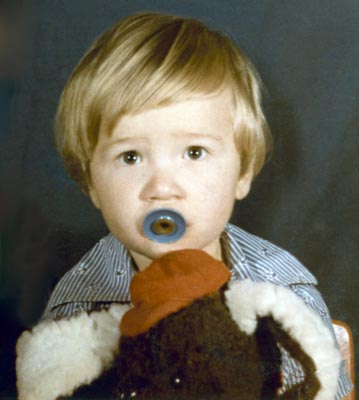
 . Retoucher will restore the selected areas. After the photo retoucing process is complete, the photograph will look like this:
Retoucher v. 12.2 - Free 10-day Trial
