Effetto Glamour
Glamour è un termine che deriva dall’inglese, significa lussuoso, elegante e alla moda ma anche una bellezza sensuale, piena di fascino, ammaliante. Se voi dite ad una donna che è glamour, le fate un complimento straordinario, mostrando attenzione per la sua bellezza, fascino o magnetismo.
Glamour è anche un genere particolare di fotografia che presta molta attenzione all’aspetto del modello. La pelle deve essere liscia e pulita. L'effetto glamour nasconde i difetti della pelle, riduce le piccole rughe rendendo il soggetto con un look perfetto senza modificare le caratteristiche del viso. Tutti vogliono sentirsi affascinanti ed attraenti, soprattutto se si tratta delle foto che vengono conservate negli album per gli anni a venire.
L'effetto Glamour, che elabora le imperfezioni della pelle, è stato sviluppato appositamente per le donne. Ora anche voi potete aggiungere una nota glamour alla vostra immagine…non solo le stelle del cinema!
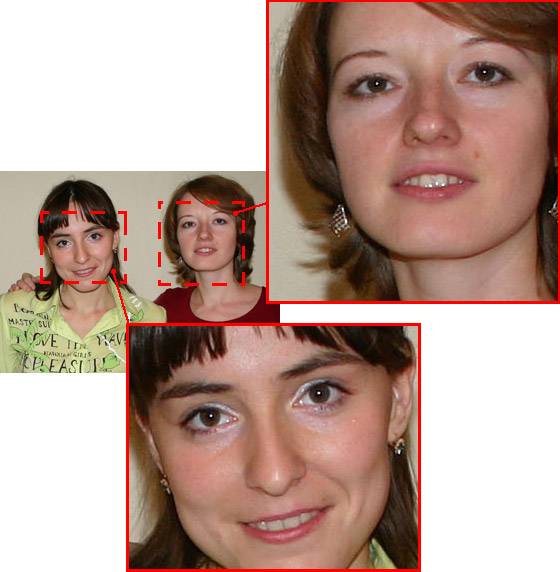
Immagine originale
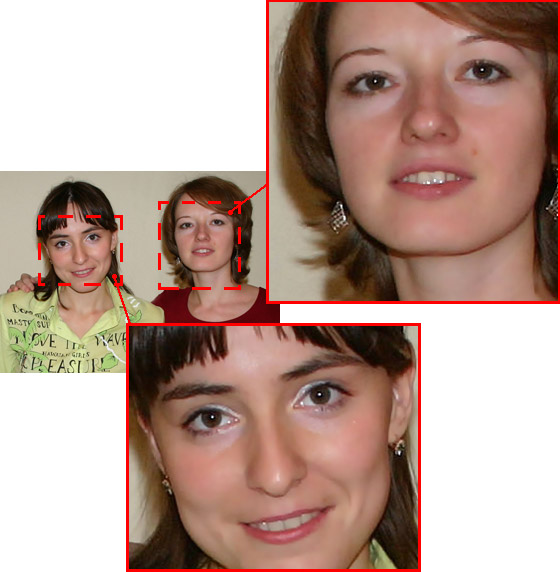
Risultato
L'effetto ha i seguenti comandi:
-
Colori. Si tratta di una tavolozza di colori che verranno utilizzati per l'elaborazione delle immagini.

Tavolozza dei coloriQuesta tavolozza ha una serie di 6 caselle di colori. Per impostazione predefinita queste caselle sono vuote. Se si avvia l'elaborazione dell’immagine con le impostazioni predefinite, non ci saranno cambiamenti.
Cliccare su una casella vuota, portare il puntatore, che si trasformerà in una pipetta, sull’immagine, selezionare un colore dal viso del soggetto con un clic del tasto sinistro del mouse, la casella visualizzerà il colore scelto.
Per cambiare il colore in una casella fare clic su di essa e sceglierne uno nuovo dall’immagine.
Per eliminare un colore selezionato, cliccare con il tasto destro del mouse sulla casella che ritornerà vuota.
Nota: Il pulsante Ripristina impostazioni predefinite permette di recuperare le impostazioni di default.
- Il parametro Soglia (0-20) definisce i colori che vengono utilizzati per l'elaborazione. Ad un valore basso vengono manipolati solo i colori selezionati. Aumentando l’impostazione, i colori simili ai colori della tavolozza subiscono dei cambiamenti. Maggiore è il valore più colori vengono modificati.
- Il parametro Attenuazione (1-100) ammorbidisce e offusca l'immagine, riducendo il contrasto dei colori tra i pixel adiacenti.
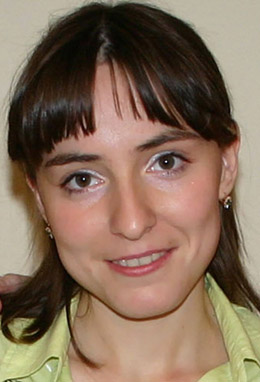
Attenuazione = 10
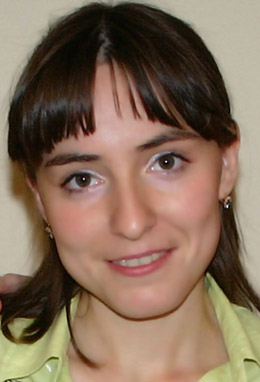
Attenuazione = 75
ArtSuite v. 21.1 - 10-giorni di prova gratuita
