Bianco e nero
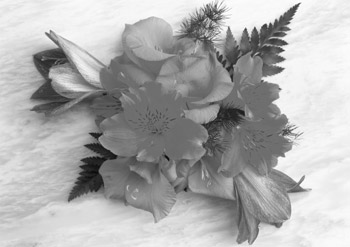
L’effetto Bianco e nero converte immagini a colori in scala di grigi e, se necessario, può aggiungere una sfumatura di colore, per esempio una tonalità seppia.
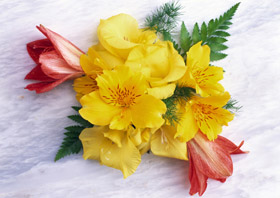
Foto a colori
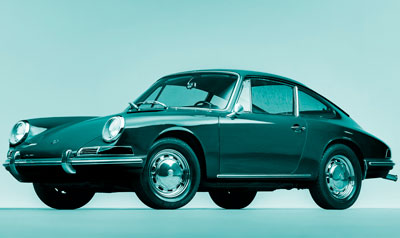
Effetto Bianco e nero
Parametri dell'effetto:
-
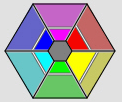
Mixer colore grigio. L'esagono è composto da 6 sezioni, ognuna con un colore ed un controllo. Utilizzare il controllo per scurire o schiarire le tonalità di grigio che corrispondono ai colori dell'immagine originale e sono vicine alla sezione colore. Quando il controllo si avvicina al centro, la tonalità è più scura, e viceversa, quando è più lontano dal centro, la tonalità è più chiara. Le impostazioni predefinite possono essere ripristinate cliccando con il tasto sinistro del mouse sull'area grigia al centro dell’esagono.
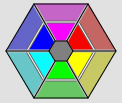 Conversione "Bianco e nero" - Parametri di default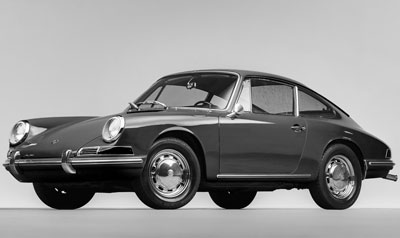
 Conversione "Bianco e nero" - Regolazione con i cursori
 -
Sfumatura. Scegliere un colore, sul cerchio sfumature, per aggiungere una tonalità all'immagine. Per impostazione predefinita il controllo è al centro del cerchio e l'immagine ha le tonalità del grigio. È possibile impostare una tinta cliccando, con il tasto sx del mouse, in un punto qualsiasi del cerchio, il controllo si sposta nel punto definito; esso regola anche la saturazione del colore, più è lontano dal centro, più forte è la saturazione.
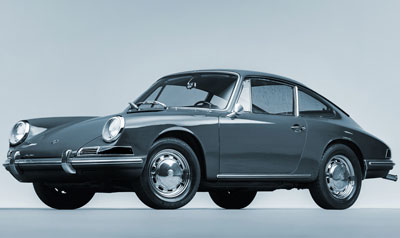
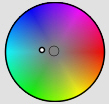 Aggiungere una sfumatura di colore all’ immagine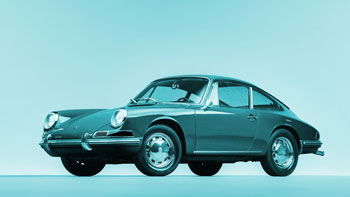
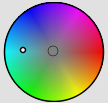 Aumentare la saturazione
 -
Colorazione (0-100). Questo parametro miscela l’immagine in scala di grigi con quella originale a colori. Per impostazione predefinita il valore è impostato a 0, il che significa che non vi è alcuna miscelazione. Aumentando il valore, l'immagine originale diventa gradualmente visibile attraverso quella in scala di grigi, aggiungendo così i colori originali.
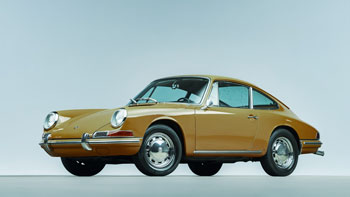
Colorazione = 25
ArtSuite v. 21.1 - 10-giorni di prova gratuita
