Schloss Neuschwanstein
Neuschwanstein ist das im 19. Jahrhundert erbaute Schloss in Deutschland. Das Schloss steht oberhalb von Hohenschwangau bei Füssen im südlichen Bayern. Es wurde von dem bayerischen König Ludwig II. als Fluchtburg und eine Hommage an Richard Wagners „Lohengrin“ gebaut, da seine Werke den König nachhaltig beeindruckt hatten.
Die Vorstellung des Schlosses wurde von Ludwig II in einem Brief an Richard Wagner (vom 13. Mai 1868) beschrieben: "Ich habe die Absicht, die alte Burgruine Hohenschwangau bei der Pöllatschlucht neu aufbauen zu lassen, im echten Styl der alten deutschen Ritterburgen. ... von wo man eine herrliche Aussicht genießt auf den hehren Säuling, die Gebirge Tyrols und weiterhin in die Ebene..."
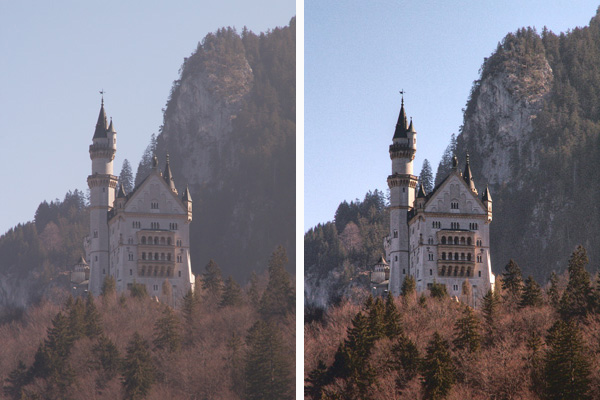
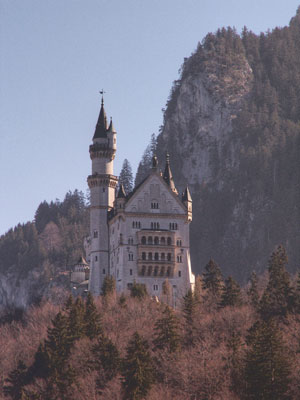
Unsere Fotos sind leider nicht immer von guter Qualität, wir können aber diese immer verbessern. Wir haben z.B. ein verschwommenes und unklares Foto des Schlosses. Mit AKVIS Enhancer und Standardwerkzeuge von Photoshop versuchen wir, das Foto schärfer und heller zu machen.
|
|
| Foto vor der Korrektur | Foto nach der Korrektur |
Beachten Sie, dass, obwohl wir Adobe Photoshop und die Plugin-Version von AKVIS Enhancer benutzen, können Sie dasselbe Ergebnis mithilfe des Standalone-Programms erzielen.
-
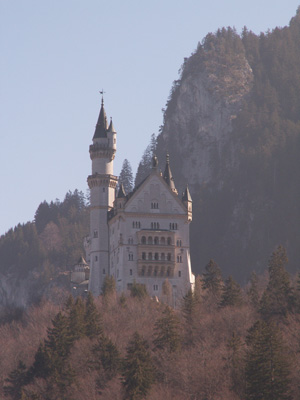
Schritt 1. Öffnen Sie ein Bild in Adobe Photoshop.
-
Schritt 2. Rufen Sie das Plugin AKVIS Enhancer aus dem Hauptmenü Ihres Bildbearbeitungsprogramms auf: Filter -> AKVIS -> Enhancer.
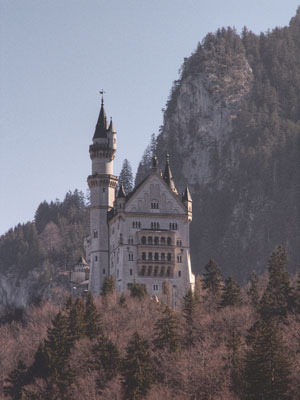
Wählen Sie den Modus Detailoptimierung. Das Bild wird mit Standardeinstellungen bearbeitet. Unten können Sie ein verbessertes Bild sehen.
Klicken Sie auf
 , um die Änderungen anzunehmen und das Plugin-Fenster zu schließen.
-
Schritt 3. Der Dunst wurde also entfernt, das Bild wurde aber matt. Man kann es heller machen. Wählen Sie den Befehl Bild -> Korrekturen -> Farbton\Sättigung in dem Hauptmenü Ihres Bildbearbeitungsprogramms und setzen den Parameter Sättigung auf 25.
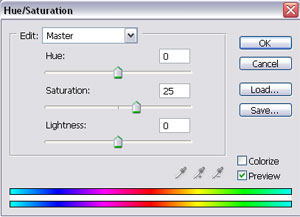
Klicken Sie auf die Schaltfläche OK.
-
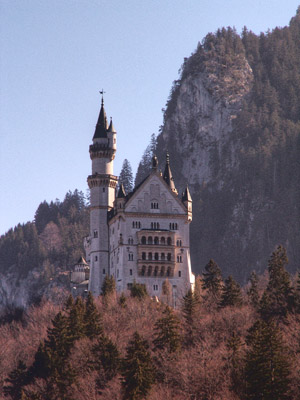
Schritt 4. Rufen Sie den Befehl Bild -> Korrekturen -> Helligkeit/Kontrast aus dem Menü auf und setzen den Parameter Kontrast auf 20.
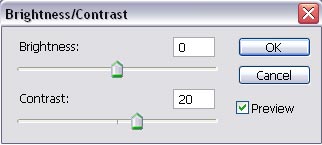
Klicken Sie auf die Schaltfläche OK.
-
Schritt 5. Das Bild erhält eine rosa Tönung. Wollen wir diese Tönung entfernen. Rufen Sie Bild -> Korrekturen -> Farbbalance und passen die Parameter wie folgt an.
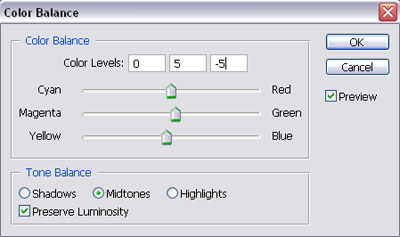
Klicken Sie auf ОК.
Vergleichen Sie diese zwei Fotos:
|
|
|
| Das dunkle Originalbild | Das Bild nach der Anwendung von AKVIS Enhancer |
Der Nebel verzog sich und es scheint, dass der Tag heller und sonniger wurde.
Sie können auch andere Modi von AKVIS Enhancer probieren, um dieses Foto weiter zu verbessern: zum Beispiel zuerst Tonkorrektur, dann Druckvorbereitung. Das Ergebnis wird beeindruckend sein!
Enhancer v. 17.8 - 10-Tage-Testversion
