Castillo Neuschwanstein
El Castillo de Neuschwanstein es un castillo bávaro del siglo XIX. Ubicado en Alemania, cerca de Hohenschwangau y Füssen en el suroeste de Baviera, el Castillo fue construido por Luis II, rey de Baviera, como un refugio y un tributo a Richard Wagner, musa de inspiración del rey.
El concepto del castillo fue esbozado por Luis II en una carta a Richard Wagner, que data del 13 de mayo de 1868: "Es mi intención reconstruir el castillo en ruinas en Hohenschwangau, cerca a Pollat Gorge en el estilo auténtico de los antiguos castillos de caballeros alemanes… la locación es la más hermosa que uno puede encontrar, sagrada e inaccesible, un templo digno para el divino amigo que ha traído salvación y verdadera bendición al mundo".
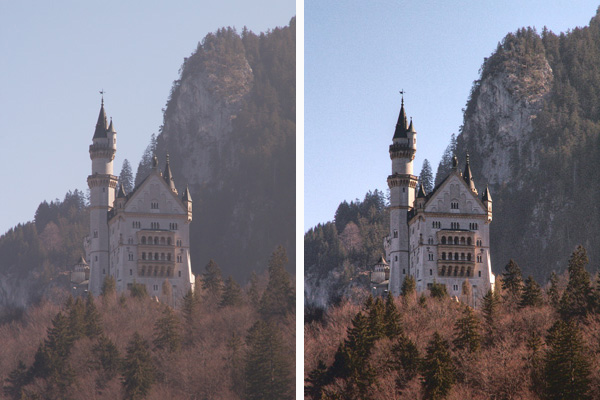
Desafortunadamente, nuestras fotos no siempre son de alta calidad, pero podemos mejorarlas. Por ejemplo, tenemos una imagen borrosa como los recuerdos humanos. Utilizando AKVIS Enhancer y herramientas básicas de Photoshop, trataremos de convertir nuestras fotos oscuras en fotos claras y mejores.
 |
|
| Imagen original | Después de la corrección |
Tenga en cuenta que si bien estamos utilizando Adobe Photoshop y la versión plugin de AKVIS Enhancer, usted puede utilizar la versión independiente (standalone) de AKVIS Enhancer y utilizar todas sus características, en vez de las herramientas de Photoshop, incluyendo Procesamiento posterior (que permite corregir la imagen, cambiar brillo, contraste, gamma y saturación).
-
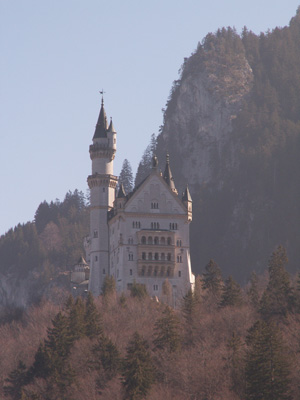
Paso 1. Abra una imagen en Adobe Photoshop.
-
Paso 2. Llame AKVIS Enhancer del menu principal de su editor fotográfico: Filtro -> AKVIS -> Enhancer.
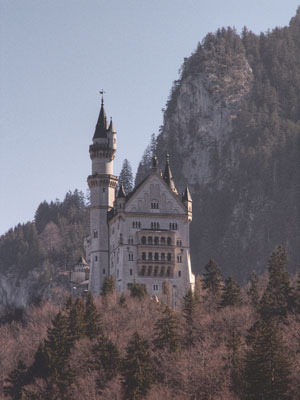
Seleccione el modo Realzar detalles. Aquí se puede ver la ventana del plugin con los ajustes por defecto.
Presione el botón
 para aplicar el resultado y cerrar la ventana del plugin.
-
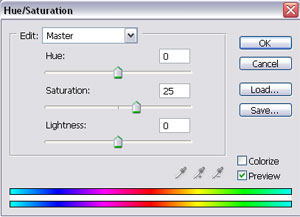
Paso 3. Hemos eliminado el humo, pero la imagen queda decolorada. Podemos hacer que nuestra imagen tenga más brillo. Seleccione del menú principal de su editor de fotos: Imagen -> Ajustes -> Tono/Saturación y defina el valor de Saturación en 25.
Presione el botón OK.
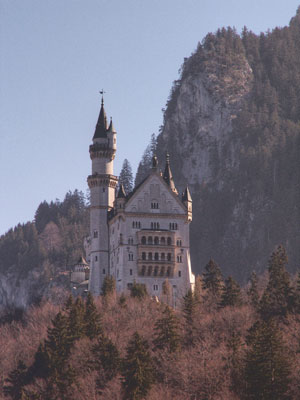
-
Paso 4. Llame Imagen -> Ajustes -> Brillo/Contraste del menú principal e incremente el valor para el parámetro de Contraste a 20.
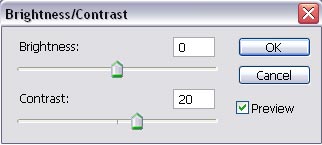
Presione el botón OK.
-
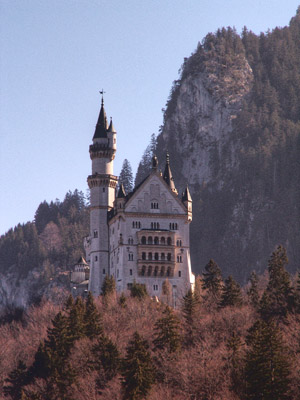
Paso 5. Como puede ver, nuestra imagen tiene ahora un tinte rosado. Vamos a remover esta tinta. Llame Imagen -> Ajustes -> Balance de Color y defina los valores de los parámetros como se muestra a continuación.
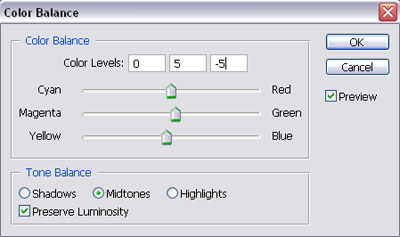
Presione el botón OK.
Vamos a comparar las fotos:
|
|
|
| Imagen Oscura Original | Después de AKVIS Enhancer |
¿Le gusta el resultado?
Puede probar otros modos de AKVIS Enhancer para mejorar esta foto: por ejemplo, primero Corrección de tonos, y Preimpresión. ¡El resultado sera impresionante!
Enhancer v. 17.8 - Prueba gratuita de 10 días
