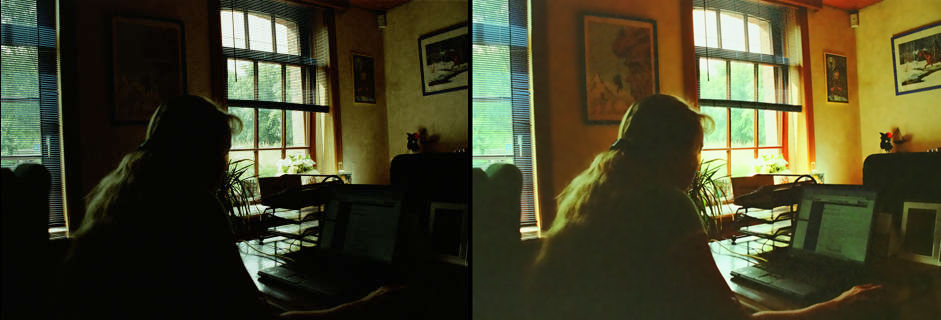
Correction of a dark photo: improve detail and reduce noise.


Ingrese su email para suscribirse a la lista de AKVIS.
 
 
  Productos     Descargar     Tienda online     Tutorial     Apoyo técnico     Compañia      Área de clientes
en  fr  de  es  pt  it  jp  ru    
 

Tutorial: AKVIS Enhancer

Correction of a Dark Picture


Esta información está disponible solamente en inglés. La version en español aparecerá pronto.

Jean-Claude Grégoire offers us a tutorial on how to improve a photo with uneven exposure.

Jean-Claude wrote:

For this tutorial I used Adobe Photoshop and the AKVIS Enhancer and AKVIS Noise Buster plug-ins.

Even in very bad cases, the AKVIS Enhancer and AKVIS Noise Buster plug-ins can help you salvage underexposed pictures. In my collection, I have some seriously underexposed photos which, in the past, I tried to salvage with Adobe Photoshop. This was always a long and difficult work and I often needed to use several adjustment layers, or to go into another color mode, or both, without getting a satisfactory result each time. Now that I've discovered the AKVIS Enhancer and AKVIS Noise Buster plug-ins, I've decided to try my luck again with some of those bad pictures : I really was very impressed, because in a few minutes I often got better results than in hours of working with Photoshop alone.

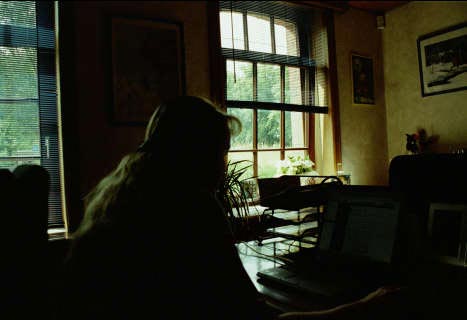
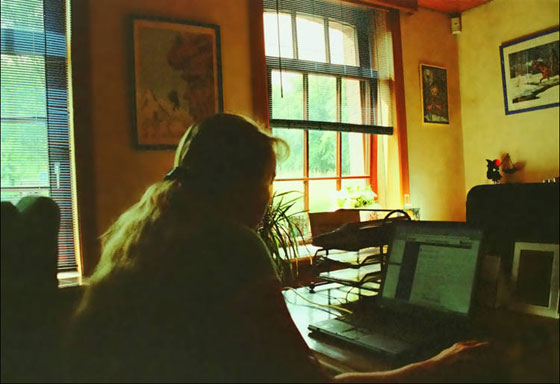
So I decided to share my experience by writing a short tutorial for which I chose an underexposed picture taken last year by one of my grand daughters. She photographied her mother working at home with her laptop. Unfortunately, the flash didn't work and everybody thought the photo was good for the trash can.

  • Step 1. I got the negative and scanned it. Actually, it was a very bad case and when processing the picture in Adobe Photoshop I couldn't get a fully acceptable result, even with the help of several adjustment layers and masks.
    the scanned dark photo
  • Step 2. I load the photo in Adobe Photoshop - its size is 1868 * 1280 pixels and the resolution is 300 ppi. I call the AKVIS Enhancer plug-in (main menu: choose "Filter -> AKVIS -> Enhancer").
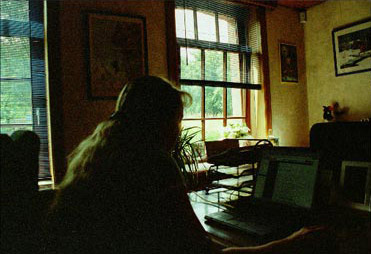
  • Step 3. I get a new window with the default settings of the plug-in and I already can see an improved image.
    AKVIS Enhancer: photo processed with the default settings

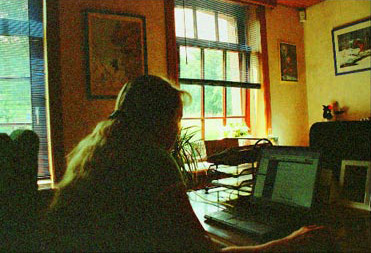
    but I decide to go further and choose the following settings:
    - Shadows: 100;
    - Highlights: 0;
    - Level of detail: 0;
    - Lightness: 100.

    AKVIS Enhancer: with the new settings
  • Step 4. I click on the apply button on the Control Panel, which applies the correction to the image and closes the plug-in.

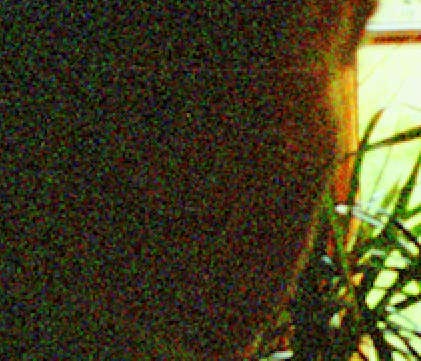
    The image is better than the original, but as I am a perfectionist I'm not entirely satisfied with it because, there is too much noise in the darker parts of the picture.

    Noise in the dark areas
  • Step 5. It's now necessary to reduce this noise. For this purpose I used the program AKVIS Noise Buster.

    I saved the image. Maybe it's not a "chef d'oeuvre", but nevertheless it's a very good picture!

    the corrected photo
  • Step 6. The image shows the difference before and after processing - as described above - with the AKVIS Enhancer and the AKVIS Noise Buster plug-ins.

    the image before and after the correction
    Original photo and result


Cómo funciona Cómo funciona
   — Área de trabajo — Área de trabajo
   — Utilizar el programa — Utilizar el programa
   — Realzar detalles — Realzar detalles
   — Preimpresión — Preimpresión
   — Corrección de tonos — Corrección de tonos
   — Comparación de los modos — Comparación de los modos
   — Tratamiento posterior — Tratamiento posterior
   — Procesamiento por lotes — Procesamiento por lotes
   — Opciones — Opciones
Ejemplos Ejemplos
   — En la calle — En la calle
   — Foto de un niño — Foto de un niño
   — Camión — Camión
   — Ciudad antigua — Ciudad antigua
   — Mejorar la nitidez — Mejorar la nitidez
   — Foto oscura de una iglesia — Foto oscura de una iglesia
   — Pista de tenis — Pista de tenis
   — Foto a contraluz — Foto a contraluz
   — Tiro con el arco — Tiro con el arco
   — Naranjo — Naranjo
   — Ilustración técnica — Ilustración técnica
   — Quitar el smog — Quitar el smog
   — Ciudad en crepúsculo — Ciudad en crepúsculo
   — Foto subexpuesta — Foto subexpuesta
   — Un niño con el sonajero — Un niño con el sonajero
   — El poeta y las palomas — El poeta y las palomas
   — Gato negro en una habitación oscura — Gato negro en una habitación oscura
   — Niños africanos — Niños africanos
   — Mercado navideño — Mercado navideño
   — Claro como cristal: Preimpresión — Claro como cristal: Preimpresión
   — Fresas apetitosas: Corrección de tonos — Fresas apetitosas: Corrección de tonos


volver arriba


   Política de privacidad | Mapa Web | Buscar    
   Contáctenos | Twitter | Facebook | YouTube Channel    
| English  |Français  |Deutsch  | Español  |Português  |Italiano  |日本語  |Pусский  | © 2004-2012 AKVIS. Todos los derechos reservados.