Der unheimliche Weg: einen dramatischen Effekt verstärken
Die Autorin dieses Beispiels ist Tammy Russotto.
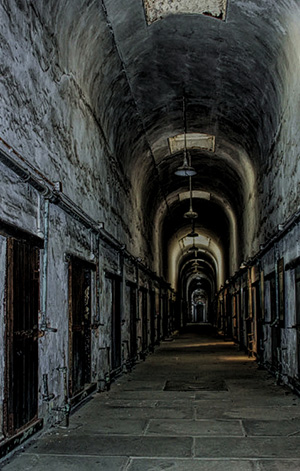
Das Eastern State Penitentiary ist ein inzwischen als Museum dienendes ehemaliges Gefängnis in Philadelphia. Die Strafanstalt wurde im Oktober 1829 in Betrieb genommen. Hauptprinzip war es, die Gefangenen von der Außenwelt und voneinander zu isolieren.
Der wohl bekannteste Häftling war Al Capone alias Scarface. Im Gegensatz zu den anderen Zellen war seine Zelle geschmackvoll eingerichtet und verschwenderisch dekoriert.
Die strahlenförmige Bauweise des Eastern State Penitentiary wurde vielfach kopiert. Die Strafanstalt wurde bis 1971 genutzt.
Im Jahr 1994 wurde das heute dort angesiedelte Museum für Touristen geöffnet. Es wird angenommen, dass das Gefängnis von Geistern der toten Gefangenen heimgesucht wird. Ghost Hunters und Most Haunted versuchten mehr Licht in diese Angelegenheit zu bringen.
Tammy Russotto besuchte ESP. Die Atmosphäre erregte überaus trübe Gedanken und sie versetzte sich in die Gefangenen hinein. Sie schrieb: "Stellen Sie sich diesen endlosen Korridor vor. Die Gefangenen wurden fast 23 Stunden pro Tag in Einzelzellen gesperrt. Keine Elektrizität, niemand zu sprechen, ganz allein in einer dunklen Zelle, eine Todesstrafe oder langerwartete Entlassung am Ende!"
Unter dem Eindruck von dieser Szene beschloss Tammy ein Tutorial für AKVIS Enhancer zu erstellen.
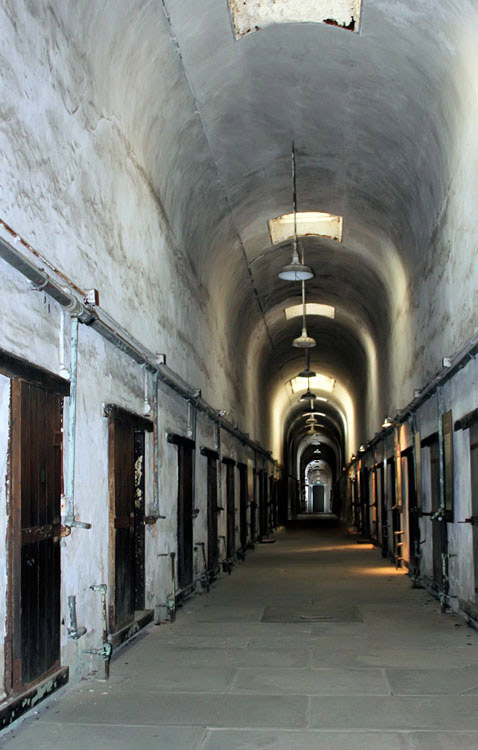
Original
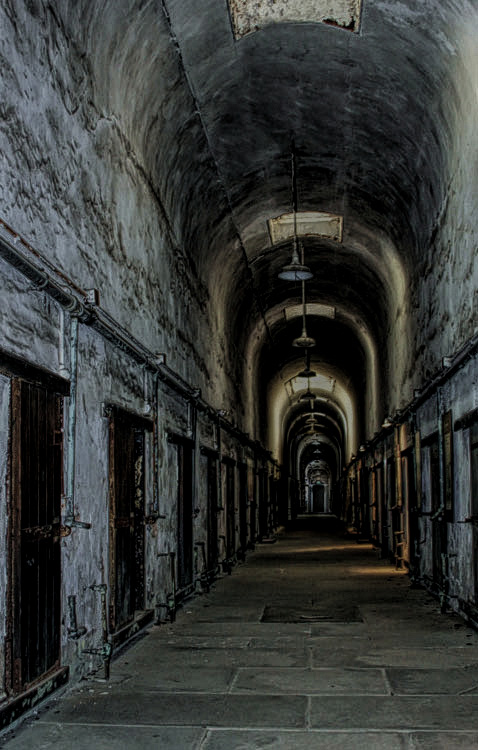
Ergebnis
Tammy benutzte die Standalone-Version von AKVIS Enhancer, Sie können aber auch die Plugin-Version verwenden.
- Schritt 1. Starten Sie die Standalone-Version von AKVIS Enhancer.
-
Schritt 2. Öffnen Sie das Foto eines Gefängniskorridors (mit der Schaltfläche
 ). Das Bild wird automatisch in dem Modus Detailoptimierung mit Standardeinstellungen bearbeitet.
-
Schritt 3. Passen Sie die Paramater in der Einstellungsleiste an. Die Autorin wollte die hoffnungslose Atmosphäre widerspiegeln. Sie reduzierte die Helligkeit und erhöhte den Kontrast, um das Bild finsterer zu machen.
-
Schritt 4. Wechseln Sie auf das Nachbearbeitung-Register und ändern die Parameter wie folgt:
Jetzt stellt das Bild die Gefühle der damaligen Gefangenen genauer dar.
-
Schritt 5. Speichern Sie das Bild (über
 ) und schließen das Programm.
Enhancer v. 17.8 - 10-Tage-Testversion
