Graphic software for Windows Mac graphic software
Tragen Sie Ihre E-Mail ein, um den AKVIS-Newsletter zu abonnieren.
 
  
  Produkte     Download     Online Store     Tutorial     Support     Impressum
en  fr  de  es  pt  it  jp  ru    
 

Tutorial: AKVIS Enhancer

Exposure Correction


Entschuldigung. Jetzt ist die Information nur auf Englisch vorhanden. Die deutsche Version wird bald veröffentlicht werden.

In the following tutorial David Kelly shows how to correct a photo taken with wrong exposure.


As the AKVIS website already contains comprehensive AKVIS Enhancer user tutorials this article focuses on the results achieved when three photographs with exposure problems were processed using Enhancer.


THE PHOTOS

The photographs used as examples were snapped using a 2 megapixel compact digital camera, and because of their obvious exposure problems were a good choice to show off Enhancer's ability to recover hidden image details. Enhancer was used in conjunction with Corel's Paint Shop Pro 9. As you will see, the original photos and their Enhancer processed equivalents are noticeably different.

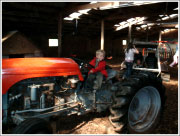
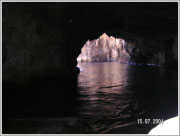
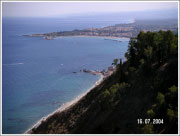
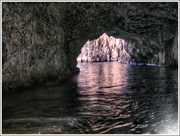
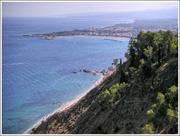
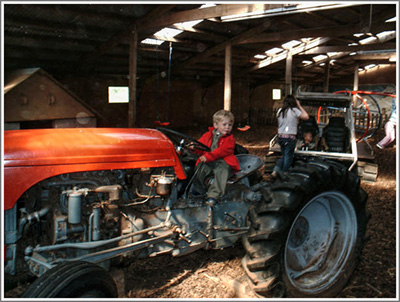
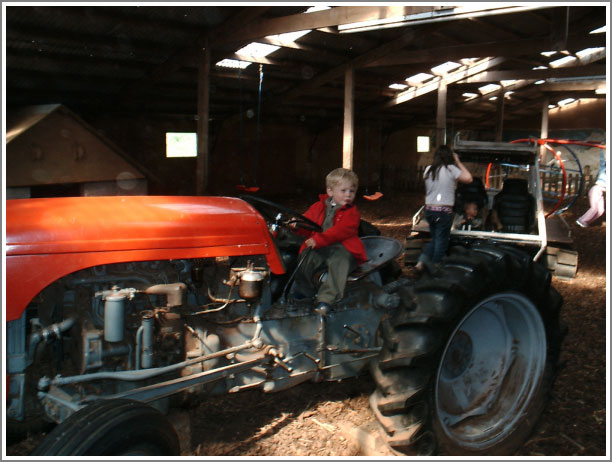
A child on a tractor a sea-cave a Sicily seascape


AKVIS ENHANCER + PAINT SHOP PRO 9

To view a screenshot of Enhancer loaded into PSP9 click Image 01 below.
Enhancer + PSP9
Image 01, Enhancer + PSP9


AKVIS ENHANCER + AKVIS STAMP

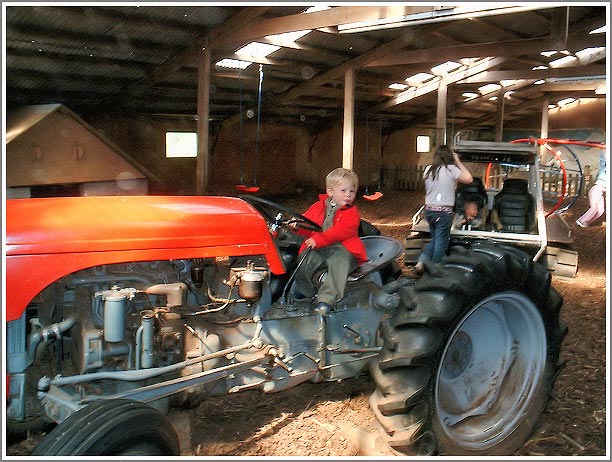
The original tractor photograph, seen by clicking Image 02, after being processed with Enhancer was also cleaned up using AKVIS' Stamp cloning tool, which was also used to remove the date from the two holiday snaps, plus replace the missing bottom-right corner of the Goa sea-cave photograph.


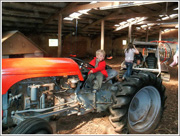
THE ORIGINAL TRACTOR PHOTO PLUS ENHANCER VERSION

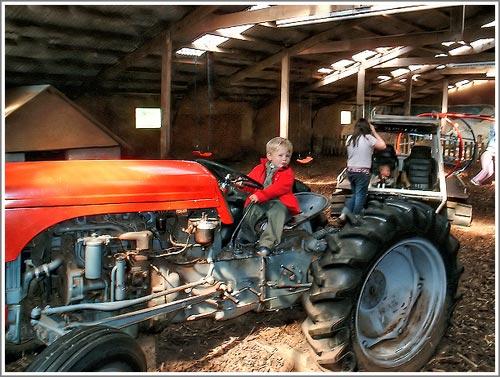
Before using Enhancer, PSP9's Digital Camera Noise Removal filter was applied to the original tractor photo to decrease its noise levels. To view the Enhancer processed version click Image 03.

NEW PRODUCT - AKVIS have recently released their own new digital noise reduction product, Noise Buster, to check it out please click here.
Original version Enhancer version
Image 02, Original version Image 03, Enhancer version

Notice in Image 03, the Enhancer version, how previously hidden details, particularly in the photo's underexposed areas have been revealed. Unfortunately, with this particular snapshot there's a downside, light grey halos and white spots have appeared! Mostly invisible until Enhancer worked its magic, they're now fairly obvious. Fortunately AKVIS' Stamp plug-in is available to sort out this new problem. The result of applying it to the Enhancer version of the photograph can be clearly seen by clicking Image 04 located in "THE ENHANCER + STAMP PHOTO" section immediately below.
Enhancer + Stamp
Image 04, Enhancer + Stamp


THE ENHANCER + STAMP PHOTO

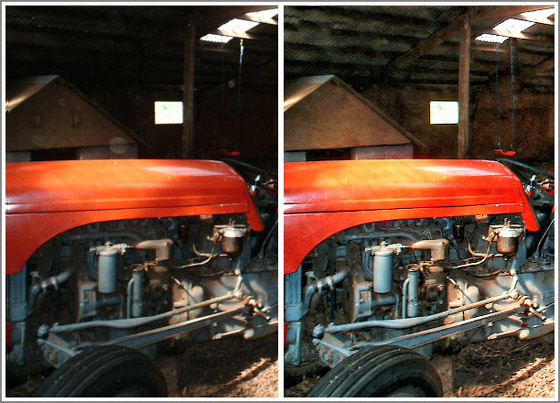
Click Image 04 below to see how the Enhancer version looked after Stamp was used to remove the halos and white spots. To compare the same section of original tractor photo with its Enhancer + Stamp equivalent, click Image 05. The results speak for themselves.
Side-by-side comparison
Image 05, Side-by-side comparison


THE ORIGINAL HOLIDAY SNAPS

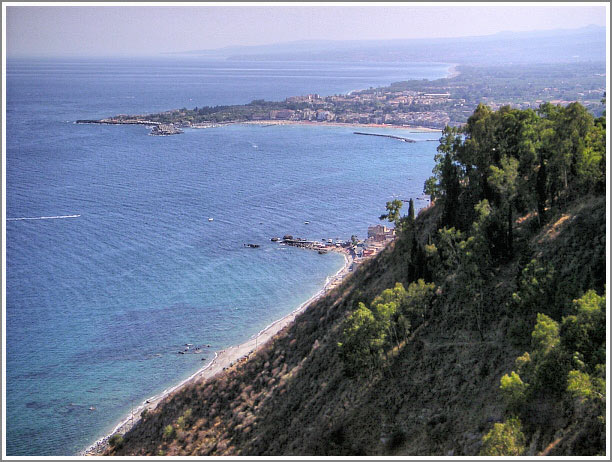
When you click Image 06 and 07 to view the original Goa sea-cave and Sicily seascape photographs, you will see that both exhibited exposure problems similar to the original tractor photo resulting in lost detail, again in the underexposed areas.
Goa sea-cave original Sicily seascape original
Image 06, Goa sea-cave original Image 07, Sicily seascape original


ENHANCER + STAMP HOLIDAY SNAPS

Click Image 08 below to see how Enhancer has revealed the sea-cave's hidden detail without spoiling its sun-drenched entrance/exit. AKVIS Stamp was also used to delete the date, and replace the photo's missing bottom-right corner section. Stamp's ability to seamlessly blend cloned patches with the target background made it possible to replace the missing section with the "white water ripple" effect.

The Sicily seascape holiday snap also benefited from Enhancer's ability to reveal hidden detail, while at the same time adding depth and clarity. Again Stamp was used to seamlessly remove the photo's date. Click on Image 09 to view the impressive results.
Goa sea-cave Enhancer Sicily seascape Enhancer
Image 08, Goa sea-cave Enhancer Image 09, Sicily seascape Enhancer


CONCLUSION

When the original photos are compared to their Enhancer equivalents you can see that not only have previously hidden details been revealed, but also each photo's colour depth and clarity have been improved.

Why struggle with your image-editing program's Level and Curve controls to fix your underexposed or overexposed photographs when AKVIS Enhancer allows fast, effective detail recovery with improved clarity, and with virtually no effort.

AKVIS Enhancer v3.0 plug-in is a product that does exactly what it says on the box. Not only would it be a worthwhile addition to any digital imaging enthusiast's toolbox, digital camera snapper's with compatible image-editing software would also find it very useful.

 
Funktionsweise Funktionsweise
AKVIS Enhancer Plugin AKVIS Enhancer Plugin
   — Arbeitsbereich — Arbeitsbereich
   — Enhancer-Modus — Enhancer-Modus
   — Focus-Modus — Focus-Modus
   — Smart Correction-Modus — Smart Correction-Modus
   — Stapelverarbeitung — Stapelverarbeitung
AKVIS Enhancer - HDR Programm AKVIS Enhancer - HDR Programm
   — Arbeitsbereich — Arbeitsbereich
   — Enhancer-Modus — Enhancer-Modus
   — Focus-Modus — Focus-Modus
   — Smart Correction-Modus — Smart Correction-Modus
   — HDR Modus — HDR Modus
   — Bild mit hohem Dynamikumfang (HDR) — Bild mit hohem Dynamikumfang (HDR)
   — Nachbearbeitung — Nachbearbeitung
Beispiele Beispiele
   — Auf der Strasse — Auf der Strasse
   — Foto eines Kleinkindes — Foto eines Kleinkindes
   — Lastkraftwagen — Lastkraftwagen
   — Alte Stadt — Alte Stadt
   — Auf dem Lande (HDR) — Auf dem Lande (HDR)
   — Bildschärfe verbessern — Bildschärfe verbessern
   — Unterbelichtetes Foto einer Kirche — Unterbelichtetes Foto einer Kirche
   — Tennisplatz — Tennisplatz
   — Sportfoto — Sportfoto
   — Apfelsinenbaum — Apfelsinenbaum
   — Gegenlicht — Gegenlicht
   — Technische Illustration — Technische Illustration
   — Stadt in der Dämmerung — Stadt in der Dämmerung
   — Unterbelichtetes Foto — Unterbelichtetes Foto
   — Ein Kind mit der Rassel — Ein Kind mit der Rassel
   — Afrikanische Kinder — Afrikanische Kinder
   — Unterbelichtetes Foto einer Katze — Unterbelichtetes Foto einer Katze
   — Den Smog entfernen — Den Smog entfernen
   — Ein Dichter und Tauben — Ein Dichter und Tauben
   — Eine Katze im schwarzen Zimmer — Eine Katze im schwarzen Zimmer
   — Christkindlmarkt — Christkindlmarkt
   — Ein altes Brauhaus im neuen Glanz — Ein altes Brauhaus im neuen Glanz
   — Goldener Pavillon — Goldener Pavillon


   Datenschutzhinweis | Sitemap | Suchwort eingeben | English  |Français  | Deutsch  |Español  |Português  |Italiano  |日本語  |Pусский  | © 2004-2009, AKVIS Software Inc. Alle Rechte vorbehalten.    
inc"; ?>