Graphic software for Windows Mac graphic software  
Tragen Sie Ihre E-Mail ein, um auf AKVIS-Newsletter zu abonnieren.
 
  
  Produkte     Download     Online Store     Tutorial     Support     Impressum
en  fr  de  es  pt  it  jp  ru    
 

Tutorial: AKVIS Enhancer

Photo correction


Entschuldigung. Jetzt ist die Information nur auf Englisch vorhanden. Die deutsche Version wird bald veröffentlicht werden.


My name is Muhammad Faroooq Khan and I am a student of the University of Lahore where I study Electrical Engineering. My Registration No. is EE-304-056. I am also interested in Graphics Designing. So I found this useful AKVIS Enhancer Filter on web and this is something very different and extraordinary. AKVIS Enhancer filter is one of the most powerful and helpful tools to fix dark photos.

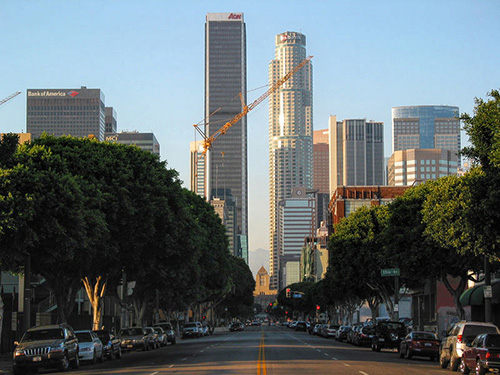
I used a dark photo of a street to show how the tool works.

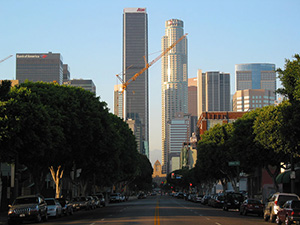
a dark photo

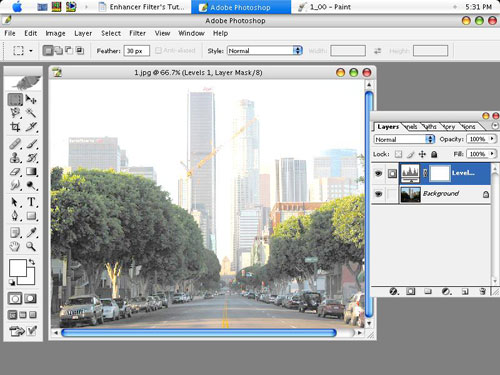
It was not easy to correct this underexposed picture in Adobe Photoshop. I tried to use LEVEL/CURVE commands but it didn't work perfectly.

As you can see the trees color is faded out and buildings look lighter than original.

After Levels command

So I decided to apply the AKVIS Enhancer filter.

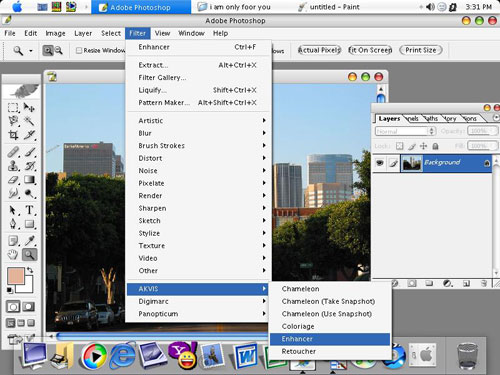
  • Step 1. I called the command Filter Menu -> AKVIS -> Enhancer and I applied the filter to my image.
    AKVIS Enhancer: default settings

    As you call the plugin it processes the original image at default parametres. Here we have Shadows=0, Highlights=0, Level of Detail=5, Lightness=50.

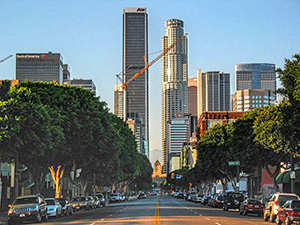
    Image processed at default parameters
  • Step 2. At default values the details in shadows are still hardly visible. So I increased the Shadows value to 100 and Lightness to 100 as well. Now the image looks much clearer than before.
    Adjust the parameters
  • Step 3. Then I pressed Apply and Enhancer processed the photo with new values of the parameters.
    Processing image

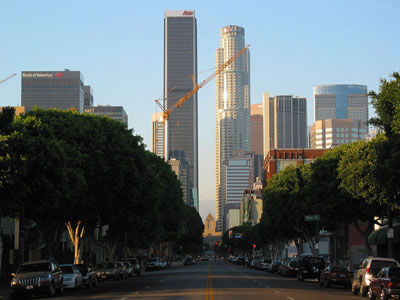
    As a result we get the following image.

    The processed photo
  • Step 4. In this step I apply the AKVIS Enhancer filter again to see more details. But now the Shadows value is 25 and Lightness is 7. On your image these values can be different. It all depends on the image.
    Photo processed with AKVIS Enhancer
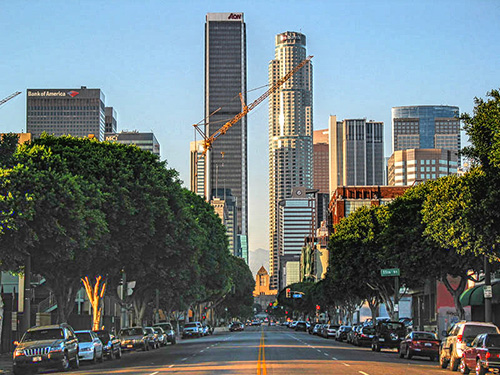
  • Step 5. So here is the final image of my tutorial.
    Ôîňîăđŕôč˙ äî č ďîńëĺ ęîđđĺęöčč
    Click on the picture to open the photo in a larger window

 
By Muhammad Farooq Khan
Electrical Engineering
Regd.No# EE-304-056
The University of Lahore, Pakistan
Muhammad Farooq Khan

 
AKVIS Enhancer Plug-In AKVIS Enhancer Plug-In
   — Arbeitsbereich — Arbeitsbereich
   — Enhancer-Modus — Enhancer-Modus
   — Focus-Modus — Focus-Modus
   — Stapelverarbeitung — Stapelverarbeitung
AKVIS Enhancer - HDR Programm AKVIS Enhancer - HDR Programm
   — Arbeitsbereich — Arbeitsbereich
   — Enhancer-Modus — Enhancer-Modus
   — Focus-Modus — Focus-Modus
   — HDR Modus — HDR Modus
   — Bild mit hohem Dynamikumfang (HDR) — Bild mit hohem Dynamikumfang (HDR)
Beispiele Beispiele
   — Auf der Strasse — Auf der Strasse
   — Foto eines Kleinkindes — Foto eines Kleinkindes
   — Lastkraftwagen — Lastkraftwagen
   — Alte Stadt — Alte Stadt
   — Auf dem Lande (HDR) — Auf dem Lande (HDR)
   — Bildschärfe verbessern — Bildschärfe verbessern
   — Unterbelichtetes Foto einer Kirche — Unterbelichtetes Foto einer Kirche
   — Tennisplatz — Tennisplatz
   — Sportfoto — Sportfoto
   — Orthodoxe Kapelle — Orthodoxe Kapelle
   — Apfelsinenbaum — Apfelsinenbaum
   — Gegenlicht — Gegenlicht
   — Technische Illustration — Technische Illustration
   — Stadt in der Dämmerung — Stadt in der Dämmerung
   — Unterbelichtetes Foto — Unterbelichtetes Foto
   — Ein Kind mit der Rassel — Ein Kind mit der Rassel
   — Afrikanische Kinder — Afrikanische Kinder
   — Unterbelichtetes Foto einer Katze — Unterbelichtetes Foto einer Katze
   — Den Smog entfernen — Den Smog entfernen
   — Ein Dichter und Tauben — Ein Dichter und Tauben
   — Eine Katze im schwarzen Zimmer — Eine Katze im schwarzen Zimmer
   — Christkindlmarkt — Christkindlmarkt
   — Ein altes Brauhaus im neuen Glanz (HDR) — Ein altes Brauhaus im neuen Glanz (HDR)


   Datenschutzhinweis | Sitemap | Suchwort eingeben | English  | Français  | Deutsch  | Español  | Português  | Italiano  | 日本語  | Pусский  | © 2004-2008, AKVIS Software Inc. Alle Rechte vorbehalten.