Girl in the Sunset
It is possible to apply the Chameleon mode of AKVIS Chameleon to photos of people, but in this case you should pay close attention to the choice of the background image. As the program behaves like a chameleon, the skin of the inserted person may look unnatural, for example it could have a greenish tint if you insert it into a beech grove, or a bluish shade if you place it against the background of a sky.
The author of the following example is Gun Legler. She put the image of her granddaughter to the sunset picture. She used Paint Shop Pro 7 and AKVIS Chameleon as plug-in.
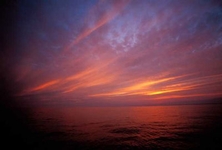
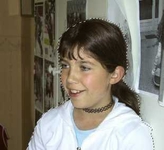
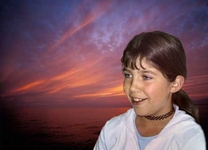
First we should select the girl, and copy the selection by calling Filter -> AKVIS -> Chameleon - Grab Fragment.
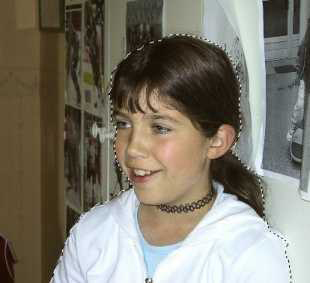
Then we open the sunset image and call Filter -> AKVIS -> Chameleon - Make Collage. The AKVIS Chameleon plug-in window will open and we will see the sunset image with the girl pasted above it, in the Before tab.
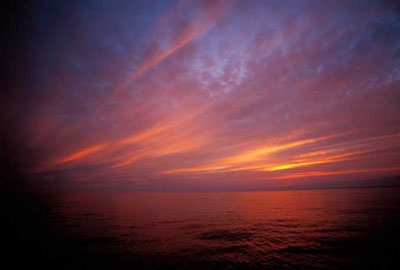
Resize and position the girl over the sunset with the Transform tool  .
.
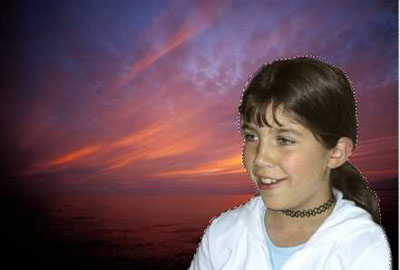
Next we select Chameleon mode from the drop-menu of the Settings Panel.
Press  to start the collage creation process and then press
  to apply the collage to the image.
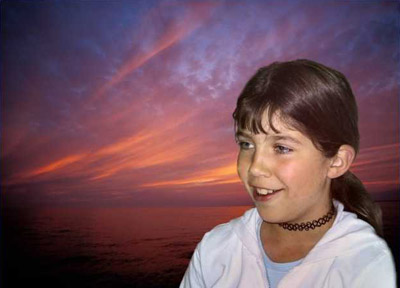
In this case AKVIS Chameleon was extremely helpful. After the insertion of the girl's face we could note that it had a greenish shade. AKVIS Chameleon helps to get rid of the unhealthy color of the face: the skin became rosy and a bit more suntanned.
Chameleon v. 12.2 - 10日間の評価期間
