Monkey and a mask
Imagination is the greatest invention of nature! It allows us to build castles in the air, try on the desired car or attire, see oneself in an paradisiacal tropical island - and all that without raising a finger!
It would be interesting to visualize the things we imagine. For example, when getting ready for a masked ball we can try on the fancy dress that we have found on the net.
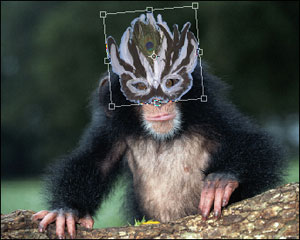
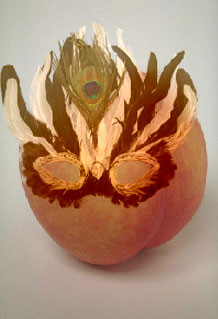
In the example below, the lovely monkey on the left is going to try on the fancy mask on the right.
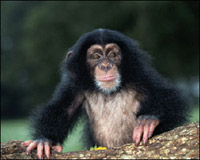 |
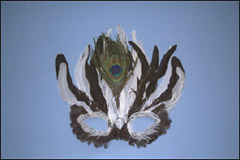 |
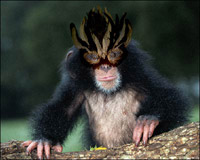 |
| Source images | Result | |
Follow the instructions:
- Step 1. Activate the photo with the mask and select the mask. The easiest way is to use the Quick Mask mode of Adobe Photoshop. In other photo editors you can use other selection tools. Switch to the Quick Mask mode by pressing the button
 in the Toolbar or the hot key Q.
- Step 2. Select the Pencil tool from the Toolbar and paint the mask.
- Step 3. Switch back to the Standard mode by pressing the button
 in the Toolbar or the hot key Q.
- Step 4. Inverse the selection by calling the command Select- Inverse from the menu or by using the key combination Ctrl+Shift+I.
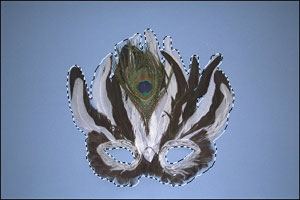
- Step 5. Call AKVIS -> Chameleon – Grab Fragment from the Filter menu.
If everything is done correctly you’ll see a message that the selected object is saved into the clipboard.
- Step 6. Open the photo of the monkey and call AKVIS -> Chameleon – Make Collage from the Filter menu.
The AKVIS Chameleon window will open. This window will contain the monkey image and the fragment (mask).
Select Chameleon mode from the drop-down menu in the Settings Panel.
- Step 7. Use the Transform tool
 from the Toolbar to change the size, the position, and the rotation angle of the pasted mask.
- Step 8. Press the button
 to start the collage creation process. A preview of the image will appear in the After tab.
Then press the button
 to apply the collage to the photo.
Now the monkey is dressed up, but it looks more like a bellicose tribe leader.
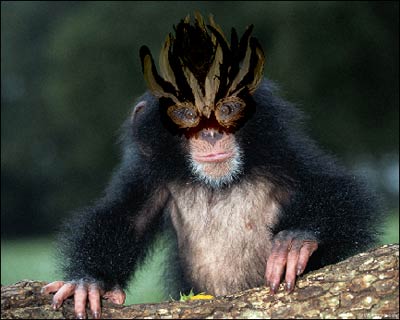
When we used Chameleon mode the mask changed its color. If we place the mask on an object with a different color, it will adjust to the target object, just like a chameleon.
Chameleon v. 12.2 - 10日間の評価期間
