Chameleon in the fire
あいにく, このページは英語にだけ使用可能です。
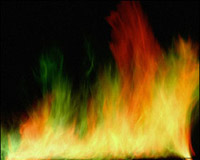
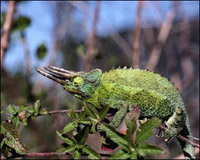
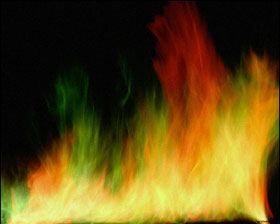
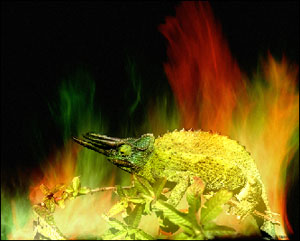
The symbol of the Fire element is the salamander, the legendary reptile that could live in the fire. For lack of a salamander, we will put a three horn chameleon into the fire.
 |
 |
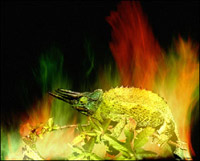 |
| Source images | Result | |
Follow these steps to create a photo collage with AKVIS Chameleon Plug-in
- Step 1. Open the two images in Adobe Photoshop: a photo of a chameleon and a photo of a colorful fire.
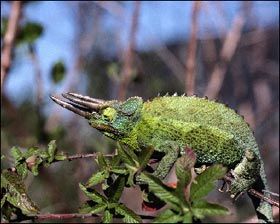
- Step 2. Switch to the Quick Mask mode and paint the chameleon and the branch with a hard-edged pencil (Hardness 100%).
- Step 3. Switch back to Standard mode and invert the selection by calling the command Select - Inverse or by using the key combination Ctrl+Shift+I.
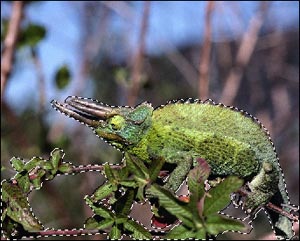
- Step 4. Copy the selected chameleon by calling AKVIS -> Chameleon -> Grab Fragment from the Filter Menu. If all goes well you should see a message stating that the fragment has been copied to the clipboard.
Switch to the image of the fire and call AKVIS -> Chameleon - Make Collage from the Filter menu. The AKVIS Chameleon plug-in window will appear. You will see the fire image in the background with the chameleon above it.
Select Chameleon mode from the drop-down menu in the Settings Panel.
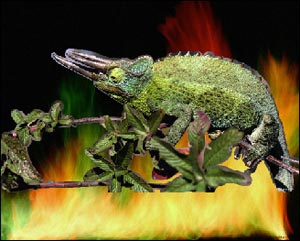
- Step 5. Use the Transform tool from the Toolbar to change the size of the size and position of the chameleon.
- Step 6. Press the button
 to start the collage creation process. You will see a preview in the After tab. If you are satisfied with the result, press the button
  to apply the collage to the photo.
Here is the result. As the legend says, the fire helped the salamander change its skin; our chameleon changed its color.
Chameleon v. 12.2 - 10日間の評価期間
