Rendi il bianco più bianco: Aggiungi colore a una foto
Questo esempio è stato realizzato nella modalità Classica di AKVIS Coloriage AI e illustra le funzioni di questa modalità.
Per colorare una semplice foto in bianco e nero non ci vorrà molto con AKVIS Coloriage AI. Basterà delineare ogni oggetto, che si desidera colorare, con la tinta preferita, fondamentale sarà la scelta dei giusti toni per dare alla foto un aspetto naturale. Apprezzerete il risultato!
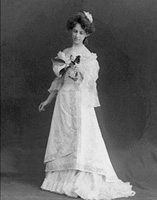
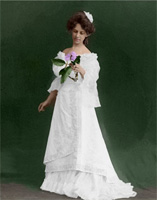
Qui useremo il plugin Coloriage AI, ma il metodo di lavoro nel programma standalone è analogo.
-
Passaggio 1. Aprire la foto in bianco e nero nell’editor di grafica.
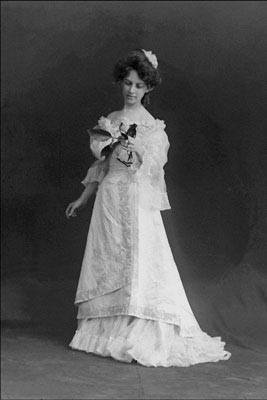
- Passaggio 2. Richiamare il plugin AKVIS Coloriage AI dal menu Effetti -> AKVIS -> Coloriage AI.
-
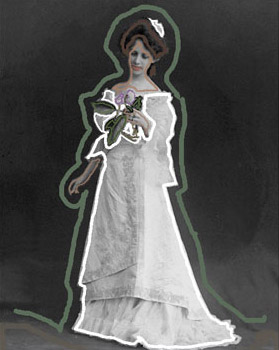
Passaggio 3. Nella modalità Classica selezionare uno alla volta i colori appropriati e con lo strumento Matita
 tracciare i contorni interni di ogni oggetto.
Non bisogna dimenticare di assegnare il colore anche ai piccoli dettagli, ad esempio il gambo e i petali del fiore. In caso contrario, essi verranno colorati con lo stesso colore delle aree adiacenti, in questo caso il colore del vestito.
E’ possibile scegliere le tonalità per le labbra, la pelle e i capelli dalla Libreria colori.
-
Passaggio 4. Premere
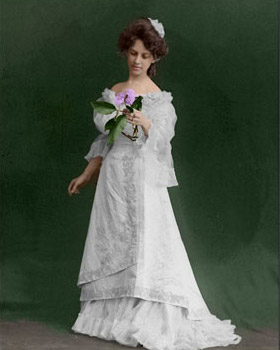
 per vedere il risultato della colorazione nella scheda Dopo.
-
Passaggio 5. La foto colorata non è male, ma la tonalità del vestito non è quella desiderata. E’ stato impostato il bianco ma è comparso il grigio o bianco sporco. Ciò accade perché il programma adatta il colore scelto alla scala di grigi dell'immagine originale.
Per dipingere il vestito bianco dobbiamo cambiare la gamma di luminosità dei tratti bianchi.
Selezionare il bianco dalla Tavolozza colori nella scheda Campioni (o cliccare con lo strumento Contagocce
 su uno dei tratti bianchi dell'immagine), quindi, nella barra sfumata che si trova sotto la Libreria colori, spostare il cursore nero verso destra.

Attivare lo strumento Tubetto magico
 e fare clic su uno dei tratti del vestito, tutti diverranno dello stesso colore ma con una nuova gamma di luminosità.
-
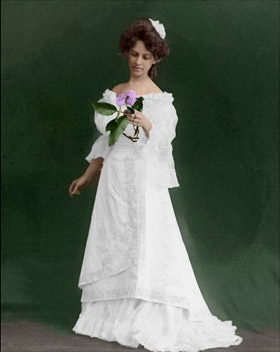
Passaggio 6. Premere per applicare la modifica. Ora il vestito è davvero bianco. Siccome con il cursore nero non abbiamo impostato un colore troppo chiaro, le pieghe e le sfumature del vestito sono ben visibili.
-
Passaggio 7. Premere
 per applicare la nuova colorazione e tornare al programma di grafica.
Coloriage AI v. 15.7 - 10-giorni di prova gratuita
