Desaturazione selettiva
Potrete notare che per desaturare una parte dell'immagine lasciando altre parti intatte, non sarà necessaria una selezione precisa.
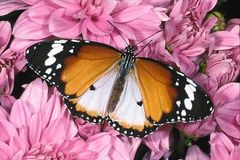
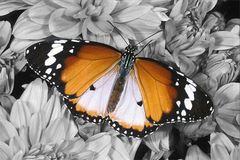
In questo tutorial usiamo la versione plugin, ma si può utilizzare anche il programma standalone, il metodo di lavoro è analogo.
- Passaggio 1. Aprire la foto a colori nell’editor di grafica.
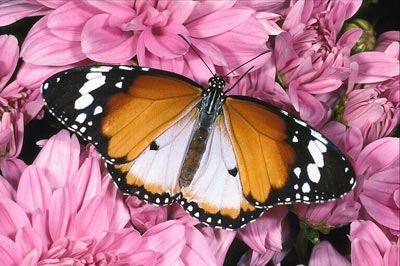
- Passaggio 2. Aprire il plugin AKVIS Coloriage AI selezionandolo dal menu Effetti -> AKVIS -> Coloriage AI.
- Passaggio 3. Nella modalità Classica attivare la Matita conserva colore
 e tracciare un profilo interno della farfalla che deve mantenere i colori originali. Non è necessario delineare le antenne perché, essendo nere, avranno lo stesso colore dopo la desaturazione.
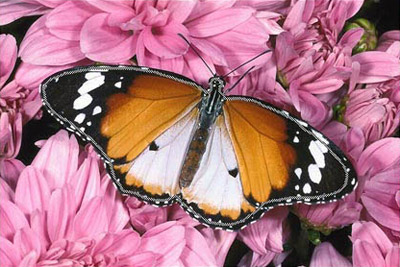
- Passaggio 4. Selezionare la tinta grigia (ad esempio, nella scheda Campioni) e delineare il contorno esterno della farfalla con lo strumento Matita
 .
.
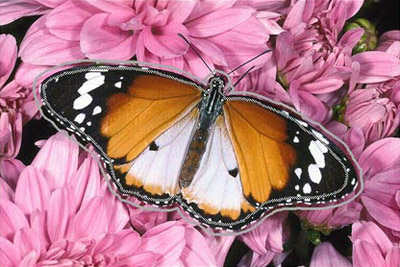
- Passaggio 5. Avviare il processo di desaturazione premendo
 .
.
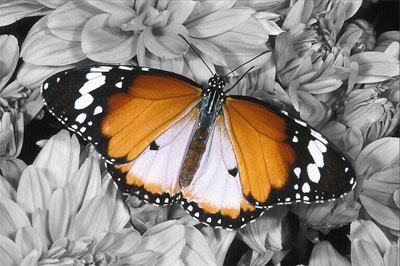
Ora possiamo osservare una foto in scala di grigi dove solo la farfalla ha mantenuto i suoi colori originali.
- Passaggio 6. Applicare la desaturazione premendo
 .
.
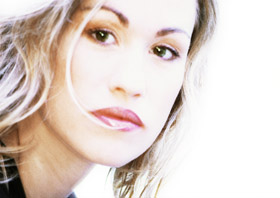
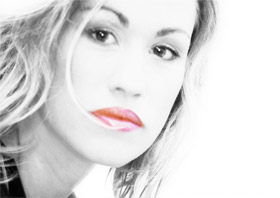
Si può sperimentare con altre foto, per esempio con un ritratto.
La desaturazione selettiva permette di evidenziare i punti chiave e vedere l’immagine in un modo diverso.
Coloriage AI v. 15.7 - 10-giorni di prova gratuita
