Colorare una foto per un collage
L'autore del tutorial è John Bloor.


John, mentre era alla ricerca di nuovi pezzi per la sua collezione di vecchie fotografie, ha trovato l’immagine di questa incantevole bambina.
All’inizio voleva solo colorare il ritratto con il plugin AKVIS Coloriage AI, ma si sa "l'appetito vien mangiando" e la colorazione si è sviluppata nella creazione di un collage.
-
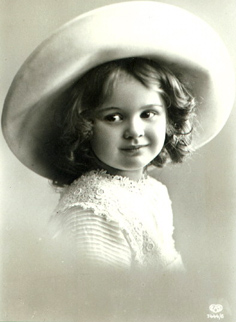
Passaggio 1. Prima la colorazione. Aprire la foto della bambina in AliveColors e lanciare il plugin AKVIS Coloriage AI.
-
Passaggio 2. Nella modalità Classica, nella finestra della scheda Prima, assegnare i colori per ogni oggetto disegnando al loro interno delle linee con lo strumento Matita
 .
.

-
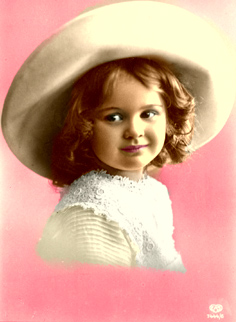
Passaggio 3. Premere su
 per avviare il processo di colorazione.
-
Passaggio 4. Premere su
 per applicare il risultato della colorazione e chiudere il plugin.
-
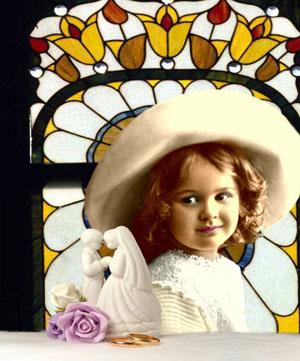
Passaggio 5. Tuttavia John non si è fermato lì. Pensando che lo sfondo uniforme non fosse adeguato al ritratto colorato, ha deciso di creare un collage.
Ha selezionato la figura della bimba con lo strumento Lazo, poi l’ha copiata e incollata sulla nuova immagine dallo sfondo nero.
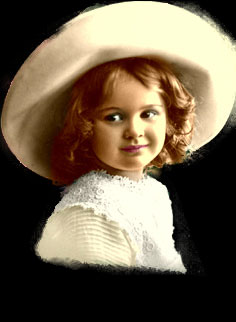
Purtroppo sullo sfondo nero sono visibili i bordi irregolari della foto, ma si possono ritoccare con gli strumenti: Gomma, Sfocatura e Timbro clona.
In primo piano John ha aggiunto alcuni oggetti copiati da altre foto…
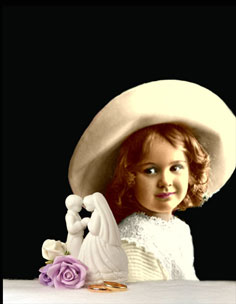
…e durante l'ultima fase ha incollato una vetrata sullo sfondo.
Coloriage AI v. 15.7 - 10-giorni di prova gratuita
