Playing with Light
The author of this example is Thomas Feldmann of Germany.
The tutorial shows how you can illuminate a dark landscape by inserting one or more sources of light. Using AKVIS NatureArt we will add the moon with a soft diffused glow, and a little light to the lamp.
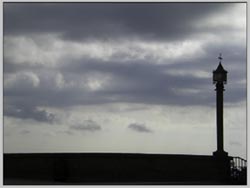
Original Image
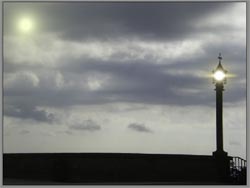
Result
This tutorial can be done with any graphics editor which is compatible with the AKVIS NatureArt plug-in. If the standalone version is used the result will be the same.
-
Step 1. Begin by placing the moon in the sky. Open the image in the graphics editor. Start the AKVIS NatureArt plug-in.
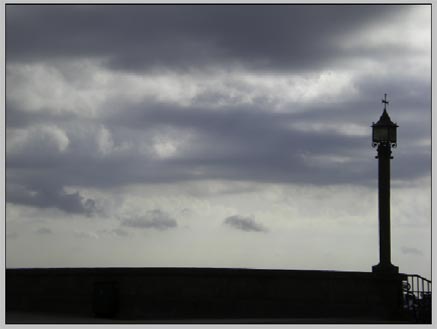
Original Image -
Step 2. Choose Sun from the list of effects. With just a couple of steps day can be changed to night.
Go to the Rays tab and disable the drawing of rays. Switch to the Sun tab.
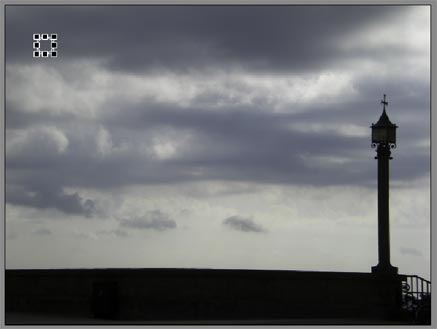
Changing the Size and Position of the MoonUse the Transform
 tool to change the moon's size and location on the image. Adjust the parameters Power and Smoothness to your taste, or as shown below.
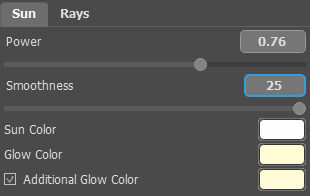
Adjusting the Moon's ParametersStart processing and...the moon is ready.
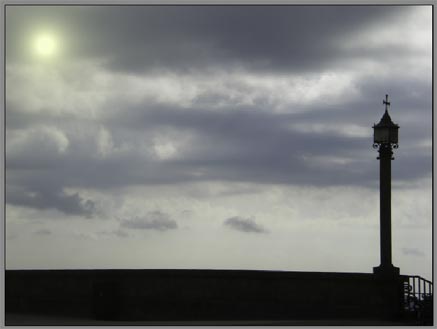
Landscape After Adding the MoonPress
 to apply the result.
-
Step 3. The full moon shines in the sky. All that remains is to add a light to the lamp.
Start the AKVIS NatureArt plug-in again. Choose Sun from the list of effects. Use the
to place the solar disk within the lamp. Adjust the parameters for the best result. The author's adjustments are shown below.
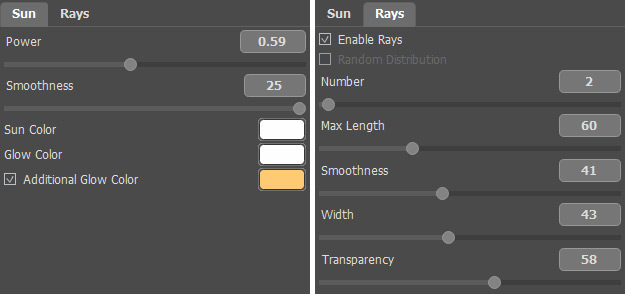
Settings for the Lamp's LightYou can also achieve this effect using AKVIS LightShop.
As a result we have a transformed landscape.
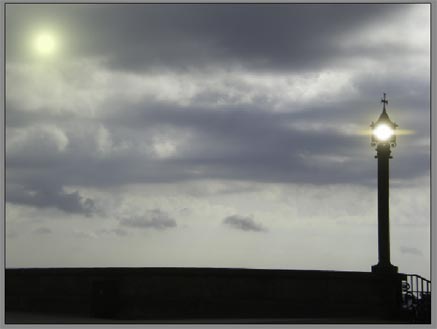
ResultPress
to apply the result.
NatureArt v. 12.7 - Free 10-day Trial
