Jugando con la luz
El autor de este ejemplo es Thomas Feldmann de Alemania.
Este tutorial muestra cómo puede usted iluminar un oscuro paisaje al insertar una o más fuentes de luz. AKVIS NatureArt se utiliza para añadir la luna con un tenue resplandor difuso, y un poco de luz a la lámpara.
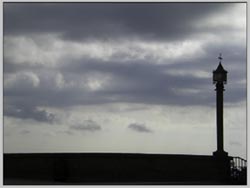
Imagen original
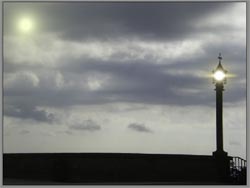
Resultado
Esta tutoría se puede hacer con cualquier editor de gráficos que sea compatible con el plugin AKVIS NatureArt. Si se utiliza la versión independiente (Standalone), el resultado será el mismo.
-
Paso 1. Comience colocando la luna en el cielo. Abra la imagen en el editor de gráficos. Inicie el plugin AKVIS NatureArt.
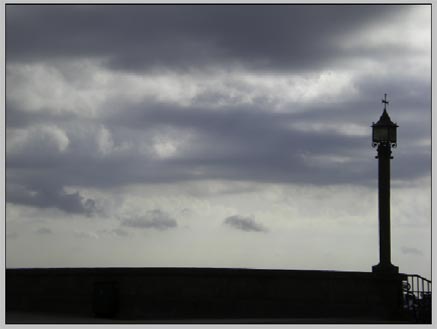
Imagen original -
Paso 2. Elija Sol de la lista de efectos. Con tan sólo un par de pasos, usted puede transformar el día en la noche.
Vaya a la pestaña Rayos y desactive el trazado de rayos. Cambie a la pestaña Sol.
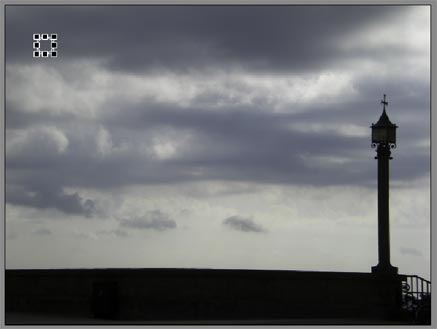
Cambio del tamaño y la posición de la LunaUtilice la herramienta Transformar
 para cambiar el tamaño y la ubicación de la luna en la imagen. Ajuste los parámetros Poder y Suavidad a su gusto, o como se muestra a continuación.
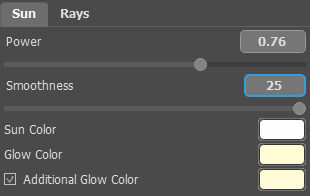
Ajuste de los parámetros de la LunaInicie el procesamiento y la luna estará lista.
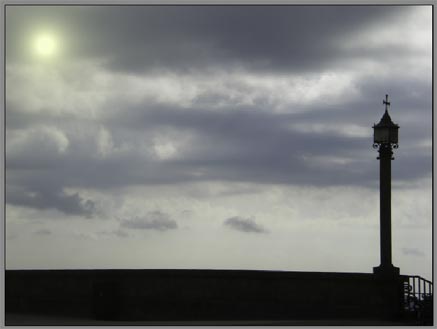
Cambio del tamaño y la posición de la LunaPresione
 para aplicar los cambios.
-
Paso 3. La luna llena brilla en el cielo. Todo lo que queda por hacer es añadir un poco de luz a la lámpara.
Inicie el plugin AKVIS NatureArt de nuevo. Elija Sol de la lista de efectos. Utilice
para colocar el disco solar dentro de la lámpara. Ajuste los parámetros para un mejor resultado. Los ajustes realizados por el autor se muestran a continuación.
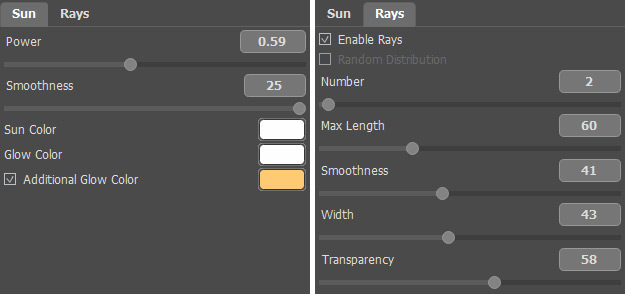
Ajuste de la luz de la lámparaTambién se puede conseguir este efecto utilizando AKVIS LightShop.
Como resultado, usted ha obtenido un paisaje transformado.
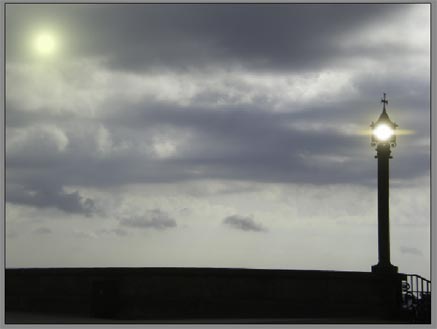
ResultadoPresione
para aplicar los cambios.
NatureArt v. 12.7 - Prueba gratuita de 10 días
