Fantasy collage
Now the technique of using AKVIS Chameleon is different, but the result will be the same.
Consult the article "Chameleon mode" to get the same result with the new version. In the older versions (before v.5.0) this mode was called Standard and applied automatically right after you launch the plugin from the menu Filter.
The author of the example is Ornelli.
You can find her works at www.monkado.com/ornelligraphic.
The photo collage has been created in Adobe Photoshop CS.
Below are two original images: a photo of a small girl and a fantasy picture.
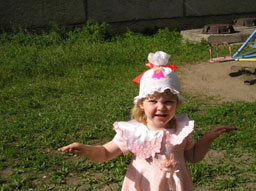
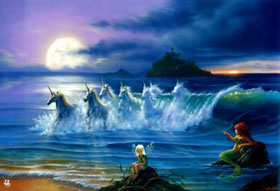
First of all we should select the girl, for example, using the Lasso tool.
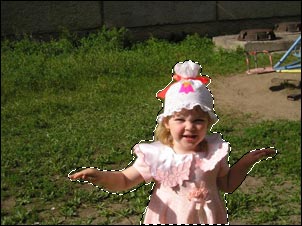
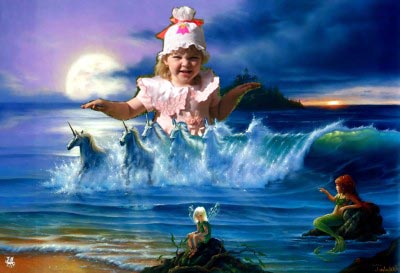
Then we copy the selection (Ctrl+C) and paste it (Ctrl+V) into a new layer of the fantasy picture.
Call the command Edit - Free Transform to adjust the position and the size of the girl.
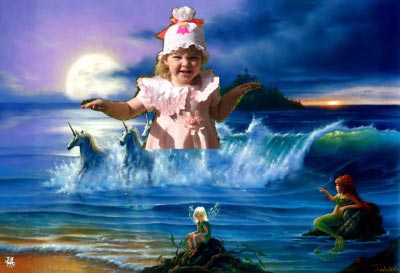
As we see, the unicorns are partly hidden by the girl's dress. To correct this defect, you should first reduce the Opacity of the layer with the girl so that the unicorns could be seen trough,
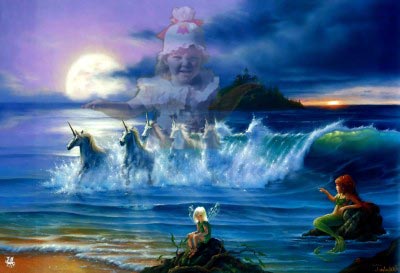
and use Eraser Tool to remove unnecessary parts of the dress. Then restore the value of Opacity to 100%.
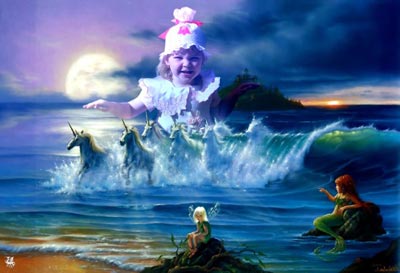
Apply AKVIS Chameleon and see the result.
Chameleon v. 12.2 - 10日間の評価期間
