Tecnica di colorazione e sostituzione del colore
L'esempio è stato creato da S.I Serikov con il plugin AKVIS Coloriage AI in Adobe Photoshop.
AKVIS Coloriage AI permette di ottenere ottimi risultati quando si colorano le foto in B&N. Ma essendo un perfezionista il signor Serikov vuole ottenere il miglior risultato possibile e ci racconta come rendere più vivace una foto scattata negli anni ‘60.
-
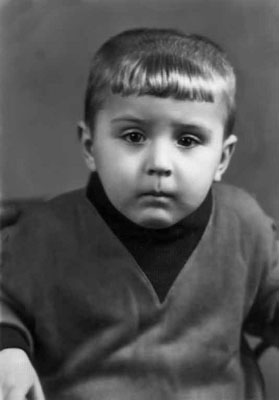
Passaggio 1. Aprire la foto in Adobe Photoshop e lanciare il plugin AKVIS Coloriage AI.
-
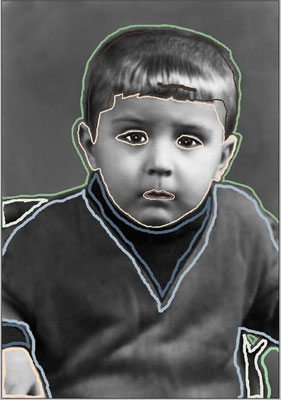
Passaggio 2. Disegnare il profilo interno di ogni oggetto con il colore scelto.
-
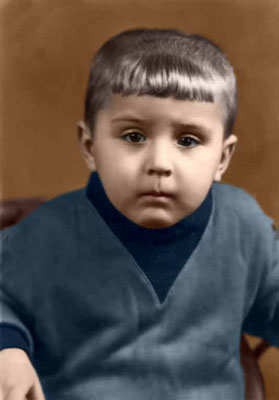
Passaggio 3. Premere su
 per avviare il processo di colorazione e su
  per applicare la colorazione.
-
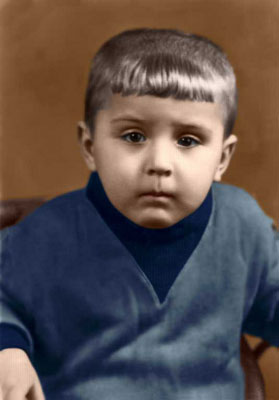
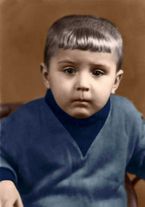
Passaggio 4. L'autore ha deciso di ritoccare l'immagine con Adobe Photoshop utilizzando l’opzione Sostituisci colore per aggiungere una leggera tonalità blu al pullover e renderlo più vivace.
NdR. Oggi con il nuovo AKVIS Coloriage AI questo passaggio in Adobe Photoshop è superfluo, infatti la versione attuale offre notevoli novità e valide opzioni che permettono una colorazione naturale, varia e con la possibilità di applicare sfumature chiare su aree scure e viceversa.
Ecco le istruzioni come usare l'opzione Sostituisci colore:
Selezionare il comando Immagine -> Regolazioni -> Sostituisci colore;
utilizzare lo strumento Contagocce per selezionare il colore blu scuro dalla spalla del ragazzo;
impostare il parametro Tolleranza in modo tale che nella finestra Selezione appaia solo il pullover;
regolare i parametri Tonalità e Saturazione;
applicare il risultato premendo su OK.
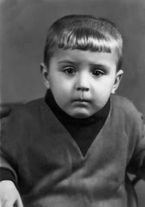
Qui di seguito ci sono due immagini: a sinistra il ritratto dopo la colorazione, a destra lo stesso ritratto dopo l'applicazione del comando Sostituisci colore in Adobe Photoshop. Come si può notare la maglia del bambino ora ha sfumature più blu.
Coloriage AI v. 15.7 - 10-giorni di prova gratuita
