Graphic software for Windows Mac graphic software  
Entrez votre e-mail pour souscrire à notre liste de diffusion.
 
  
  Produits     Télécharger     Magasin en ligne     Tutoriel     Support     Compagnie
en  fr  de  es  pt  it  jp  ru    
 

Tutoriel: AKVIS Enhancer

Show Detail in Shadows


Désolé, à présent cette information n'est disponible qu'en anglais. La version française sera bientôt affichée.

The author of the example is Sanjeev Saha, New Delhi, INDIA.

AKVIS Enhancer improves an image and gives a new look to a snap taken in the dark or without flash. It seems that the only right decision is to move your dark photos to the trash. But do not hurry! Let's try to impove them.

Here are some photos which I picked from pbase.com (photos sharing site). The result after using AKVIS Enhancer impressed me. None of the photo editor's tools can perform the same result.

    Let's open this image.

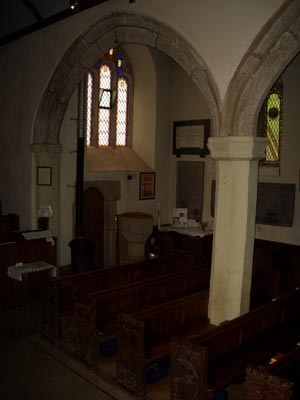
    The original image

    You see nothing except the shadows and the window. So let's use AKVIS Enhancer to see how this photo can be improved.

  • Step 1. Open this image in your photo editor. I used Jasc Paint Shop Pro 7.
    Open an image in your photo editor
  • Step 2. Now call AKVIS Enhancer from the main menu of the photo editor Effects -> Plugin -> AKVIS -> AKVIS Enhancer.
    AKVIS Enhancer window
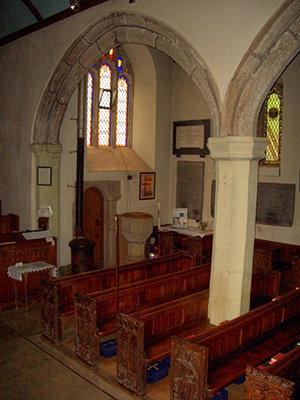
  • Step 3. Now set the values of the parameters Shadows=25, Highlights=0, Level of Detail=6, Lightness=70 and press the button Apply to apply the result.
    After appying AKVIS Enhancer
  • Step 4. You can see the difference between these two images.

    The original image   Detailed enhancement
    The original dark photo The result after correction


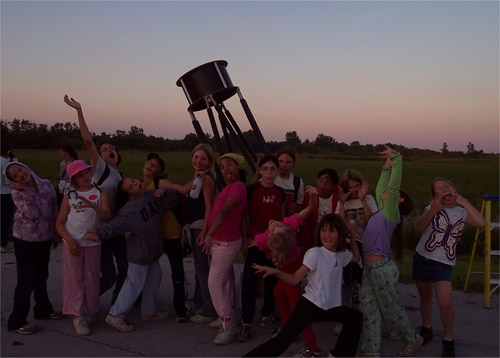
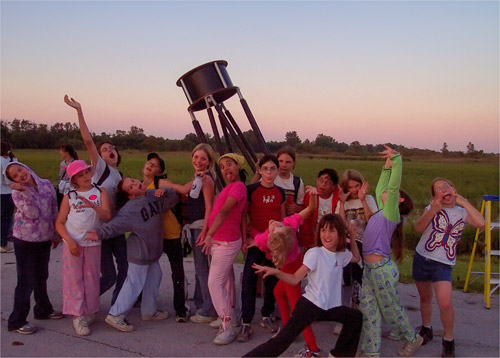
I tried this plugin on another image taken without flash. The result is mindblowing.

Here is the image.

The original dark image

Then I set the value of the parameters Shadows=67. Highlights=0, Level of detail=2 and Lightness=67. Here is my result.

Enhancement result


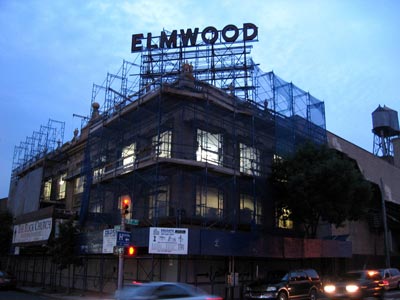
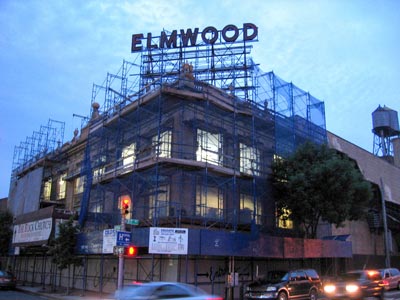
And this one. You can see the details of the screen which covers the building after using AKVIS Enhancer.

The original dark photo   The result after correction
The original dark photo The result after correction

 
AKVIS Enhancer Plug-In AKVIS Enhancer Plug-In
   — Zone de travail — Zone de travail
   — Mode Enhancer — Mode Enhancer
   — Mode Focus — Mode Focus
   — Batch Processing — Batch Processing
AKVIS Enhancer - HDR program AKVIS Enhancer - HDR program
   — Zone de travail — Zone de travail
   — Mode Enhancer — Mode Enhancer
   — Mode Focus — Mode Focus
   — HDR mode — HDR mode
   — Image à grande gamme dynamique(HDR) — Image à grande gamme dynamique(HDR)
Exemples Exemples
   — Dans la rue — Dans la rue
   — Enfant dans le jardin — Enfant dans le jardin
   — Camion — Camion
   — Ville ancienne — Ville ancienne
   — À la campagne (HDR) — À la campagne (HDR)
   — Améliorer la netteté — Améliorer la netteté
   — Photo sombre d'une église — Photo sombre d'une église
   — Court de tennis — Court de tennis
   — Tir à l'arc — Tir à l'arc
   — Chapelle orthodoxe — Chapelle orthodoxe
   — Oranger — Oranger
   — Photo prise contre le soleil — Photo prise contre le soleil
   — Illustration technique — Illustration technique
   — La ville au crépuscule  — La ville au crépuscule
   — Photo sous-exposée — Photo sous-exposée
   — Un bébé avec un hochet — Un bébé avec un hochet
   — Les enfants de l'Afrique — Les enfants de l'Afrique
   — Raviver photos sans flash — Raviver photos sans flash
   — Enlever le brouillard — Enlever le brouillard
   — Le poète et les pigeons — Le poète et les pigeons
   — Le chat noir — Le chat noir


   Politique de Confidentialité | Plan du Site | Recherche | English  | Français  | Deutsch  | Español  | Português  | Italiano  | 日本語  | Pусский  | © 2004-2008, AKVIS Software Inc. Tous droits réservés.