Show Detail in Shadows
The author of the example is Sanjeev Saha, New Delhi, India. He writes:
AKVIS Enhancer improves an image and gives a new look to a snap taken in the dark or without flash. It seems that the only right decision is to move your dark photos to the trash. But do not hurry! Let's try to improve them.
Here are some photos which the author picked from pbase.com (photos sharing site). The result after using AKVIS Enhancer impressed him. None of the photo editor's tools can perform the same result.
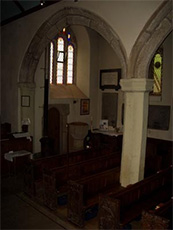 |
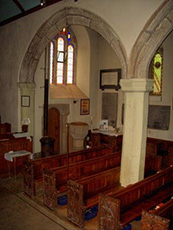 |
| Original Dark Photo | Result After Correction |
-
Step 1. Open this image in your photo editor. The author used AliveColors.
You can use the plugin with any other compatible image editor or take the standalone version of Enhancer which can be used independently.
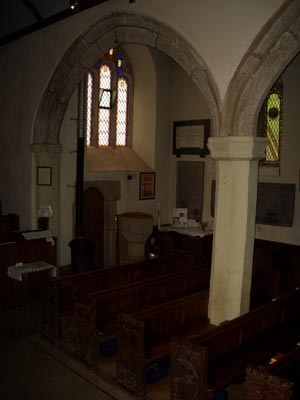
Original ImageYou see nothing except the shadows and the window.
So let’s use AKVIS Enhancer to see how this photo can be improved.
- Step 2. Call AKVIS Enhancer from the main menu of the photo editor. In AliveColors select Effects -> AKVIS -> Enhancer.
- Step 3. Set the values of the parameters of Improve Detail mode.
-
Step 4. Press the button
 to apply the result.
You can see the difference between these two images!
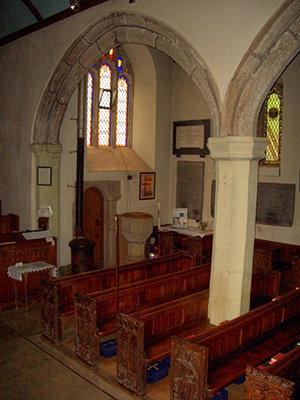
Detail Enhancement
Then the author tried the plugin on another image taken without flash.

Adjust the parameters to brighten up the picture. The result is mindblowing!

And this one. After using AKVIS Enhancer you can see every detail of the screen which covers the building.
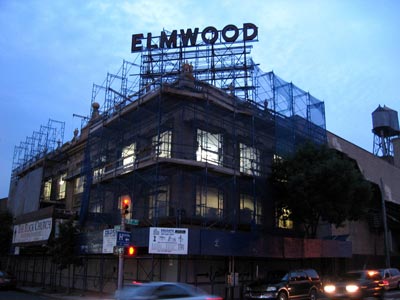
|
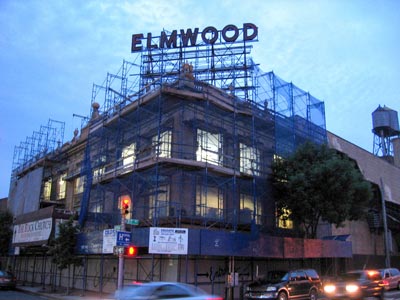 |
| Original Image | After Correction |
Enhancer v. 17.8 - 10日間の評価期間
