Feuerwerk über der Stadt
Stellen wir uns eine Stadt am Winterabend vor. Stellen Sie sich einmal eine Nachtstadt Im Winter vor. Jeder geht seinen Geschäften nach. In der Geschichte jedes Landes gibt es aber Daten, die alle Bewohner vorübergehend vereinigt. In solchen Festnächten sieht man nicht nur Sterne, sondern auch die bunten Lichter am Himmel.
Mit dem Programm AKVIS LightShop kann man jedes Foto festlich gestalten.
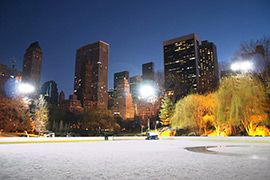
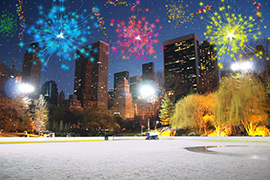
(große Version öffnen)
-
Schritt 1. In AKVIS LightShop, in dem Erweiterten Modus aktivieren Sie die Elemente-Leiste und erstellen einen neuen Lichteffekt mit den Elementen Partikeln und Strahlenstern.
Sie können entweder den Effekt herunterladen, die zip-Datei öffnen und die xml-Datei in das Programm importieren (mit einem Klick auf
 in der Effekte-Leiste) oder Ihren eigenen Effekt erzeugen.
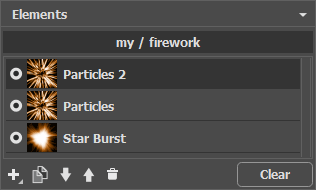
Passen Sie die Einstellungen in der Leisten Elementparameter und Effektparameter so an, dass das Ergebnis wie folgt aussieht:
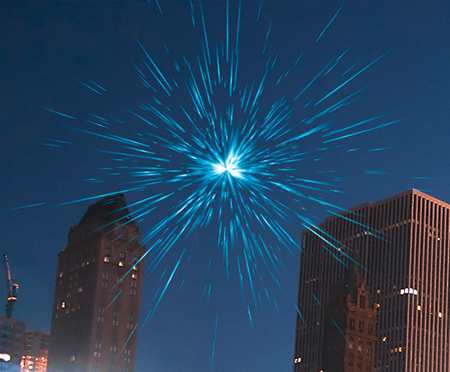
-
Schritt 2. Aktivieren Sie den Sternpinsel in der Werkzeugpalette
 und passen seine Parameter wie folgt an.
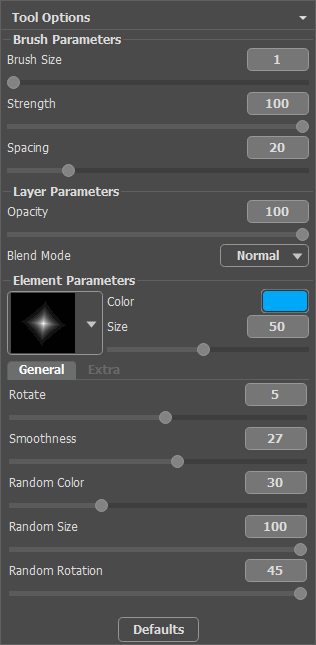
Fügen Sie die Sterne hinzu. Man kann diese entweder an die Spitze der Partikeln oder chaotisch platzieren.
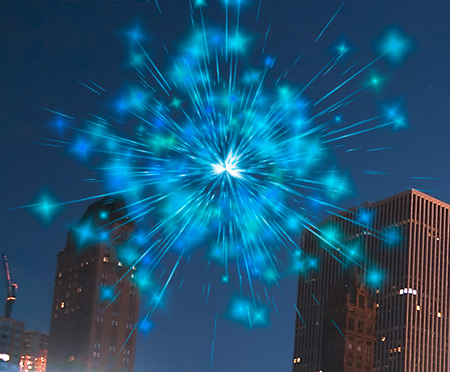
Speichern Sie das Ergebnis mit einem Klick auf
 . Sie erhalten dann die Meldung: "Möchten Sie das gespeicherte Bild als Ausgangsbild benutzen?" Klicken Sie auf Ja und setzen die Bearbeitung fort.
Wenn Sie die Plugin-Version des Programms benutzen, klicken Sie auf
 , um die Änderungen anzunehmen und da Plugin-Fenster zu schließen.
-
Schritt 3. Wiederholen Sie die Schritte 1-2, um mehrere Lichteffekte dem Bild hinzuzufügen. Mit dem Werkzeug Transformieren
 ändern Sie die Größe und Position der Lichteffekte auf dem Bild. Wählen Sie andere Farben in den Effektparametern.
Für jeden Effekt kann man das zentrale Element (Strahlenstern) gegen ein anderes tauschen, z.B. gegen Lichtbündel oder Strahlenkranz.
Hinweis:
Mit einem Klick auf
 können Sie die Effekte als Presets speichern, um diese in der Zukunft zu benutzen.
Beachten Sie, nur Lichteffekte können in xml-Dateien gespeichert werden, nicht die mit dem Pinsel erstellten Sterne!
-
Schritt 4. Malen Sie auf dem Himmel die Schlangenlinien aus bunten Sternen. Dazu passen Sie die Parameter des Glitzerpinsels wie folgt an:
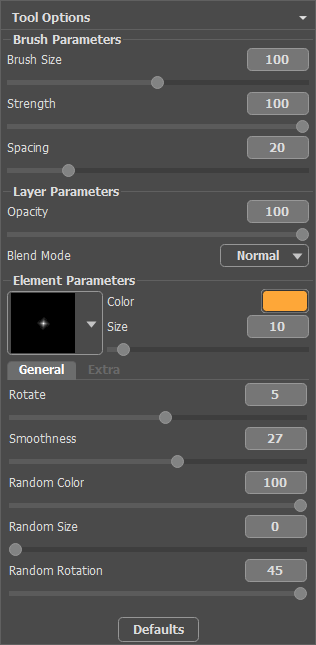
Mit dem Pinsel malen Sie ein Paar gekrümmte Linien an beliebigen Stellen. Erhöhen Sie den Wert des Parameters Sterngröße um 10 und ziehen Sie mehrere Linien oberhalb der bereits gezogenen (kürzer um 1/3). Wiederholen Sie diesen Schritt mehrere Male.
Als Ergebnis bekommt man so etwas:
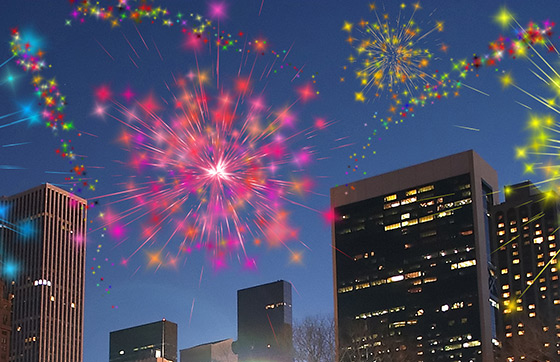
Wenn einige Bereiche des Himmels etwas leer aussehen, fügen Sie mehrere bunte Sternchen hinzu. Klicken Sie auf
, um das Plugin-Fenster zu schließen.
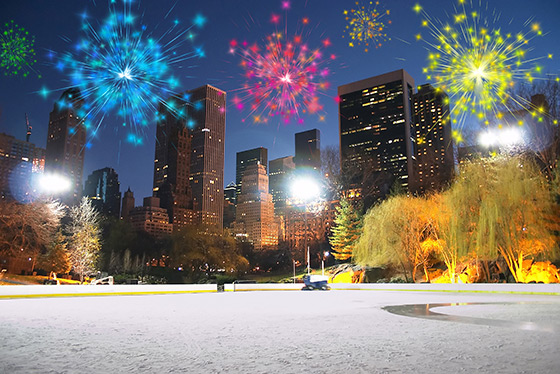
Im Ergebnis sieht die Stadt festlich aus:
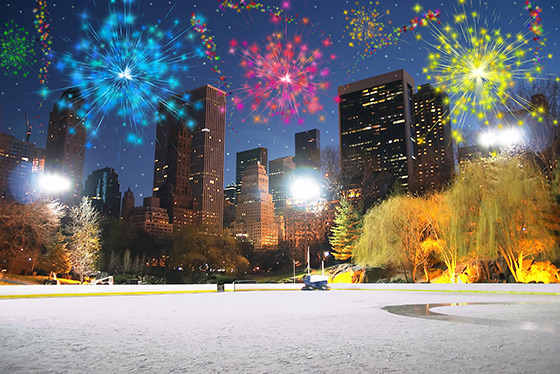
Nachtfeuerwerk
(Klicken Sie auf das Bild, um eine vergrößerte Version zu sehen)

LightShop v. 8.1 - 10-Tage-Testversion
