Partikeln
Partikeln. Das Element hat die Form der vom Zentrum ausstrahlenden Partikeln.
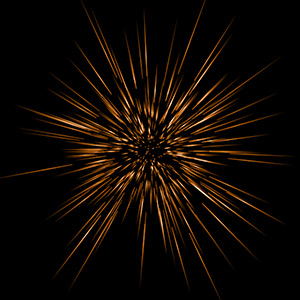
Sie können den Lichteffekt mit dem Werkzeug  transformieren. In dem Register Elementparameter können Sie die Position und Größe sowie die Farbe des Elements ändern.
Außerdem kann man die speziellen Parameter des Elements Partikeln anpassen:
-
Elementgröße (1-200). Mit dieser Einstellung wird die Größe des ganzen Elements spezifiziert.
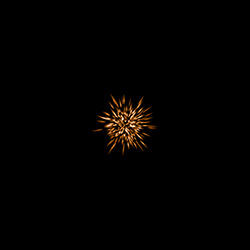
Elementgröße = 40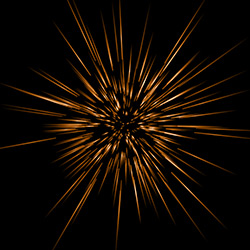
Elementgröße = 120 -
Partikelzahl (1-100). Der Parameter legt die Zahl der leuchtenden Partikeln in dem Element fest. Bei der Erhöhung des Wertes um 1 steigt die Partikelzahl um 10.
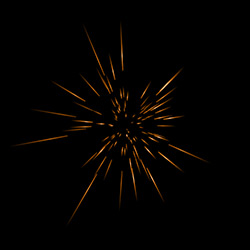
Partikelzahl = 10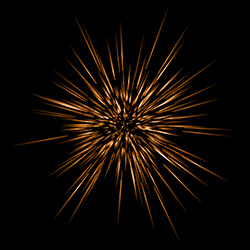
Partikelzahl = 50 -
Partikellänge (1-100). Die Einstellung ändert die maximale Länge der Partikeln in dem Element. Verschiedene Partikeln können verschiedene Längen haben, der vorgegebene Wert kann aber nicht überschritten werden.
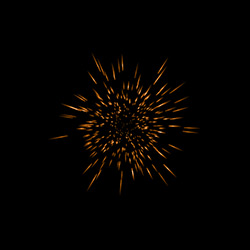
Partikellänge = 10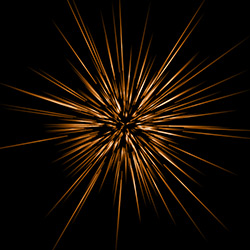
Partikellänge = 50 -
Zufallslänge (0-100). Mit diesem Parameter wird die Längenbereich der einzelnen Partikeln eingestellt. Mit dem zunehmenden Wert erhöht sich der Längenbereich der Partikeln.
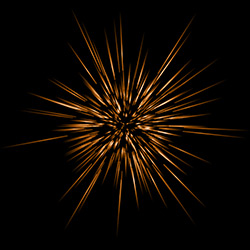
Zufallslänge = 10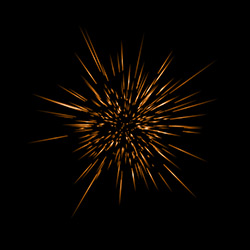
Zufallslänge = 100 -
Halogröße (1-100). Mit zunehmendem Parameterwert erhöht sich die Breite des Halos um das Element herum an.
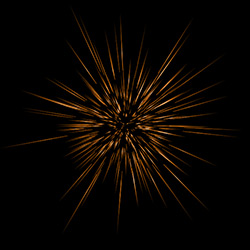
Halogröße = 30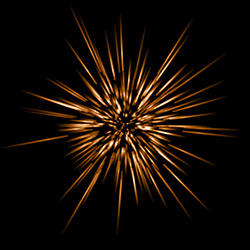
Halogröße = 80 - Zufallszahl (0-999). Diese Zahl gibt den Startwert für die zufällige Verteilung der Partikeln vor. Sie kann zwischen 0 und 999 eingestellt werden. Jede Zahl erzeugt eine einmalige Verteilung der Partikeln innerhalb des Elementes, gleiche Zahlen erzeugen auch immer die gleiche Verteilung.
LightShop v. 8.1 - 10-Tage-Testversion
