Elementos de los efectos de luz: Partículas
El elemento Partículas tiene la forma de múltiples partículas que se separan hacia fuera desde un solo centro.
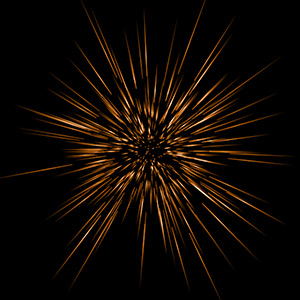
Puede transformar el efecto de la luz con la herramienta  . En el panel Propiedades del elemento puede cambiar Posición y tamaño y Color del efecto.
También puede ajustar los parámetros especiales de Partículas:
-
Tamaño elemento (1-200). El parámetro especifica el tamaño del elemento.
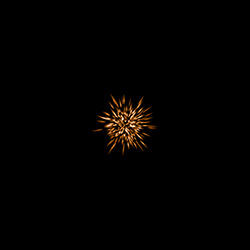
Tamaño elemento = 40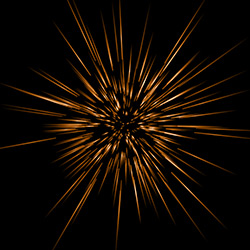
Tamaño elemento = 120 -
Partículas (1-100). El parámetro define el número de partículas luminosas en el elemento. Al aumentar el valor por 1 aumenta el número de partículas por 10.
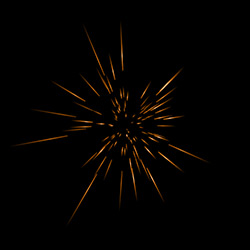
Partículas = 10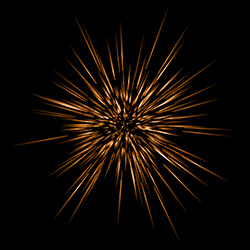
Partículas = 50 -
Longitud de las partículas (1-100). El parámetro cambia la longitud máxima de las partículas. Las diferentes partículas pueden tener diferentes longitudes, pero no puede exceder el valor especificado.
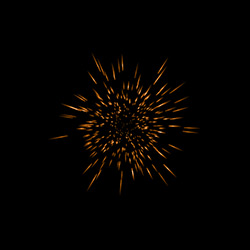
Longitud de las partículas = 10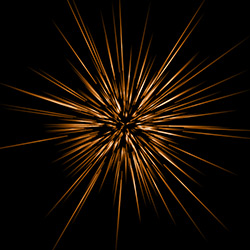
Longitud de las partículas = 50 -
Largo aleatorio (0-100). Este parámetro especifica el rango de longitud de las líneas. El aumento del parámetro aumenta el rango de longitud de las partículas en el elemento.
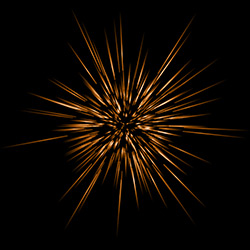
Largo aleatorio = 10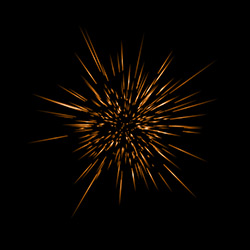
Largo aleatorio = 100 -
Ancho de halo (1-100). El aumento del valor del parámetro aumenta el área del halo alrededor de las partículas.
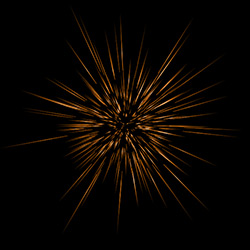
Ancho de halo = 30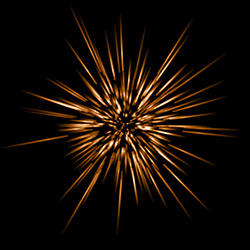
Ancho de halo = 80 - Número aleatorio (0-999). Este es el número inicial para el generador de números aleatorios que define la distribución de las partículas en el elemento. Puede ser cualquier número entre 0 y 999; cada número produce una distribución única de partículas.
LightShop v. 8.1 - Prueba gratuita de 10 días
