Graphic software for Windows Mac graphic software  
AKVIS ニュースの購読を申し込むには, 電子メールアドレスを入力してください。
 
  
  プログラム     ダウンロード     サイバーショップ     チュートリアル     サポート     会社情報
en  fr  de  es  pt  it  jp  ru    
 

チュートリアル: AKVIS LightShop

Fireworks


あいにく, このページは英語にだけ使用可能です。日本語のバージョンは遠からず出ります。

The author of this tutorial is Héctor Calle E.

Hong Kong… a cosmopolitan city with a huge population. Its citizens are always busy, but they like celebrations too. In the calendar of the city there is a day that unites people. On this day numerous fireworks sparkle in the night sky overshining the stars.

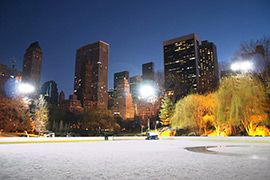
Let's add fireworks to this night picture of Hong Kong using AKVIS LightShop plug-in.


  • Step 1. Open the image in Adobe Photoshop or other photo editor compatible with AKVIS plug-ins.
    Photo of a night city
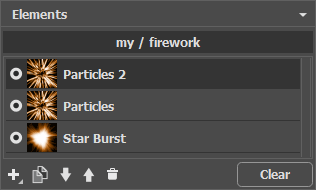
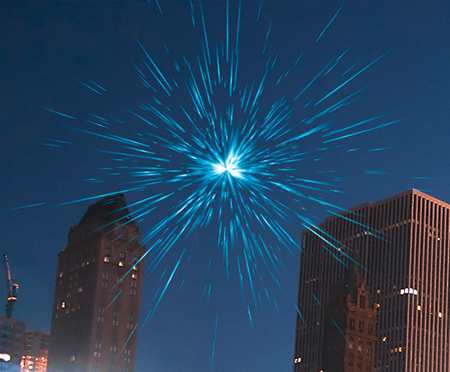
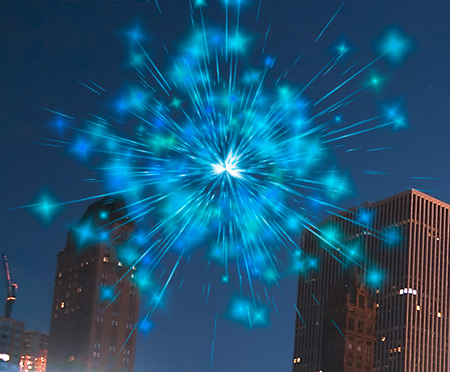
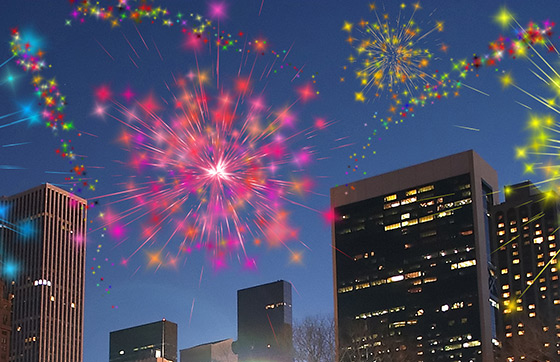
  • Step 2. Call the plugin from the menu of the photo editor Filter > AKVIS > LightShop. Choose a suitable preset in the plugin window, for example, No. 03. Press the button Run to see how it will look on the image. If you are not satisfied, you can change the settings in the Effect settings window (double-click on this preset). Then press the button Run again and see the result. You can change the parameters of the preset several times to achieve the necessary result. Below is the picture with the chosen fireworks.
    Firework
    Press the button Apply to apply the result to the image. But one firework is not enough for this big city. Let's make more.
  • Step 3. Call the plugin again Filter > AKVIS > LightShop. We need diversity so we choose a different preset, this time - No. 27.
    Add one more firework

    Set the parameters of the preset again. Repeat Step 2. To see the result press the button Run, press the button Apply to apply the result and close the plugin window.

  • Step 4.

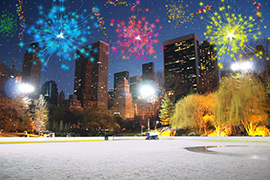
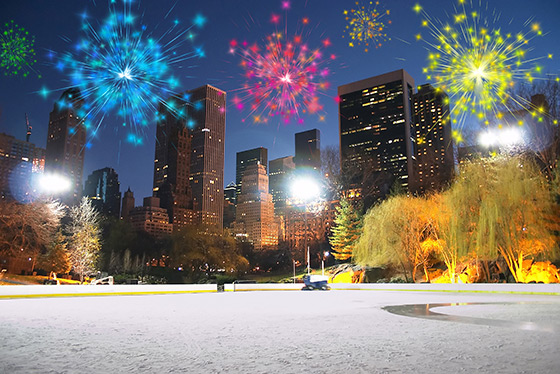
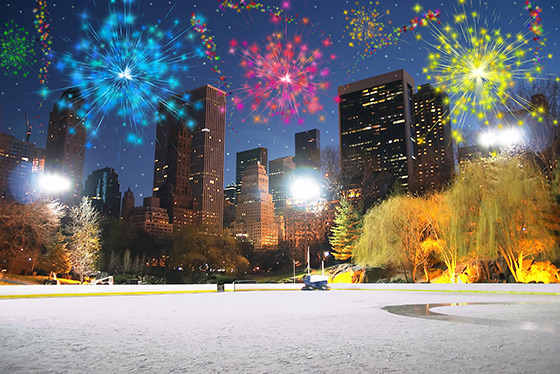
    Repeat the previous steps several times to make the photo more colorful and cheerful.

    The author used SAMPLES N 18, 43, 25, 42.

    City at night

    Now the photo has a festive look!

 
操作方法 操作方法
   — ワークスペース — ワークスペース
   — ライト効果の適用 — ライト効果の適用
   — ライト効果の編集 — ライト効果の編集
   — 新しいライト効果の作成 — 新しいライト効果の作成
   — 汎用パラメータ — 汎用パラメータ
   — オプション  — オプション
要素とそのパラメータ 要素とそのパラメータ
   — 滴(Blob) — 滴(Blob)
   — リング(Ring) — リング(Ring)
   — 光線(Rays) — 光線(Rays)
   — 線(Stripe) — 線(Stripe)
   — 粒子(Particles) — 粒子(Particles)
   — グギ状光線(SpikeBall) — グギ状光線(SpikeBall)
   — 星型光線(PolySpikeBall) — 星型光線(PolySpikeBall)
   — PhotonSpikeBall — PhotonSpikeBall
修飾 修飾
   — スケール(Scale) — スケール(Scale)
   — 回転(Rotate) — 回転(Rotate)
   — 移動(Move) — 移動(Move)
   — 花(Flower) — 花(Flower)
   — 星(Star) — 星(Star)
   — 渦巻(Whirlpool) — 渦巻(Whirlpool)
   — マスク(MaskSector) — マスク(MaskSector)
   — フラクタル(Fractal) — フラクタル(Fractal)
   — 炎(Inferno) — 炎(Inferno)
操作例 操作例


   プライバシー | サイトマップ | Web サイトの検索 | English  | Français  | Deutsch  | Español  | Português  | Italiano  | 日本語  | Pусский  | © 2004-2008, AKVIS Software Inc. All rights reserved.